The most common advice about smishing vs phishing is also the least useful: “Treat every suspicious message the same way.” That sounds sensible, but it hides the operational problem. An employee reviewing an email on a laptop has different context, visibility, and verification options than someone reacting to a text notification on a personal phone.
Phishing is the broader social-engineering category. Smishing is phishing delivered through SMS, but the distinction changes how people make decisions, how defenders simulate attacks, and how security teams measure risk. A training program that only tracks email clicks can report improvement while leaving mobile messaging largely untested.
| Criteria | Email phishing | Smishing |
|---|---|---|
| Delivery channel | Email inboxes, often corporate accounts | SMS and mobile messaging |
| Typical user context | Desktop or laptop workflow, often with security tooling | Personal phone, small screen, rapid decision-making |
| Common lure | Account notices, invoices, document shares, password resets | Delivery alerts, bank warnings, toll demands, job offers, wrong-number messages |
| Primary user actions | Click, open attachment, submit credentials, reply | Click, call, reply, scan a QR code, submit payment data |
| Useful verification | Sender headers, full destination URL, attachment inspection | Independent app or website access, official phone number, full domain review |
| Measurement challenge | Delivered emails, unique recipients, clicks, submissions | Delivery failures, clicks, replies, calls, submissions, carrier filtering |
| Best training emphasis | Email workflow inspection and reporting | Pause, avoid message links, independently verify, report through a mobile-aware process |
Why Email Awareness Fails Against Text Message Fraud
Email awareness training often teaches a recognizable set of habits: inspect the sender, hover over links, question unexpected attachments, and report suspicious messages. Those habits remain useful, but they don't automatically transfer to SMS. The assumption that an employee who spots a fake invoice in Outlook will spot a fraudulent delivery text on an iPhone is a training hypothesis, not a proven control.
The mobile decision environment is different. SMS messages appear alongside legitimate delivery updates, appointment reminders, authentication codes, and conversations with people the user knows. The screen may show only part of a destination address, and the user may be standing in a queue, driving between meetings, or handling a personal task. A message that would receive scrutiny in a desktop inbox can receive a quick tap on a phone.
Practical rule: Train the decision, not just the visual appearance of the lure.
Smishing also expands the set of actions that security teams must consider. An employee might click a link, call a number, reply with information, scan a QR code, or enter payment details into a mobile browser. A simulation that records only link clicks can miss the behavior that matters most for a particular campaign.
Why urgency works differently on mobile
Text messages create an expectation of immediacy. People use SMS for short, transactional notifications, so a brief message about a package, account alert, or payment can look normal without resembling a conventional phishing email. Attackers exploit that expectation with shortened links, fake delivery notices, fraudulent bank alerts, and urgent requests.
The issue isn't that mobile users are careless. The issue is that the channel encourages fast interpretation and limited inspection. Generic reminders to “think before you click” don't tell a person what to do when the message asks for a call or reply rather than a browser click.
The training blind spot in distributed companies
Distributed teams make this gap harder to close because work identities and personal devices overlap. Employees may read corporate email on managed laptops while receiving suspicious texts on privately owned phones. Security teams may know which employees need training without having a lawful or appropriate way to inspect personal SMS activity.
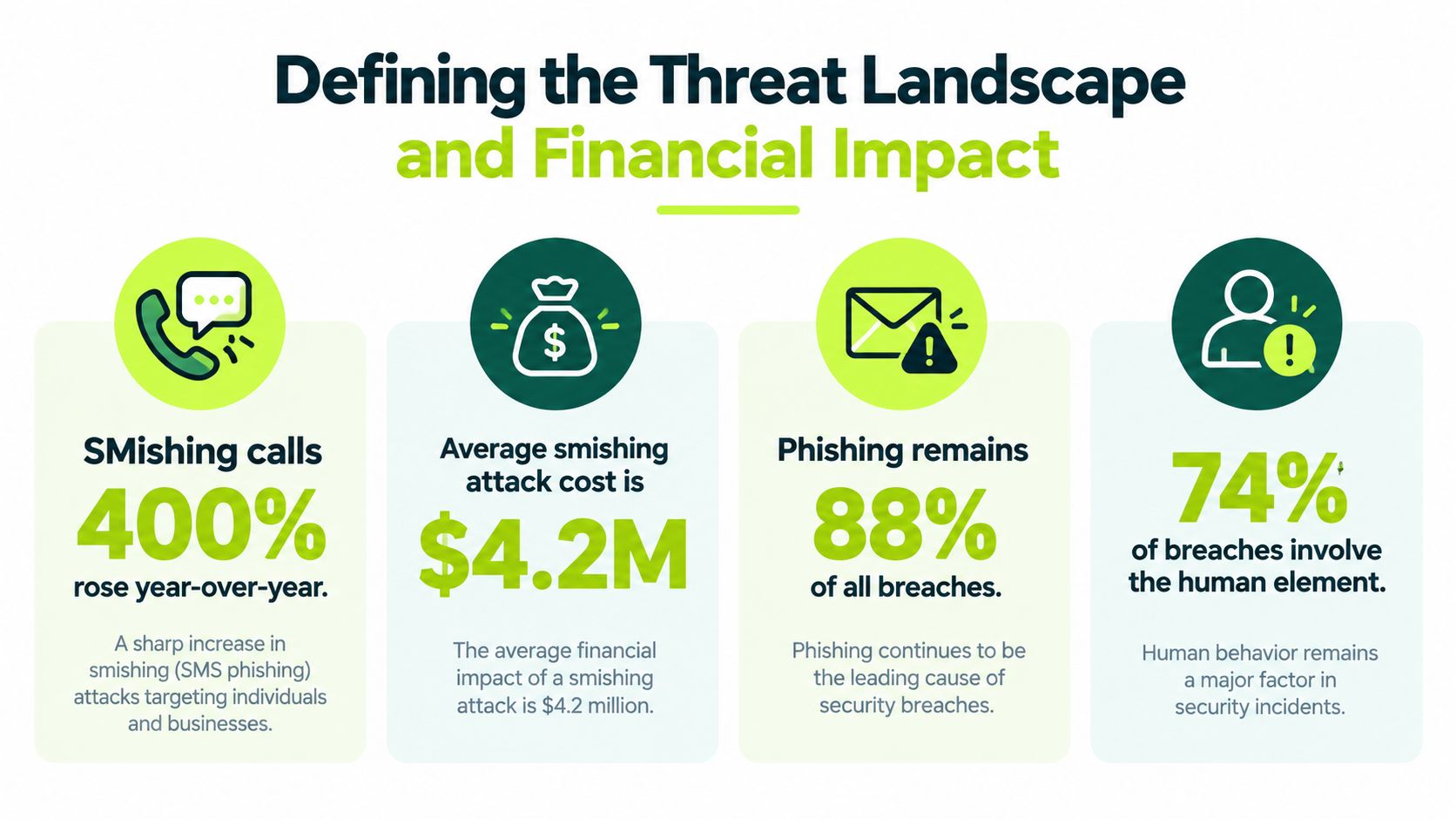
APWG's Q3 2024 reporting recorded 963,994 phishing attacks in Q1, 877,536 in Q2, and 932,923 in Q3, while smishing activity increased by more than 22% during Q3 2024. The APWG Q3 2024 trends report supports treating SMS fraud as a separate attack surface, not merely as email phishing in another format.
How Smishing and Phishing Losses Are Actually Counted
Phishing is a broad social-engineering category in which attackers impersonate trusted organizations or people to obtain credentials, payments, or sensitive information. Delivery can occur through email, a website, a phone call, or a message. Smishing is the SMS-specific form, and its lures often use shortened links, package notices, bank alerts, or immediate pressure to act.
The distinction affects how security teams measure exposure. Industry telemetry may count detected attacks, law-enforcement reports may count complaints, and consumer reporting may capture scams that began with a text message. These datasets describe different parts of the problem. Combining them would produce a misleading loss estimate.
Volume and loss answer different questions
The Federal Trade Commission reported that consumers lost $470 million to scams that began with text messages in 2024, more than five times the amount reported in 2020. The FTC also found that the share of text-scam reports indicating monetary loss rose from 5% in 2020 to 11% in 2024, even though the number of reports declined. Because the section lacks a direct FTC source link, these figures should be verified before publication or replaced with the qualitative conclusion that text-scam losses and loss rates increased.
Common schemes included fake package-delivery problems, bogus job or task offers, fraudulent bank or fraud alerts, unpaid-toll demands, and wrong-number messages. Each lure resembles a routine mobile interaction, then introduces a reason to act before the recipient verifies the request through an independent channel.
The FBI's Internet Crime Complaint Center received 859,532 complaints involving more than $16.6 billion in reported losses overall in 2024. Phishing or spoofing ranked among the three most frequently reported cybercrime categories, with 23,252 complaints specifically identified in the annual report. The FBI IC3 2024 report makes the comparison useful, while its figures cover a broad complaint population rather than direct email-phishing losses.
A better risk model for GRC teams
Security leaders should separate three questions:
- How often is the channel targeted? Use attack or detection volume, and document exactly what the dataset counted.
- How often do users engage? Track delivered messages, unique recipients, clicks, replies, calls, and form submissions. For mobile fraud, a click-only measure misses meaningful actions.
- What harm follows? Track confirmed account compromise, payment loss, data exposure, and recovery effort.
This model gives distributed, cloud-first organizations a defensible basis for allocating controls. A high-volume email problem should not automatically receive the entire training budget, while every SMS detection should not be treated as a confirmed loss. Teams should connect channel, asset, user group, and consequence in their reporting.
Teams comparing control assumptions can use this overview of social-engineering attacks, then test those assumptions against incident records, reporting data, and channel-specific engagement results. That evidence supports training decisions that measure behavior change rather than module completion alone.
Comparing Attack Tactics and User Engagement
Attackers adapt the lure to the channel's normal rhythm. Email campaigns can imitate procurement workflows, shared documents, password resets, or executive requests. Smishing campaigns often compress the same pressure into a few lines and rely on the user's expectation that a text is quick to read and quick to resolve.
A controlled two-round experiment provides useful evidence, with an important limitation. In the first round, 260 participants received simulated SMS lures, and 195 participants received them in the second. The response rate was 16.92% in round one and 12.82% in round two, where response included calling, clicking, or replying. The field research on simulated smishing engagement shows why a click-only metric is incomplete.
| Criteria | Email Phishing Tactics | Smishing Tactics |
|---|---|---|
| Trust anchor | Corporate identity, executive role, vendor relationship, shared file | Bank, parcel carrier, employer, government service, phone contact |
| Pressure mechanism | Account closure, payment deadline, document review, executive urgency | Delivery failure, fraud alert, unpaid toll, reward, job task, wrong number |
| Screen experience | More room to inspect sender details and destination links | Small display, truncated context, fast reading, mobile browser handoff |
| Primary attack path | Link, attachment, reply, credential form | Link, call, reply, QR code, payment form |
| Framing in controlled research | Often compared through click or submission rates | Reward framing produced a 17.87% potential success rate, versus 12.96% for fear framing among delivered messages |
| Action-specific engagement | Usually measured through clicks, replies, or submissions | 18.18% for click requests, 14.47% for reply requests, and 9.22% for call requests in the cited experiment |
| Delivery constraint | Mail filtering and inbox placement | Carrier filtering, number reputation, device settings, and regional controls |
Why the denominator matters
The experiment also reported that 56.27% of messages were undelivered. That finding changes how a security leader should interpret the engagement figures. A low overall response rate might reflect weak user susceptibility, poor delivery, or both.
For email exercises, report delivered messages, unique recipients, clicks, and credential submissions separately. For SMS exercises, add replies and calls, then document how delivery was established. A carrier filter can prevent a lure from reaching a user, but that doesn't prove the user would have rejected it.
Design simulations around realistic actions
A simulation that sends an SMS with a suspicious link and measures only clicks teaches the wrong lesson about the channel. A better exercise might test whether the participant:
- Follows a link.
- Replies with information.
- Calls the supplied number.
- Opens the known service app independently.
- Reports the message through the approved process.
Reward-framed scenarios deserve careful use because they may produce stronger engagement than fear-framed scenarios in the cited research. That doesn't mean every organization should use rewards. It means scenario choice affects the result, and security teams should document the lure, delivery base, action definition, and privacy safeguards before comparing outcomes.
Channel-Specific Detection and Verification Habits
“Think before you click” is too vague to coach a distributed workforce. Employees need a channel-specific sequence that tells them what to inspect, what not to trust, and where to go instead.
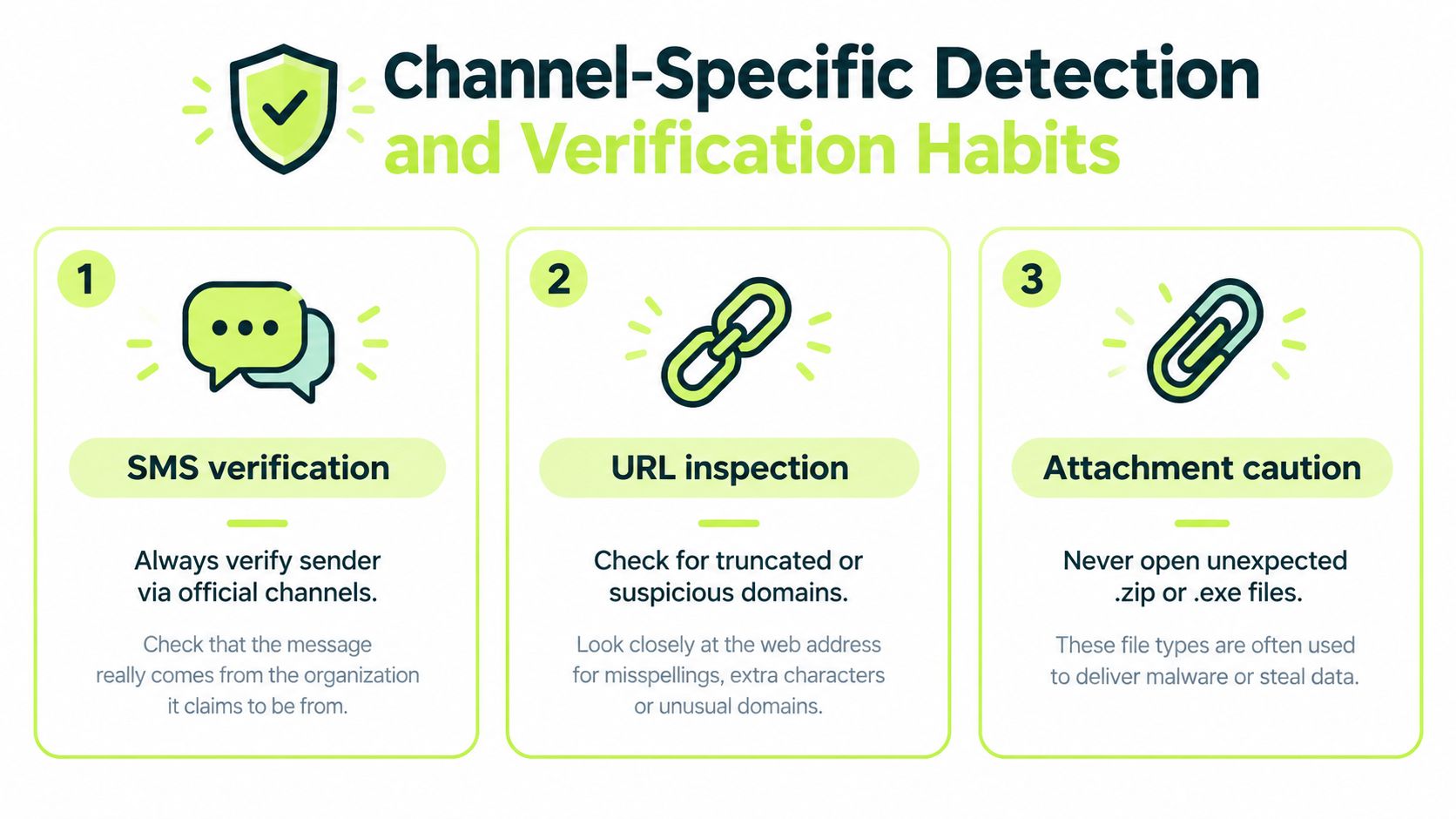
For email, teach people to expand sender details, inspect the full destination URL, question unexpected attachments, and verify payment or account requests through a known route. A visible display name isn't proof of identity, and a familiar logo isn't proof that a message came from the organization it claims to represent.
For SMS, the safe sequence is shorter and more direct:
- Pause on urgency: Don't let a delivery problem, fraud warning, unpaid toll, or account notice set the speed of the decision.
- Avoid the message route: Don't use the link or phone number supplied in an unexpected text.
- Open the known service: Launch the organization's official app or type a known website address independently.
- Verify through an official channel: Use contact details already stored or published on the legitimate service.
- Report the message: Preserve the relevant details and use the organization's mobile, carrier, or security reporting process.
Teach the reason behind each habit
Users need to understand why independent verification matters. A text may display a familiar sender label, but the supplied link can lead somewhere else. A phone number in a message can connect the user directly to the attacker, even when the message appears to come from a bank or delivery company.
On email, show employees how to reveal the full URL before submitting credentials and how to handle unexpected files. The practical rule is simple: an unexpected .zip or .exe file deserves a separate verification step, not a quick open because the sender name looks familiar. Use this guide to spotting scam emails for email examples, then adapt the same decision logic to mobile scenarios without assuming the interface is identical.
Build microlearning around moments of risk
A short lesson can present a bank alert and ask the learner to choose the safest next action. Another can show a delivery text where the correct response is to open the known carrier app rather than tap the message link. Feedback should explain the action, not merely mark the answer wrong.
The lesson should also cover non-click engagement. If the employee calls a number, replies, or enters data into a mobile form, the coaching must address that behavior directly. Otherwise, the program trains people to avoid one visible failure mode while leaving the rest of the attack path unaddressed.
The Governance Challenge of Mobile Susceptibility
Security teams can't measure SMS susceptibility responsibly by treating personal phones like managed laptops. The technical test may be easy to describe, but the governance questions are harder. Who consented to the exercise? What personal messages become visible? Which phone numbers are stored? How long are results retained? Can managers see individual outcomes, or only aggregated risk?
These questions become urgent for distributed companies where employees may use their own devices and mobile numbers. A security program that ignores privacy boundaries can create a new compliance problem while trying to solve a social-engineering one.
APWG reported that SMS-based fraud rose by nearly 35% quarter over quarter in Q3 2025, even as overall observed phishing attacks fell from 1,130,393 in Q2 to 892,494 in Q3. It later reported SMS-based fraud detections growing by roughly 30% to 40% quarter over quarter in Q4 2025, while total phishing attacks declined by 4% from Q3. The APWG Q3 2025 trends report supports the operational conclusion that one blended awareness score won't describe both channels well.
Measure behavior without inspecting private content
Organizations can design privacy-respecting exercises around controlled enrollment and limited data collection. Useful measures include:
- Verification behavior: Did the employee open the official app or known website instead of using the message route?
- Time to report: How quickly did the user submit the suspicious message through the approved process?
- Action type: Did the user click, reply, call, scan, or submit information?
- Aggregate susceptibility: What pattern appears across teams, roles, or regions without exposing personal message content?
- Follow-up comprehension: Can the employee explain the safe response after coaching?
Consent and notice should be explicit. Security teams should define the exercise scope, avoid collecting unrelated personal messages, protect phone numbers as personal data, and publish retention and access rules. Legal, privacy, HR, and employee representatives may need to approve the design before any SMS simulation runs.
Make governance part of the control
A mature program records not only whether someone failed, but whether the organization created a safe path to recover. If users fear punishment, they may avoid reporting a suspicious text or delay disclosing a mistake. If the reporting workflow works only inside a corporate email client, it won't serve someone who receives the lure on a personal phone.
The governance objective is therefore broader than proving that training was assigned. It is to demonstrate that the organization can prepare users, protect their privacy, collect meaningful evidence, and respond when a mobile fraud attempt reaches the workforce.
Moving Beyond Annual Modules to Native Microlearning
Annual training is useful for documenting that an assignment existed. It is poorly suited to a threat that changes its wording, impersonated brands, delivery mechanisms, and user actions throughout the year. A long module completed once can explain phishing terminology, but it rarely rehearses the specific decision an employee must make when a text arrives during a busy workday.
Native microlearning places the lesson inside the workflow employees already use. For Slack-first teams, that can mean a short conversation with a question, an explanation, and a reporting reminder. The training doesn't need to ask the learner to remember another password, find an external portal, or reserve a large block of uninterrupted time.

Use small lessons to rehearse distinct decisions
A practical learning stream can rotate among narrow behaviors:
- SMS verification: A delivery alert asks for payment. The learner chooses how to verify it without using the supplied link.
- Email inspection: A shared document request contains a lookalike destination. The learner identifies what to inspect before signing in.
- Out-of-band pressure: A message asks the employee to call a number or reply with a code. The learner selects the approved escalation route.
- Post-mistake response: The learner reports an interaction quickly and explains what information may have been entered.
The point isn't to create more quizzes. It is to rehearse the next safe action until that action becomes available under pressure. Lessons should use role-aware examples, because finance staff, administrators, developers, and customer support teams encounter different payment, access, and identity lures.
Connect training to real workflows
Recurring refreshers can reinforce reporting behavior after a simulation or an incident. A pulse quiz can test whether employees understand the difference between a sender label and an independently verified service. A workflow can assign follow-up training when someone submits credentials in a controlled exercise, while avoiding public disclosure of individual results.
That approach is more defensible than using completion as a proxy for readiness. Completion tells you that a person reached the end of a lesson. Comprehension, reporting behavior, and safe verification tell you whether the lesson changed the response that matters.
Security leaders evaluating security awareness training should ask where delivery occurs, how quickly feedback appears, whether SMS behavior is represented, and whether evidence can be exported for audit review. The platform matters less than the operating model: frequent practice, realistic scenarios, clear reporting, and measurable behavior.
Building an Audit-Ready Security Training Program
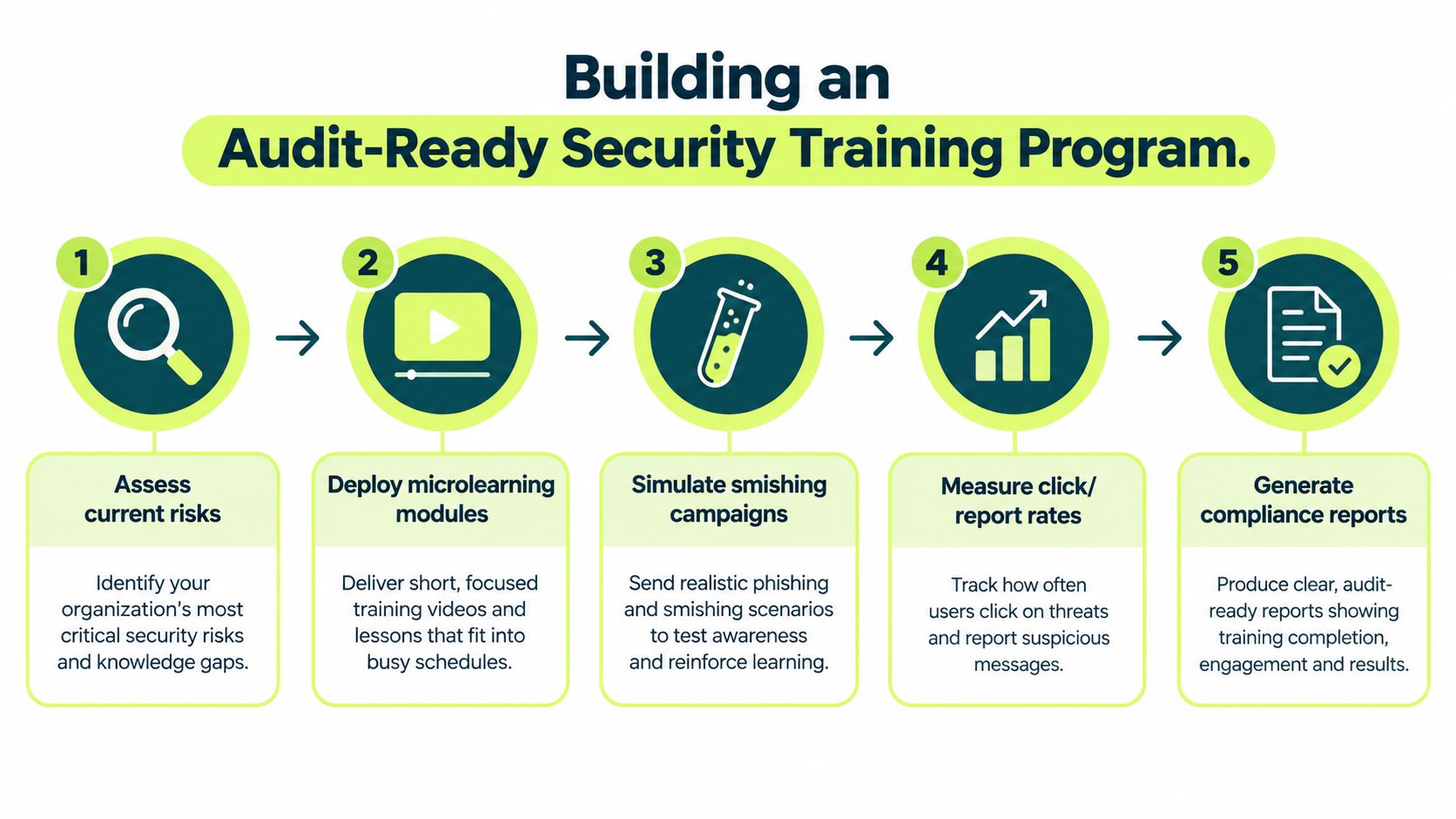
An audit-ready program starts with a risk map, not a library of generic courses. Identify which communication channels employees use, which roles can approve payments or reset accounts, which teams rely on personal devices, and how users currently report suspicious messages. Then document the control objective for each channel.
Build the evidence trail in five moves
- Assess current risks. Review incidents, reported messages, role exposure, device boundaries, and existing email metrics. Record what the current program cannot measure, especially calls, replies, and mobile verification.
- Assign targeted learning. Map lessons to roles, teams, and channels. Keep the assignment record, due date, learner status, comprehension result, and policy version.
- Run controlled simulations. Use consent, privacy review, approved sender identities, and safe landing pages. For SMS, define delivery status and action categories before launch.
- Measure outcomes. Track clicks, reports, replies, calls, credential submissions, verification behavior, and time to report as separate measures. Don't collapse them into a single failure percentage.
- Generate compliance evidence. Store assignment history, completion, assessment results, simulation scope, corrective coaching, exceptions, and remediation status. Sync the evidence with the GRC system when possible, rather than relying on screenshots or ad hoc spreadsheets.
Prove readiness without overstating results
Auditors and boards need a clear explanation of what each metric means. A delivered SMS message is not the same as a clicked link. A completed module is not the same as independent verification. A reported lure is valuable evidence of defensive behavior, even when the user initially interacted with it.
Review the program on a recurring schedule and compare like with like. Use delivered messages as the denominator for engagement, separate unique recipients from total events, and preserve the definitions used in every report. If personal-device testing isn't appropriate, document the alternative controls, such as scenario-based lessons, voluntary exercises, aggregate reporting, and mobile-specific reporting workflows.
A security leader can defend this program because it connects risk, instruction, behavior, privacy, and evidence. It doesn't claim that email training solves smishing. It demonstrates how the organization prepares people for both channels and knows what its measurements represent.
Vigil Security provides Slack-native security awareness training, recurring microlearning, phishing and smishing simulations, corrective feedback, automated assignments, and audit evidence that can synchronize with tools such as Vanta and Drata. Visit Vigil Security to evaluate a practical way to train distributed teams on channel-specific fraud without adding another disconnected learning portal.