People were involved in approximately 60% of breaches in the Verizon 2025 Data Breach Investigations Report, and that figure has stayed stubbornly persistent despite years of technical investment. A phishing simulation program won't fix that by catching a few clicks. It works when it teaches people to recognize a lure, stop before entering credentials, and report the message fast enough for security teams to act.
Most programs don't prove any of that. They run an annual test, report a click rate, and call the number improvement. A defensible program is built differently. It protects trust, mirrors real attack paths, runs on a steady cadence, coaches without shaming, and measures behavior over time.
Why Phishing Simulations Matter
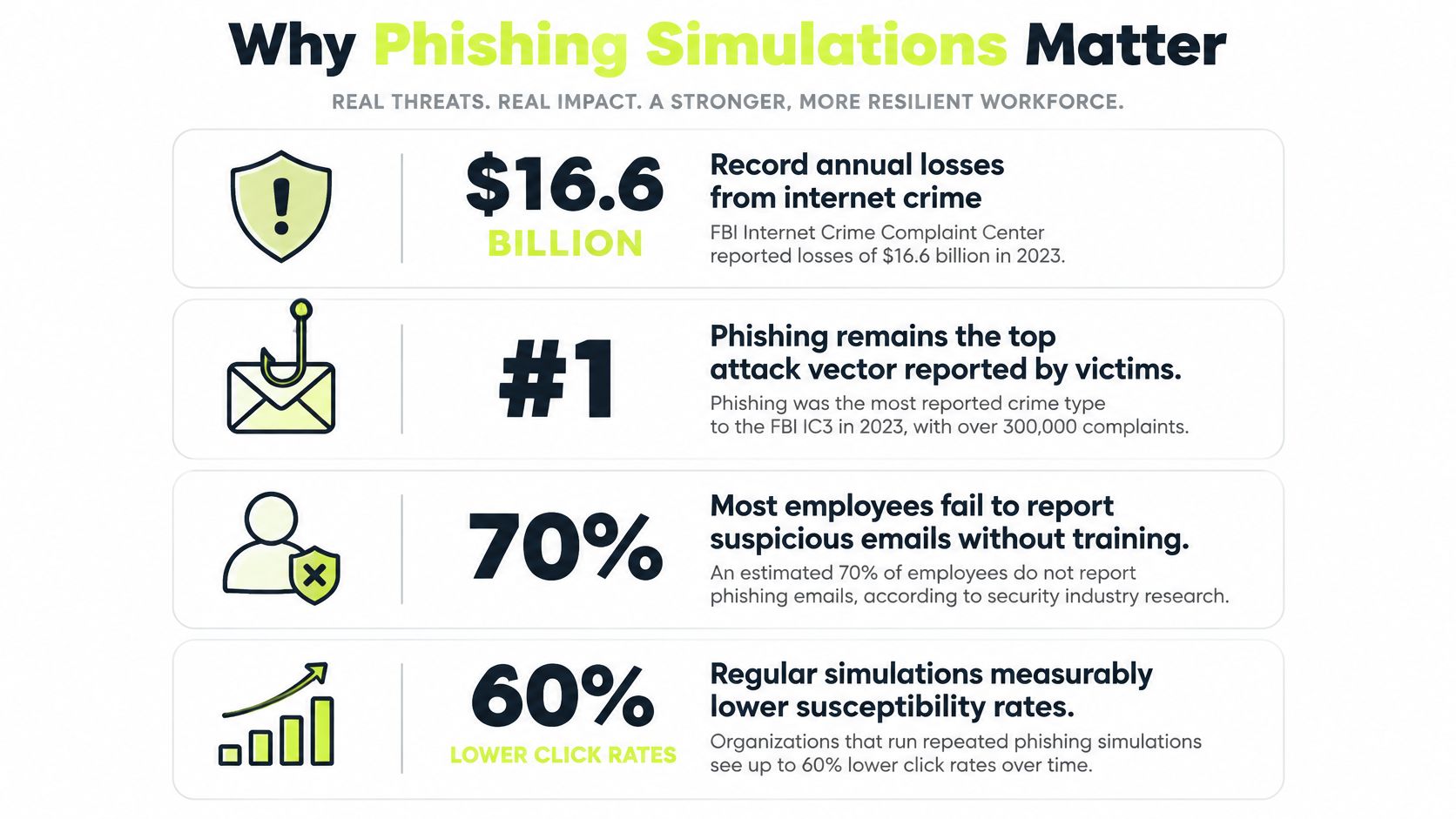
Phishing isn't a niche trick attackers use when other routes fail. In the FBI Internet Crime Complaint Center 2024 report, 859,532 complaints involved suspected internet crime, reported losses reached $16.6 billion, and phishing and spoofing accounted for 193,407 complaints, more than one fifth of the total. That's the most frequently reported category nationally. It earns that position because the payload is often a believable request, not exotic malware.
The financial tail matters too. Among complaints that reported an actual loss in that same FBI dataset, the average loss was $19,372. You can't read that as the expected cost of one employee click, and you shouldn't try. What it does show is that ordinary deception, repeated at scale, produces material harm without an attacker ever breaching a firewall.
From Annual Awareness to Recurring Practice
That scale is why a once a year module makes a weak control. Attackers don't operate on your training calendar, and employees encounter impersonation attempts between compliance deadlines. A program grounded in security awareness training that builds repeatable habits treats recognition and reporting as skills that need rehearsal.
Use external threat data as context, not as a scorecard. IC3 complaints describe the wider environment, including incidents outside workplaces. Your internal data should answer narrower questions. Are people reporting faster? Are repeat failures concentrated in a role or scenario type? Does coaching change the next decision?
Practical rule: If your program can't show a change in reporting behavior, it's an exercise in measurement, not risk reduction.
Third party impersonation makes this more urgent. Employees trust messages that appear to come from vendors, payroll providers, cloud tools, and executives. Simulations need to test those trust relationships, not only strange messages from unknown senders. Pretexting works because it borrows context from a real business process.
The strongest justification for a program, then, isn't fear. It's rehearsal under controlled conditions. You give employees realistic decisions before an attacker gives them an irreversible one, and you give security teams evidence about where recognition, escalation, and process design still break down.
Designing a Safe and Ethical Program
Trust isn't a soft consideration you handle after choosing templates. It's a control condition. If employees believe a simulation exists to humiliate them, they'll hide real mistakes, delay reports, and warn each other about test patterns instead of alerting security. You'll get cleaner exercise results and worse operational visibility.
There's evidence behind that concern. In a USENIX study of 408 employees, people who clicked simulated phishing messages had significantly higher stress and lower phishing self-efficacy than people who reported them, and separate research found that prior consent increased acceptance while certain content and incentives reduced it. The message for program owners is direct. How you introduce and frame the test changes what employees learn from it.
Consent Without Giving Away the Test
Consent doesn't mean announcing the exact send time or subject line. It means telling staff, clearly and in advance, that simulations will occur, why they occur, what data you'll collect, who can see individual results, and what won't happen to someone who fails. That prior notice preserves realism while removing the sense of entrapment.
Surprise can still exist inside the scenario. Employees can know the program is active and still face an unfamiliar vendor request or executive pretext. In practice, that balance is better than blind ambush testing. People who understand the purpose discuss the cues afterward instead of spending the debrief resentful about the method.
Boundaries That Protect Reporting
Set hard limits before anyone drafts a lure.
- No real credential collection: Record that a submission was attempted, never store the actual password an employee typed.
- No public ranking: Share aggregate trends and scenario lessons without naming individuals or ranking teams by failure.
- No sensitive personal hooks: Avoid lures built around pay cuts, medical matters, family emergencies, bonuses, or discipline.
- Limited visibility: Restrict individual results to people with a coaching or risk management need.
- Clear escalation path: Make reporting easier than forwarding a warning to colleagues in a chat thread.
Incentives deserve the same caution. Rewards tied only to never clicking can teach employees to delete anything uncertain, including legitimate work, or to avoid reporting because a report admits they paused over the message. Recognize reporting and correct escalation instead. Those are the behaviors that help contain a real campaign.
Managers need scripting, not raw lists. Tell them how to respond when a direct report feels embarrassed, what to say about repeat support, and when to route a concern to security. This matters most for junior staff, contractors, and global teams where admitting an error can carry perceived career risk. A non-punitive policy means little if local management treats a click as carelessness.
Review accessibility and language too. A simulation that depends on subtle visual cues or idiomatic wording may measure presentation barriers rather than security judgment. The goal is realistic pressure with a fair chance to succeed. When employees trust the process, they're more likely to report the message that matters, including a real one they almost believed.
Building Realistic Phishing Scenarios
A useful scenario library starts with the requests your employees already handle. Map the workflows where a believable message can move money, expose credentials, change access, or extract data. Finance sees vendor banking changes. Engineering sees repository, package, and cloud access requests. People teams see benefits, payroll, and candidate document flows. Executives and assistants see urgent approvals that exploit authority.
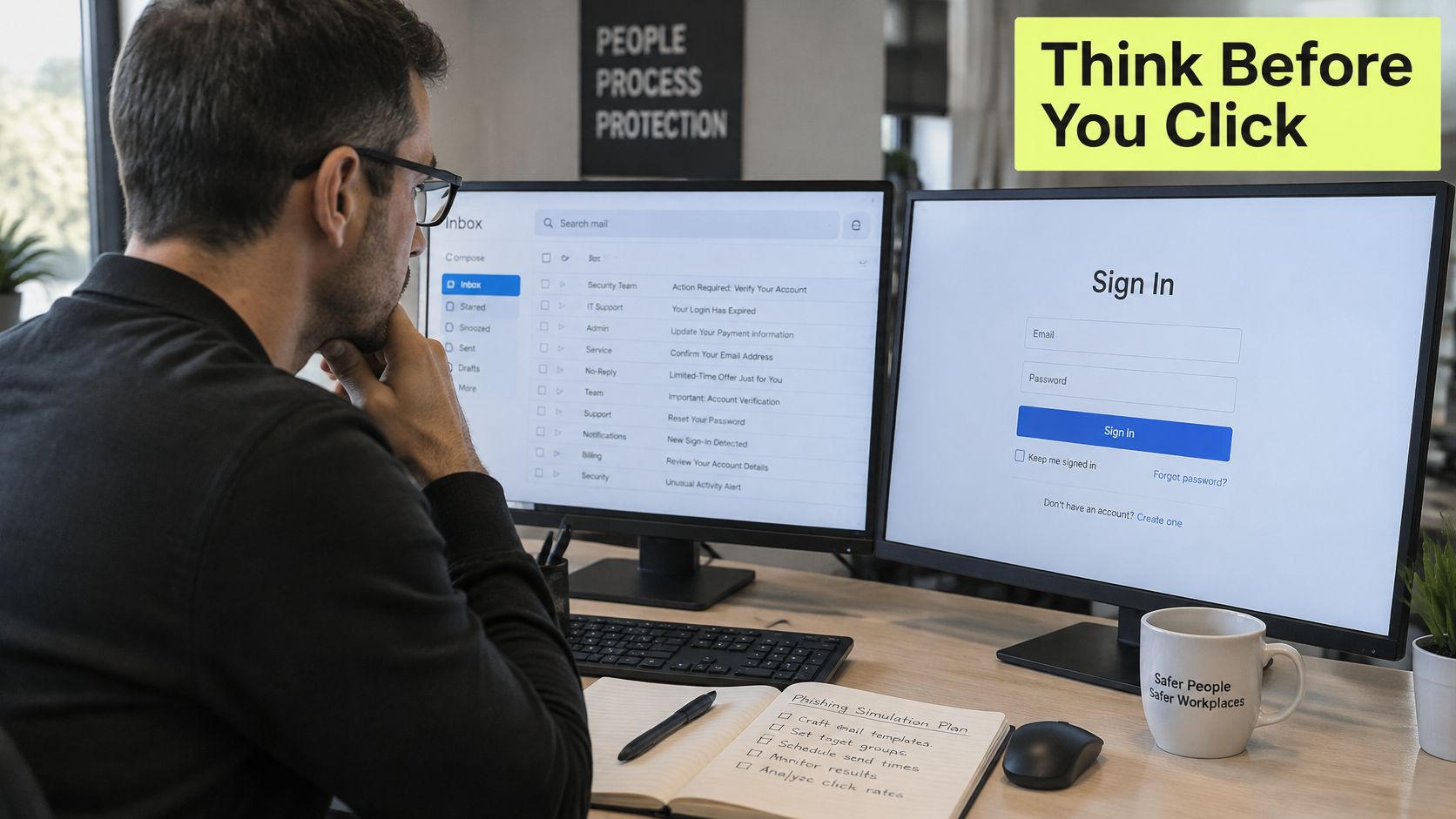
The image below captures the review work behind that library, where the goal is matching templates to real workflows rather than collecting generic lures.
Build Around Attack Paths
Don't organize the library by subject line. Organize it by the behavior you're testing.
- Credential resistance: A shared document or account notice pushes the employee toward a sign in prompt.
- Process verification: A vendor or executive request asks someone to bypass the normal approval channel.
- Trusted relationship abuse: A partner, customer, or internal tool appears to request action from outside its usual workflow.
- Cross channel follow up: An email is reinforced by a collaboration message, QR code, text, or voice impersonation.
- Targeted pretexting: A researched message uses role context, which overlaps with the tactics in a spear phishing email attack.
Vary difficulty deliberately. Easy lures have several visible inconsistencies and test basic inspection. Harder lures use plausible timing, familiar systems, and fewer cues, so the safest action is verification through a known channel rather than perfect visual detection. Record difficulty for every template. Without that control, a rising click rate might mean harder tests, not weaker employees.
This demonstration shows how simulated prompts can make the employee's decision point visible for coaching.
Rotate senders, formats, channels, and emotional triggers. Urgency, authority, curiosity, and helpfulness produce different failures, and a person who spots an urgent password lure may still act on a polite document request. Avoid relying on spelling errors or a vendor's landing page style as the giveaway. Employees quickly learn to recognize your platform instead of the underlying manipulation.
Retire templates that everyone has memorized and refresh scenarios when business tools or approval processes change. Realism doesn't require cruelty or highly personal data. It requires a credible business reason, a clear risky action, and a learnable safer alternative. If the debrief can't name that safer alternative in one sentence, the scenario isn't ready.
Setting Cadence and Running Campaigns
Cadence is where good intentions often become a quarterly event nobody remembers. A single campaign gives you a snapshot. Recurring campaigns give you a trend, let employees practice after coaching, and reveal whether improvement survives a new lure, a new channel, or a busier work period.
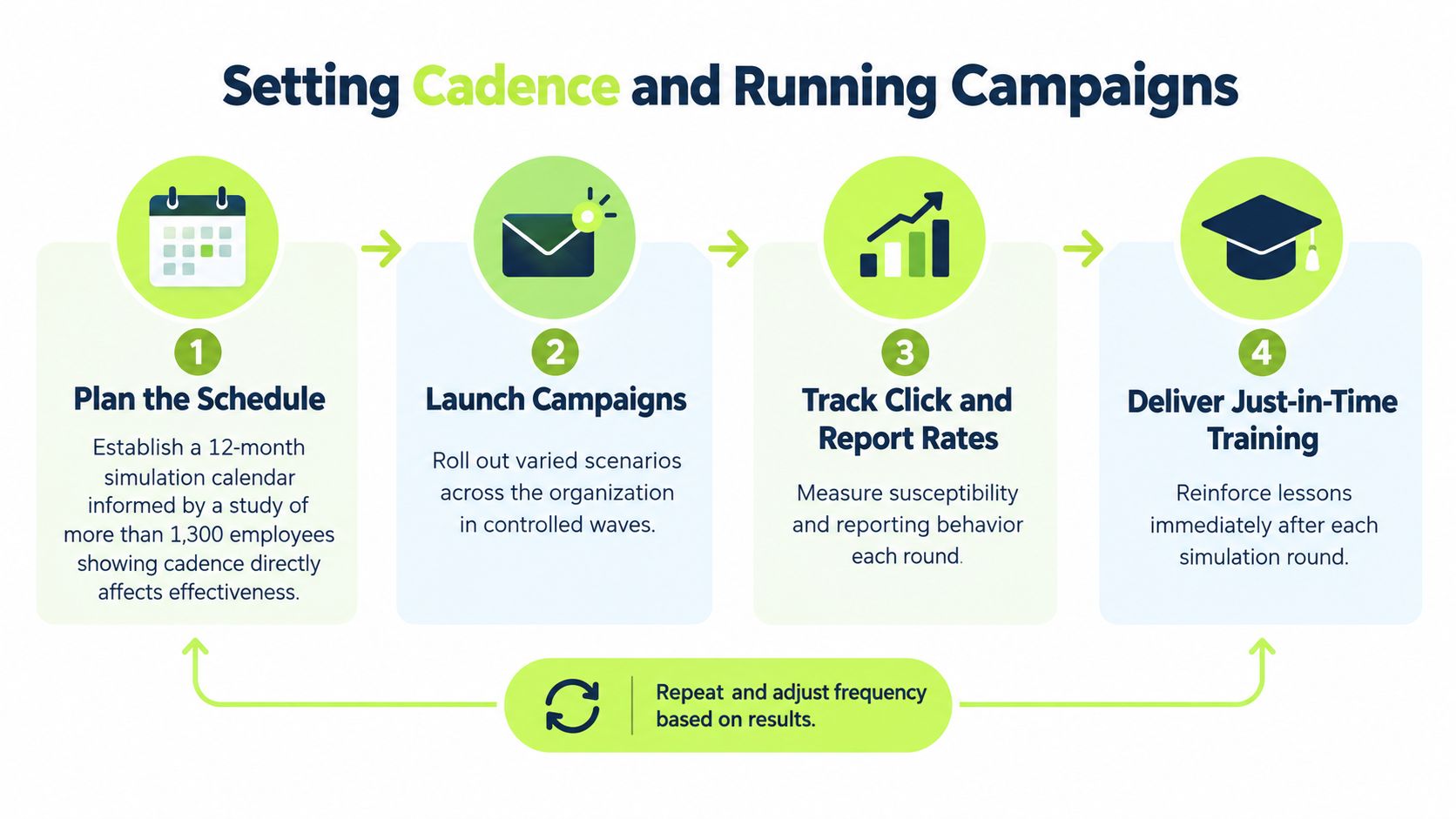
Longitudinal evidence supports persistence over spectacle. In a 12-month study of more than 1,300 employees across 20 companies, unsafe clicks and submissions fell by roughly half within six months under continuous simulations and mandatory follow up, then stabilized near the industry average. That pattern is more credible than a dramatic one campaign drop. Behavior improves, plateaus, and needs continued reinforcement.
A Repeatable Campaign Cycle
Build the schedule as a cycle rather than a series of disconnected sends.
- Plan the window: Choose the population, scenario family, difficulty, and operational blackout periods.
- Stratify delivery: Vary timing by role, team, location, and access level so one department doesn't warn everyone else.
- Run the campaign: Keep the delivery window long enough for leave, time zones, and different work patterns.
- Coach and close: Deliver follow up, review reports, and record scenario difficulty before the next round.
More frequent isn't automatically better. If simulations arrive so often that employees treat every legitimate request as a trap, you'll create friction and alert fatigue. Space campaigns so coaching can land and scenario quality stays high. A smaller number of well targeted, varied exercises beats constant obvious lures that train people to spot your testing rhythm.
Vary difficulty across the year, but don't change every variable at once. Hold one comparable scenario family steady often enough to see change, then introduce harder pretexts or new channels as a separate test of transfer. That distinction matters when leadership asks why results moved. You need to know whether employees improved or the test became easier.
Coordinate with help desk and security operations before launch. They need handling guidance for reports, questions, and any real suspicious message that arrives during the window. Never let a live incident get dismissed as part of the exercise. Operational discipline here is simple. Announce internally to responders, track delivery issues, and review every campaign for unintended disruption before increasing frequency.
Coaching and Remediation After Failures
A finance employee clicks a vendor banking change lure and reaches a credential prompt. At that moment, you have two possible lessons. One says, you failed and everyone can tell. The other says, this request tried to move you outside the vendor verification process, and here's the exact point where a callback would have stopped it. Only the second lesson changes the next invoice decision.
Timing is less obvious than most playbooks suggest. Immediate feedback can connect the lesson to the action, but an instant individualized gotcha can also make the employee feel exposed and defensive. Grouped, delayed debriefs can lower that threat response and let people compare cues without feeling singled out. Many programs need both layers. Give a brief, private correction at the decision point, then use an anonymized scenario review later for deeper discussion.
Coach the Decision, Not the Person
Keep the first intervention narrow and specific.
- Name the manipulation: Identify the urgency, authority cue, trusted sender, or process shortcut the lure used.
- Show the safer route: Point to the reporting control, known portal, or verification channel the employee should use next time.
- Avoid motive labels: Don't call the employee careless when workload, familiarity, or a well built pretext shaped the choice.
- Check understanding: Ask the employee to choose the right action in a similar example rather than only marking a lesson complete.
Reinforce reporters with equal clarity. Someone who reports quickly has performed an operational security action, not merely avoided failure. A short confirmation that explains what happens after the report builds confidence and makes the next report more likely.
A clicked simulation is diagnostic information. Treat it as evidence about the lure, the workflow, and the support available, not as a character verdict.
Repeat failures need escalation in support, not volume. Review whether the same person is failing the same manipulation, struggling across channels, or facing scenarios tied to a high pressure role. Offer targeted practice, manager aware coaching, and, where appropriate, process safeguards that don't depend on perfect recognition. If a workflow lets one rushed person approve a sensitive change, more training isn't the complete remediation.
Never use leaderboards to motivate remediation. They reward avoidance, encourage employees to warn peers, and punish people who faced harder scenarios. The behavior you want after a mistake is disclosure. Design every follow up so the employee would still report a real suspicious message tomorrow.
Measuring What Matters
Click rate is the metric executives ask for because it's easy to chart. It's also the metric most likely to mislead them. A campaign can produce fewer clicks because the lure was obvious, employees recognized the vendor template, or people deleted the message without reporting it. None of those outcomes proves the organization would detect and contain a real attack faster.
Controlled evidence should make program owners more careful. In a 2025 controlled study of 237 employees, repeated simulations showed no statistically significant difference from an online training intervention, with χ² = 1.07, p = 0.300, while an 8-month randomized trial of approximately 19,500 users found roughly a 2% average failure rate reduction from embedded training. The practical lesson isn't that simulations don't work. It's that raw before and after movement can't establish causality, and small effects need proper comparison.
Measure the Full Funnel
Start with a representative baseline before you optimize. Record delivery, clicks, credential submission attempts, reports, ignored messages, and time to report. Segment by role, access, scenario family, and difficulty. Where it's ethical and practical, keep a comparison group or stagger an intervention so you can separate coaching effects from campaign design effects.
| Metric | What It Measures | Why It Matters |
|---|---|---|
| Delivered messages | Who actually received a valid test | Prevents delivery failures from distorting rates |
| Click rate | Initial interaction with the lure | Shows susceptibility to a specific scenario |
| Credential submission attempts | Movement beyond the click toward compromise | Separates curiosity from higher risk action |
| Report rate | Correct identification and escalation | Measures active defense, not passive avoidance |
| Time to report | Speed from delivery to employee report | Indicates how fast security can investigate a real campaign |
| Repeat failures | Recurring unsafe actions by person or scenario | Identifies where targeted support or process controls are needed |
Interpret the funnel together. A lower click rate with a flat report rate may mean employees are ignoring messages. A higher click rate on a much harder pretext may still accompany faster reporting and fewer credential submissions. That can represent improved resilience, even if the headline metric looks worse.
An executive dashboard should therefore show trends across repeated campaigns, reporting speed, repeat risk cohorts, and real incident reporting, not one campaign in isolation. Teams looking for an example of how product and operating evidence get presented for decision makers can review this case study on Asurisq for Digital Souls Studios LTD. The transferable lesson is presentation discipline. Show the intervention, the population, the difficulty context, and the behavioral change that followed.
Report effect size and uncertainty when you claim improvement. Note template changes beside every trend line. If you can't control for difficulty, role mix, or exposure, say so plainly. Credibility with leadership comes from honest limits, not from turning every campaign into a success story.
Integrating with Slack and Compliance Evidence
For a Slack first organization, delivery channel affects both participation and realism. Employees already receive approvals, document requests, and urgent questions in Slack, so a simulation or coaching prompt that arrives there tests behavior closer to the workflow. It also removes the familiar failure mode of an external portal, a forgotten password, and a lesson postponed until the compliance deadline.
Adoption alone doesn't prove quality. In NIST research on security awareness programs, more than 85% of surveyed programs conduct phishing simulations, 72% identify click rates as an effectiveness measure, initial lure click rates commonly reach 10%–30%, and interactive training participants were about 20% less likely to fail later simulations than untrained participants in the cited analysis. Those benchmarks help you calibrate expectations. They don't remove the need to examine your own reporting and repeat failure data.
Turn Activity Records into Audit Evidence
Compliance evidence should preserve the chain from assignment to behavior. Capture who was assigned, which scenario and difficulty they received, what action they took, what coaching followed, and how they performed later. Completion alone tells an auditor that content was delivered. It doesn't show that a risk was identified or addressed.
That record structure also supports broader cyber security compliance training evidence without reconstructing spreadsheets after an audit request arrives. Scope assignments by workspace, channel, team, or individual, automate reminders for overdue coaching, and keep certificates and comprehension records beside simulation outcomes. The administrative gain is real, but the security gain is traceability.
Vigil Security is one Slack native option that combines phishing campaigns, immediate coaching, automated assignments and reminders, progress reporting, and evidence synchronization with Vanta and Drata. Whichever platform you choose, test the export before rollout. Confirm that your GRC team can retrieve campaign context and remediation history, not just a completion percentage.
Close the operational loop by segmenting dashboards by role, campaign difficulty, and repeat exposure while keeping individual visibility restricted. Sync the evidence your auditor needs, retain the context your security team needs, and delete or limit data that serves neither purpose. A mature phishing simulation program is efficient because delivery, coaching, measurement, and evidence use the same underlying records.
Vigil Security delivers phishing simulations and short interactive security lessons inside Slack, with automated assignments, coaching after failures, and audit ready evidence that syncs to Vanta and Drata. If your team needs a measurable program without sending employees to another training portal, visit Vigil Security to see how it fits your workspace.