A spear phishing email is a targeted phishing message crafted for a specific person or organization. In CISA testing, spear-phishing links succeeded 33% of the time, roughly one in three recipients clicked.
A finance employee who gets an email that looks like it came from the CFO and asks for a wire transfer is facing the core problem. The message may be polished, timely, and seemingly routine, but it's built to exploit trust, role, and context rather than obvious spam signals. That's what makes spear phishing so dangerous, and why the smarter defense is not just spotting bad grammar, it's verifying any consequential request through a separate channel.
The best way to understand the threat is to think like a con artist who studied the mark before walking into the room. A broad scam hopes someone bites, but a spear phisher does homework first, then sends a message that feels normal enough to lower the guard. If you want a companion primer on the broader category, spear phishing attacks explained is a useful starting point, and the difference from generic spam is also easy to miss in day-to-day inbox triage, as shown in this internal guide on spam and phishing.
A spear phishing email is a targeted form of phishing in which the attacker tailors the content to a particular person, department, or organization instead of blasting out a generic lure. The personalization is the whole trick. The attacker uses role clues, names, projects, suppliers, or internal language to make the request feel expected, which is why even smart people can treat it as routine.
What Is a Spear Phishing Email
A finance analyst opens an email that appears to come from the CFO. The subject line mentions an urgent payment, the tone feels familiar, and the sender name looks right at a glance. The request is built to trigger action before anyone stops to verify it.
That is a spear phishing email, a phishing message aimed at one specific person, team, or organization instead of a wide audience. It works more like a forged memo slipped into the right inbox than a random spam blast. The attacker studies role, context, and routine, then shapes the message so it feels like an expected business request.
The difference from generic phishing is simple but easy to miss in daily inbox triage. Generic phishing asks who will click. Spear phishing asks who can be pressured, impersonated, or rushed. That is why a message aimed at payroll, finance, HR, or executive support can look routine even when it is malicious. For a broader comparison of spam and phishing patterns, see this guide on spam and phishing, and for the larger attack flow, spear phishing attacks explained gives useful background.
The practical rule is straightforward. If an email asks for money, credentials, or a change to a payment or identity process, treat it as high risk until you verify it through a separate channel. Call the requester using a known number, message them in a different system, or confirm the request with a second approver. That extra step matters because polished spear phishing often comes from a real account or a lookalike one, which makes the message feel normal even when it is not.
If you have ever wondered why a message can look legitimate and still be dangerous, the answer is situational trust. The email is not designed to look fake. It is designed to feel ordinary enough that a busy professional acts first and checks later.
Anatomy of a Spear Phishing Attack
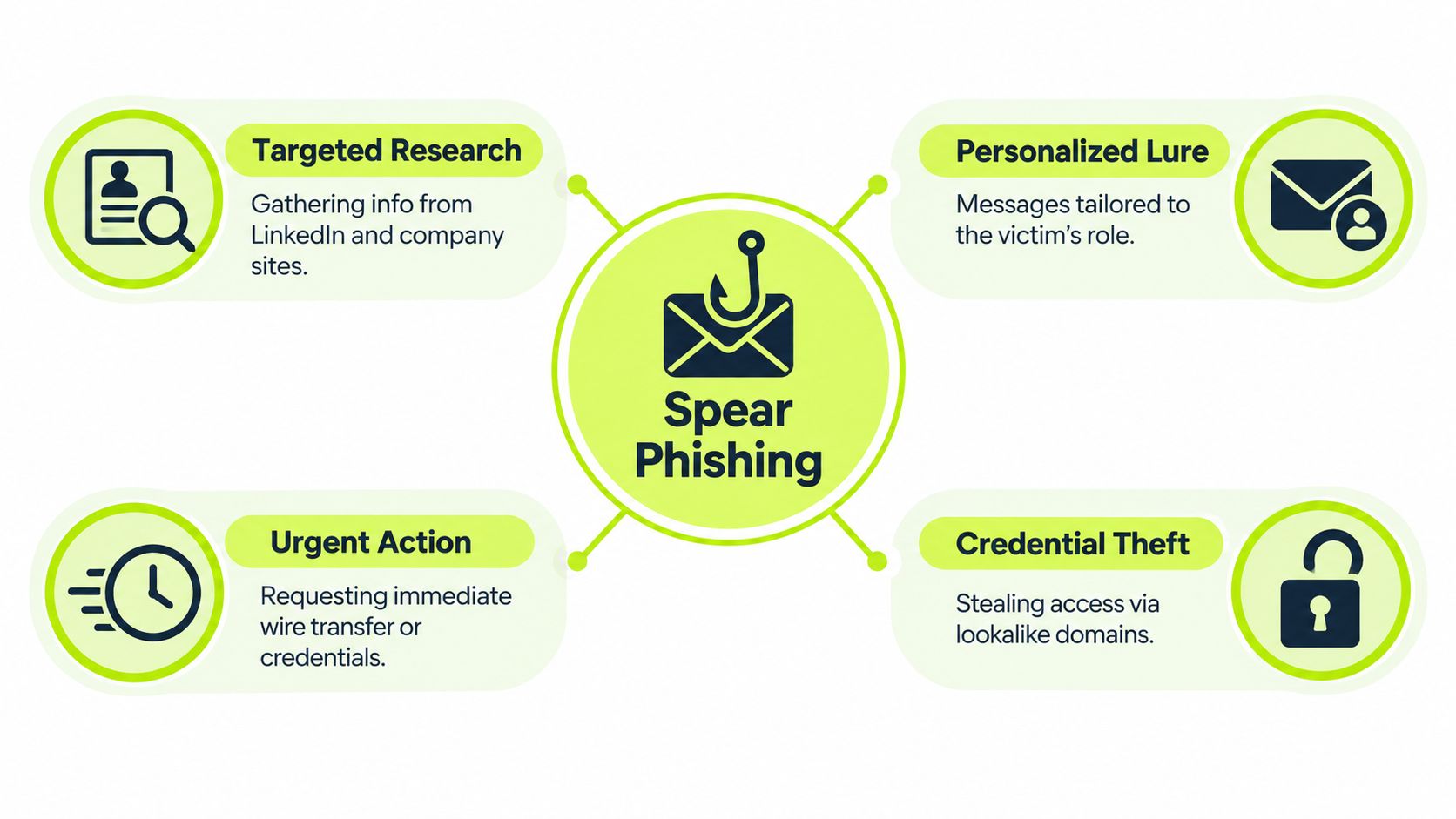
A typical attack starts before the email is sent. The attacker looks for names, reporting lines, vendor relationships, recent projects, and public clues that show how the target works. LinkedIn, company pages, and social posts are enough to make a request feel familiar, which is why a message can mention a real manager, a real supplier, or a real initiative and still be fraudulent.
The next step is the lure itself. The wording is chosen to sound natural for that role, so finance sees payment language, HR sees employee data language, and executives see urgency wrapped in authority. The attacker may use a lookalike domain or a compromised account, then send the message at a moment when it feels urgent enough to avoid second-guessing.
The causal chain is usually straightforward. Trust or pressure leads to a click, the browser opens an attacker-controlled page or the attachment runs, credentials or session tokens are captured, and the attacker uses that access to reach cloud apps or trigger follow-on fraud. In other words, the email is not the whole attack, it's the opening move.
CISA describes link-based spear phishing as one of the most prevalent threat actions and recommends URL reputation inspection, filtering, hyperlink rewriting, sandboxing, and external-message warning banners, with URL analysis at delivery, on click, and after redirects. That guidance fits the attack chain well, because each control interrupts a different step.
Where each defense targets the attack
- Reconnaissance: Reduce public exposure, especially role details, reporting structure, and routine workflows.
- Crafting: Teach staff to question requests that fit too neatly into a real business context.
- Delivery: Use filtering, rewriting, sandboxing, and warning banners.
- Exploitation: Verify through a separate channel before any transfer, credential reset, or document handoff.
A spear phishing attack often looks harmless until the moment someone clicks or replies. The real danger sits in how believable the request feels to the target, not in whether the subject line looks odd.
That's why the hardest part isn't spotting spammy visuals. It's understanding which business processes the attacker is trying to hijack, then putting friction in front of those actions.
Indicators That Expose a Targeted Email
A targeted email should be handled like a technical object, not just a message with a trusted name at the top. The sender display name can be correct while the actual domain is wrong, and the wording can sound polished while the routing tells a different story. CISA identifies sender and Sender/From fields, malicious URLs, attached malware, message content, subject line, Message-ID, and X-Mailer as useful threat indicators, and recommends enabling DMARC for received mail and setting DMARC to reject for outbound domains.
A quick check helps. Compare the visible sender with the actual sender domain, inspect reply-to behavior, and look for requests that do not fit normal process. If the message asks for a new bank account, a login reset, a document share, or a payment exception, the content matters as much as the header. For a tool-based view of what filters check, see how blocks email scams, then pair that with your own header inspection routine.
SPF, DKIM, and DMARC are domain-authentication checks that help confirm whether the sending server is authorized. They matter, but they are only one layer.
| Surface cue | What it can miss | Stronger indicator |
|---|---|---|
| Familiar display name | Spoofed or lookalike sender identity | Actual sender domain and reply-to mismatch |
| Clean spelling and branding | Compromised legitimate account | Request that breaks normal workflow |
| Urgent payment language | Polished business email compromise | Separate-channel verification requirement |
| Trusted logo or footer | Authentic-looking counterfeit page | Destination URL and authentication checks |
A limit shows up fast. Authentication can pass when an attacker uses a compromised legitimate account, so technical signals have to be paired with context. Unusual recipients, abnormal writing style, secrecy, pressure, or an odd time for the request all matter because they often expose the gap between the message and the business reality.
What makes it dangerous is how believable the request feels to the target, not whether the subject line looks odd. A polished email from a real or lookalike account can still be a trap if it pushes money, credentials, or file access through the wrong path.
Practical rule: If the email wants action outside the normal process, the safest question is not “Does it look real?” It is “Would this request still make sense if I checked it with the person through another channel?”
Real-World Spear Phishing Examples
The Sony Pictures intrusion in November 2014 is a useful reminder that spear phishing is not a theoretical inbox problem. Employees received convincing messages that appeared to come from trusted sources and were directed to a malicious site requesting Apple ID credentials, and the compromise exposed hundreds of gigabytes of corporate data while disrupting the company's network. That's the classic pattern, a believable message, a deceptive destination, and a serious operational impact after a single click.
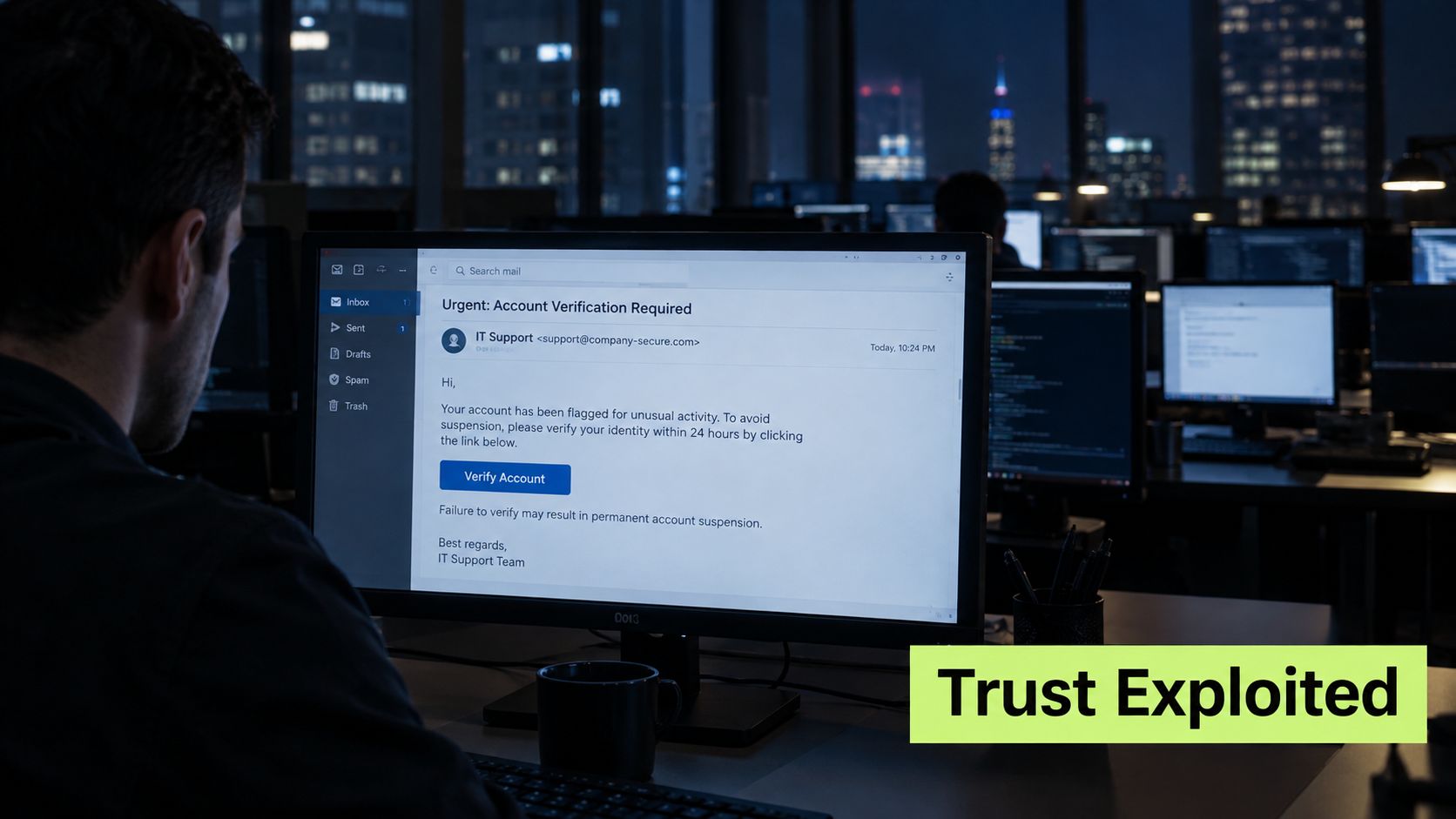
The reason this case still matters is that the mechanics are familiar in modern business email compromise. A trusted source appears to ask for action, the target follows a link or responds in good faith, and the attacker gains access to something useful. The delivery method changes, but the persuasion pattern doesn't.
Everyday examples are quieter but just as damaging. A vendor invoice arrives with updated payment details. A payroll message asks HR to change a direct deposit. An executive impersonation asks for gift cards, a quick credential reset, or a document share before a meeting. These are all variations on the same theme, a request that looks normal enough to move quickly.
The key pattern to recognize is that the message is asking for something that should never be handled casually. Money movement, credential verification, and sensitive disclosure all deserve a separate confirmation step, especially when the request feels routine rather than obviously malicious.
The lesson from these examples is that spear phishing often succeeds by looking boring. If the email fits your working day too well, that's exactly when you slow down.
Why Familiar Emails Fool Smart People
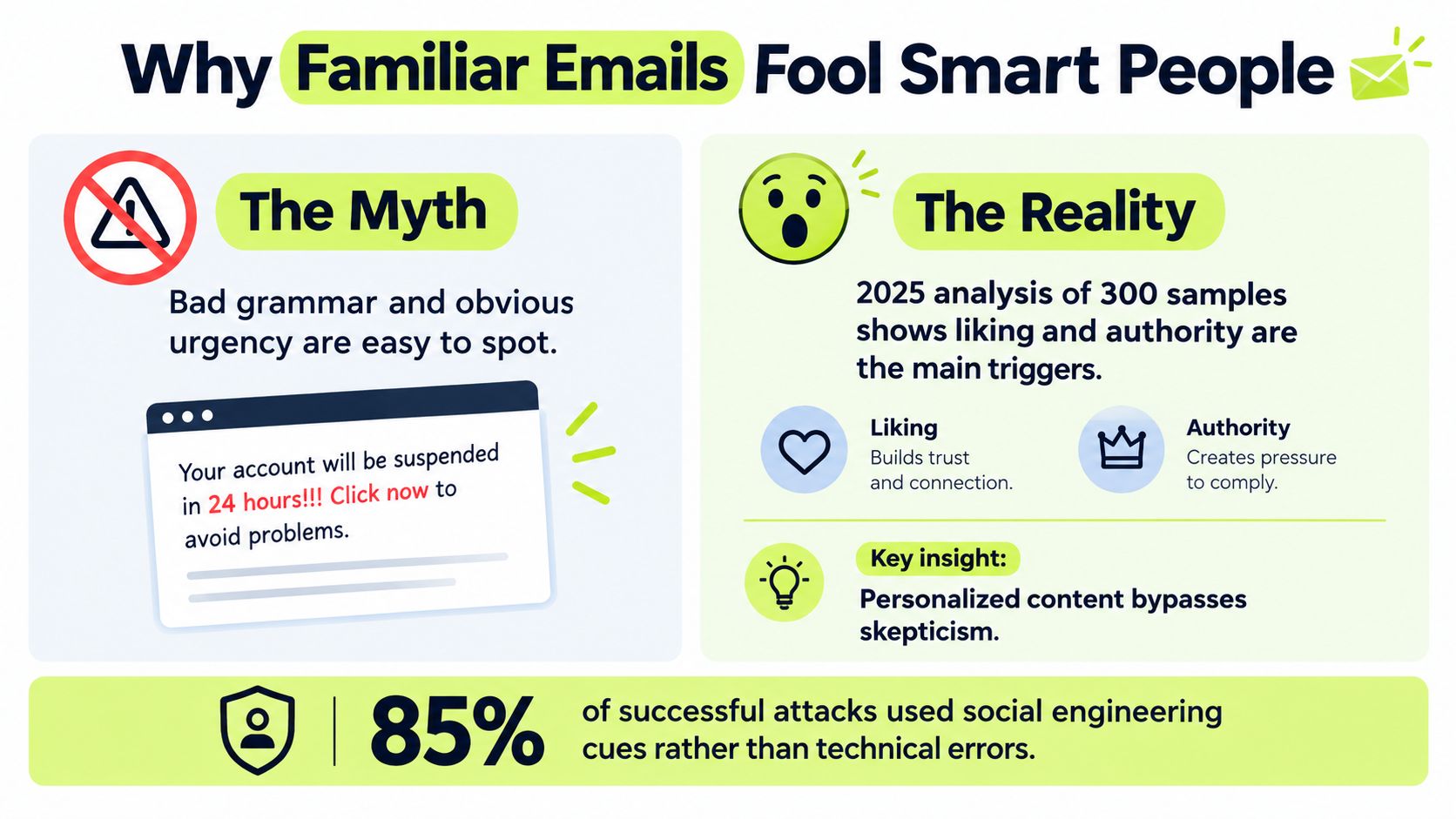
A common phishing lesson says to watch for bad grammar, strange urgency, and obvious fear tactics. That advice helps with sloppy spam, but it misses the harder case, which is why polished spear phishing emails still get through. A 2025 analysis of 300 phishing samples found that liking and authority were stronger predictors of compromise, while scarcity was common but did not significantly predict success.
That matters because many people don't fall for a message that looks ugly. They fall for a message that feels socially normal. If the sender seems to be a manager, client, colleague, or supplier, the brain often treats the request as a work task instead of a security decision.
Social pressure is the actual weakness
A polished email can borrow trust from a real relationship, a known workflow, or a believable tone. That pattern shows up in compromised accounts and in carefully copied writing styles that match what the recipient expects. Familiarity lowers suspicion. Authority raises the cost of hesitation.
The request then feels routine, even when it is not. A message about a payment change, a password reset, or a document share can look like ordinary follow-through, especially if it arrives from someone the recipient already deals with.
Better habits beat better spotting
The fix is to add friction before action. Confirm changed bank details with an established contact method. Verify unusual requests from authority figures through a separate channel. If a request touches money, credentials, or sensitive files, treat it like a locked door, not an open hallway.
If a message makes you feel rushed, private, or reluctant to ask questions, pause. That feeling is often part of the attack.
AI-assisted messages make this even harder. The old visual tells are fading, so the defense has to shift from spotting bad writing to making safer decisions under social pressure. That is the part attackers count on.
Building Layers of Spear Phishing Defense
The strongest defense starts with email controls, but it can't end there. SPF, DKIM, and DMARC reduce spoofing risk, and DMARC set to reject gives outbound domains stronger protection against brand impersonation. Those controls matter, but they won't stop a message from a compromised legitimate account or a trusted third-party service.
From there, the next layer is what happens to links and attachments. URL rewriting and time-of-click inspection help catch a link that was harmless at delivery but weaponized later. Sandboxing attachments before delivery and blocking macros by default reduce the chance that a file becomes a foothold.
Human training has to be short, repeated, and role-aware. Finance teams need payment verification scenarios. HR needs payroll and identity-change scenarios. Engineering needs document-share and credential-reset scenarios. The point is not to teach everyone the same generic warning signs, it's to rehearse the actual requests each team is likely to see.
For teams that want structured awareness workflows inside Slack, Vigil Security is one option for delivering short lessons, phishing simulations, and follow-up coaching where people already work.
A practical layered checklist
- Authenticate mail: Turn on SPF, DKIM, and DMARC, then set policy to reject where appropriate.
- Rewrite risky links: Inspect URLs at click time, not only when messages arrive.
- Detonate attachments: Open suspicious files in isolation before users receive them.
- Ban risky defaults: Block macros unless there's a clear, approved business need.
- Coach by role: Teach finance, HR, executive support, and IT different scenarios.
- Measure behavior: Track reporting speed and false clicks, not just course completion.
Distributed teams need extra attention here because employees often don't know the actual cadence of an executive's requests or a vendor's workflow. When people rarely meet in person, a polished email can feel more legitimate than it should. That's why verification norms matter as much as filters.
Responding When a Spear Phishing Email Lands
A polished spear phishing email can look routine until the request turns urgent. The safest first move is simple: do not click, do not reply, and do not treat it like a normal inbox task. Hover over links without opening them, report the message through the defined workflow, and let the security team decide whether the sender, domain, or attachment should be blocked.
The harder case is when someone already acted on the email. If a payment, payroll change, or credential reset has gone through, reporting the message is only the start. Response then has to move quickly across finance, IT, banks, and incident-response teams, because the next hour can matter more than the inbox.
The FBI's 2025 Internet Crime Report recorded 24,768 business-email-compromise complaints and approximately $3.046 billion in reported losses, with phishing remaining the most frequently reported category at 191,561 complaints. Those figures show why response planning has to be operational, not just educational. Once money or credentials move, escalation is better than hesitation.
The habit that matters most stays the same. Verify any consequential request through a separate, trusted channel. Use the phone number, chat system, or internal directory entry you already trust, not the contact details inside the message. If the request was legitimate, that check takes seconds. If it was fake, it may stop a larger loss.
A clear workflow helps people act under pressure:
- Before acting: Pause on any request involving money, identity, or sensitive data.
- During suspicion: Confirm the request through another channel with the known person or team.
- After a mistake: Escalate immediately, reset passwords if needed, revoke active sessions, and notify the right operational owners.
A spear phishing email gets more effective when people rush. It gets less effective when teams practice verification until it becomes automatic.
Vigil Security helps teams build that habit with recurring two-minute drills that rehearse exactly the polished-payment and credential-reset requests described above. If your organization needs a practical way to train people on realistic spear phishing emails, visit Vigil Security and see how it supports ongoing awareness, reporting, and audit-ready training evidence.