Account takeover fraud is the hijacking of a legitimate account relationship through credential, session, or social engineering compromise, and reported United States losses reached $15.6 billion in 2024. Attackers don't need to break into a network when they can log in as someone who already belongs there.
That's the shift most programs still miss. Teams harden the login page, roll out MFA, and declare the problem handled, while attackers reuse breached passwords, steal active sessions, or talk a help desk into handing over access. If you only defend the front door, you'll miss the takeover that happens after authentication or through recovery.
What Account Takeover Fraud Actually Is
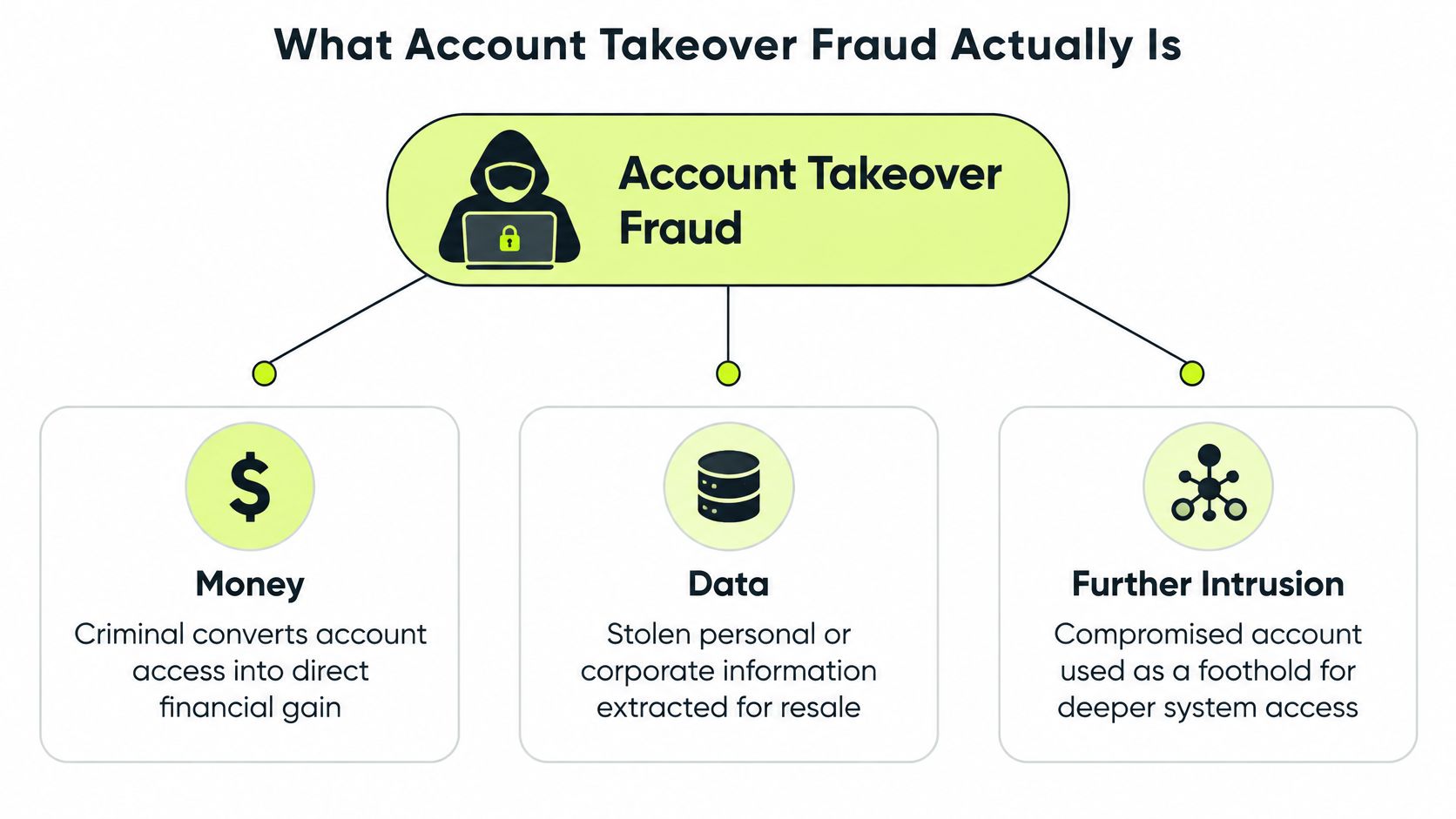
Account takeover fraud happens when a criminal gains control of a legitimate user or employee account, then converts that access into money, data, or further intrusion. It's not new account fraud, where someone opens a fresh account with stolen identity details. The attacker inherits an existing relationship, with saved payment methods, trusted devices, transaction history, and permissions that took months or years to accumulate.
That inheritance is why existing accounts are worth more. A bank account with history triggers fewer fraud checks than a new one. An employee email account can reset other passwords, approve payments, and message colleagues who already trust the sender. A customer account with stored cards and loyalty balances is immediately monetizable.
The Scale in the United States
The losses aren't marginal. Reported United States account takeover losses exceeded $15.6 billion in 2024, up from $12.7 billion in 2023, an increase of approximately 22.8% in one year, while Suspicious Activity Reports filed with FinCEN for account takeover rose by more than 36% during 2024.
Those figures understate the cost. Victims don't always report, companies absorb investigation and remediation work, and one compromised account often enables follow-on transfers, purchases, or payments. A Suspicious Activity Report, or SAR, is a filing financial institutions make to the Financial Crimes Enforcement Network, so SAR growth signals what institutions are seeing, not just what consumers report.
Three Entry Paths You Have to Defend Separately
Every takeover starts through one of three paths, and each needs different controls.
- Credential compromise: The attacker obtains a password through a breach, phishing kit, or reuse, then logs in normally.
- Session compromise: The attacker steals a cookie or token from an already authenticated session, so there's no suspicious login to detect.
- Identity compromise: The attacker manipulates the person or the help desk, persuading someone to share a code, approve a reset, or change a recovery factor such as the email or phone used for account recovery.
Treat credentials, sessions, and identity as three separate jobs. A control that stops one path often does nothing for the other two.
Two terms matter throughout. Step-up authentication means requiring extra verification when risk rises, for example before a payment or recovery change. A recovery factor is whatever lets someone regain access, and attackers target it because changing it locks the owner out. If your team shares those definitions, security, IT, compliance, and support can coordinate when an incident hits.
Credential Stuffing and Phishing as the First Domino
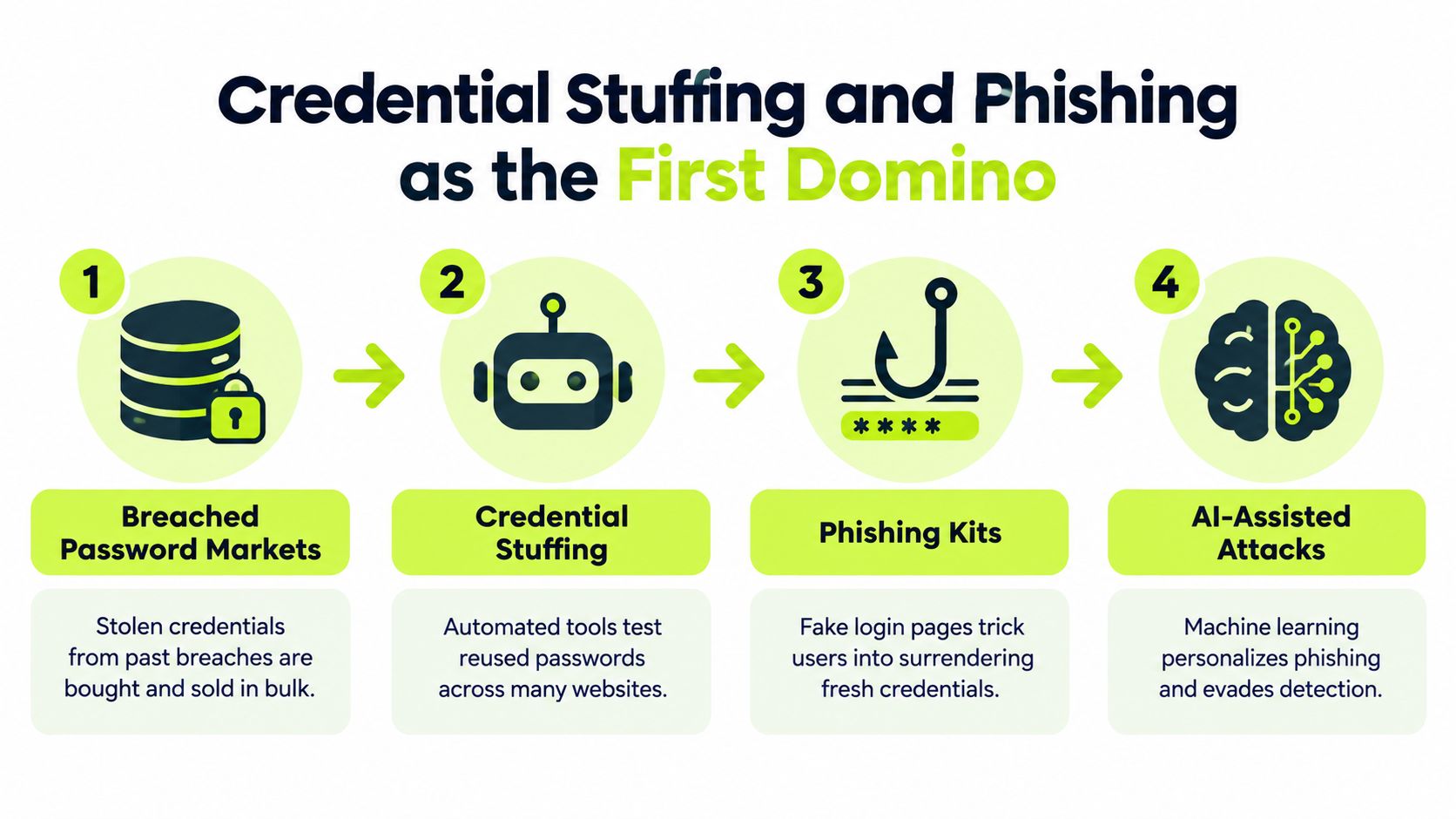
Credential stuffing is automated password reuse at scale. Attackers take username and password pairs exposed in earlier breaches and test them across many services with bots. It's different from a classic brute force attack against one account, because the password is often correct. The user reused it, so one breach becomes takeovers everywhere else that password works.
The data shows how central this is. Verizon's 2025 Data Breach Investigations Report found that credential abuse was the initial access vector in 22% of breaches and was involved in 88% of basic web application attacks.
Where Fresh Credentials Come From
Breached-password markets supply the raw material in bulk, but phishing keeps the supply current. Kits replicate trusted login pages, capture passwords and sometimes one-time codes in real time, and relay them to the legitimate site so the victim sees a normal login. AI assistance makes the lures harder to spot, with cleaner copy, accurate branding, and personalization pulled from public profiles.
Infostealer malware adds another feed. It lifts saved passwords and cookies from an infected device, which means the credential problem and the session problem often arrive together. Password managers and unique passwords per site break the reuse chain, but they don't help a user who types a fresh credential into a convincing fake page today.
Telemetry That Actually Catches Stuffing
Monitoring successful logins alone won't catch this. Distributed bots keep attempts per IP low, rotate through residential proxies, and slow down to look human. A valid reused password produces a login that looks completely normal in isolation.
- Failed-login velocity per account: Many sources testing one account is a stronger signal than many attempts from one address.
- Breached-password matches: Screen passwords at signup and reset against known exposed pairs, and force a change on a match.
- Password-reset spikes: Stuffing campaigns often trigger reset and MFA fatigue activity around the same accounts.
- ASN and proxy concentration: Correlate attempts by network, device, and behavioral cadence, not just IP.
Practical rule: Step up authentication when several weak signals converge on one account, instead of waiting for a single signal strong enough to block on.
Per-account and per-IP rate limits, bot detection, and risk-based challenges work as a set. Any one of them alone just pushes attackers to slow down and spread out.
Session Hijacking and the MFA Bypass Problem
MFA proves who logged in. It doesn't prove who's using the session ten minutes later. When an attacker steals a session cookie and injects it into their own browser, most systems see a continuation of a legitimate, already verified session.
The login screen below is where most defenses concentrate, and that's exactly the blind spot attackers exploit.
Check Point Research reports that cookie-injection workflows can enable silent account takeover while bypassing MFA and generating no conventional login event. Antidetect browsers make this worse by spoofing device fingerprints so the stolen session looks like it's still on the victim's machine.
How a Stolen Session Gets Monetized
Attackers don't linger. They change the recovery email, enroll their own authenticator, add a payee, or grant an OAuth app persistent access, all within a session your logs show as trusted. Strengthening the initial check, including approaches covered in three-factor security design, doesn't stop an attacker who never authenticates at all. For teams consolidating logins across business applications, understanding auth B2B SSO helps clarify where session policy gets set centrally instead of app by app.
This walkthrough shows how session theft plays out in practice and why post-login checks matter.
Controls That Cover the Session Lifecycle
- Bind sessions to context: Flag abrupt device, network, or ASN changes mid-session, plus concurrent sessions that shouldn't coexist.
- Rotate and shorten tokens: Sensitive sessions should expire and refresh tokens should rotate, shrinking the window a stolen cookie stays useful.
- Revoke on factor changes: When a password, authenticator, or recovery detail changes, kill every existing session and require fresh authentication.
- Reauthenticate for high-risk actions: Recovery edits, new payees, and large transactions get a fresh check regardless of session age.
Watch infrastructure signals too, including residential-proxy concentration, WebRTC suppression patterns, and anomalous cookie sequences. MFA stays necessary. It's just not the finish line, because the session it creates becomes the asset attackers steal.
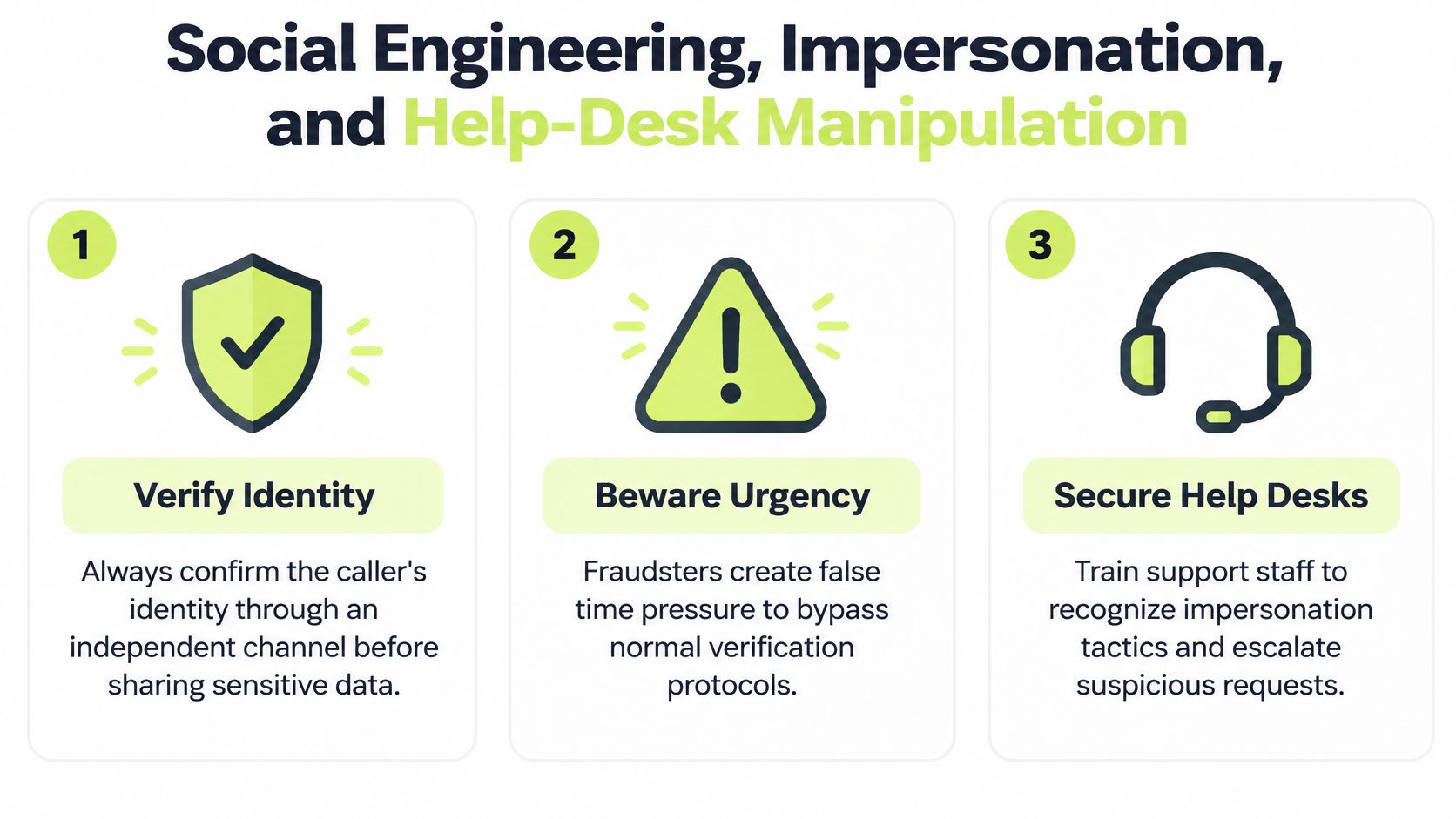
Social Engineering, Impersonation, and Help-Desk Manipulation
Some takeovers never touch malware or a botnet. The attacker calls, messages, or emails as the bank, IT, or an executive, armed with personal details from a breach, and persuades the victim to hand over a code or approve a reset. Understanding the broader mechanics of a social engineering attack helps, but the specific failure here is trust in a familiar channel.
The FBI's 2025 reporting identified account takeover fraud via impersonation of financial institution support as a distinct category, with approximately 4,700 complaints and $359.7 million in losses. Globally, TransUnion reported a 20% increase in suspected digital account takeover attempts from 2023 to 2024, with volume up 129% since 2020.
What Help Desks Need Instead of Good Intentions
Support staff get measured on speed and customer satisfaction, and attackers exploit exactly that pressure. Scripts beat instincts.
- Verify through an independent channel. Call back on the number already on file. Never use contact details the requester provides in the same conversation.
- Treat urgency as a red flag. A caller who can't wait for verification is asking you to skip the step that stops them.
- Escalate recovery changes. Resetting MFA or changing a recovery email for an executive, finance, or admin account needs a second approver, every time.
Employees need the mirror-image habit. A real support team doesn't ask you to read back a one-time code, and a familiar logo or caller ID proves nothing. Slow down, verify through a channel you initiated, and report the contact quickly, even if you didn't comply.
The report matters as much as the refusal. One employee's suspicious call is often the first sign a coordinated campaign is targeting your whole directory.
Add OAuth and app-consent review to this picture. Attackers who can't steal a password may trick a user into granting a malicious app mailbox or file access, which survives password resets. Review grants for high-privilege accounts routinely, and train people that a consent screen is an authentication decision, not a popup to dismiss. For distributed teams, adapt examples to local channels, since text and voice scams dominate in some regions where email phishing gets all the training attention.
Warning Signs Security and Compliance Teams Should Watch For
Plenty of takeovers stay quiet at first. The attacker reads mail, studies payment patterns, or waits for a bigger transaction, so there's no fraudulent charge to trigger an alert. A consumer study found that 14% of respondents experienced an account takeover in the previous year, while warning that reported rates may understate the problem because some victims don't realize their accounts were compromised.
That gap is where trained people outperform tools. Someone has to notice the small, wrong thing and report it before money moves.
Signals Worth Reporting Immediately
- Unexpected password or MFA resets: A reset email you didn't request means someone is testing or changing your access.
- Recovery detail changes: A new recovery email, phone, or authenticator you don't recognize is often the attacker's first move to lock you out.
- Unfamiliar OAuth grants: An app with mailbox or file access that you never approved can persist after a password change.
- Geo or ASN shifts: A session jumping to a new region or an unusual network, especially followed immediately by profile edits or payments.
- Odd outbound messages: Colleagues or customers reporting strange requests from a legitimate account, a classic early sign with executive mailboxes.
A Role-Specific First-Minutes Checklist
Employees should stop, screenshot the anomaly if safe, report through the designated channel, and avoid clicking further links in the suspicious thread. Don't try to investigate by replying to the attacker.
Managers should confirm the report reached IT, warn direct contacts if messages went out, and make sure nobody pressures the employee to just reset and move on. That shortcut skips evidence collection.
IT administrators should check session and token activity, recent factor changes, and OAuth grants for the account, plus look for the same signals across peer accounts. One report rarely means one target.
Customer support should flag the account, pause high-risk changes, and use the verification script for any inbound contact claiming to be the owner. Attackers frequently call support right after a partial takeover to complete it.
Train for subtlety. The employee who reports a weird authenticator prompt in minute five saves the incident that finance discovers in week three.
Notice what's missing from this checklist. Nobody needs deep technical skill. They need permission to escalate fast and a clear path that works at 2 a.m. in another time zone, not just during headquarters business hours.
Choosing Controls That Actually Reduce Account Takeover
Most control debates fail because teams argue about tools instead of attacker behavior. Map each control to the path it blocks, then find your uncovered paths. A control that's strong against credential reuse may do nothing against a stolen session or a manipulated help desk.
Account Takeover Controls and What Each One Stops
| Control | Stops Credential Reuse | Stops Session Theft | Stops Social Engineering | Covers Post-Auth Abuse |
|---|---|---|---|---|
| MFA with app or hardware factors | Yes, blocks password-only login | No, session is already verified | Partial, codes can still be shared | No |
| Breached-password screening | Yes, rejects known exposed passwords | No | No | No |
| Risk-based step-up authentication | Partial, challenges risky logins | Partial, if triggered mid-session | Partial, adds friction to odd requests | Yes, at transaction level |
| Recovery hardening and help-desk verification | No | No | Yes, protects reset channels | Partial, limits factor changes |
| Continuous session monitoring | No | Yes, flags context changes | No | Yes, watches actions after login |
Reading the Gaps Honestly
No single row covers everything, which is the point. MFA plus breached-password screening handles the credential path well. Session theft still sails through unless you add session monitoring, token rotation, and transaction-level step-up. Social engineering needs recovery hardening and verification procedures, because the attacker isn't defeating your technology, they're recruiting your people.
Friction is the honest tradeoff. Stepping up every action annoys users and trains them to approve prompts reflexively, which attackers exploit with MFA fatigue. Reserve strong challenges for risky moments, including new devices, factor changes, new payees, and unusual transaction sizes. That keeps the prompt meaningful when it appears.
For payment-heavy businesses, this layering logic extends to transaction fraud, and a guide for high-risk payment businesses covers how those controls interact with chargeback and card fraud prevention. The evaluation question stays the same either way. Which attacker behavior does this control interrupt, and what covers the behaviors it doesn't.
Budget test: If a vendor can't name the takeover path their product blocks, credential, session, or identity, you're probably buying a dashboard instead of a control.
Sequence by exposure, not by trend. If your resets are easy and your help desk has no callback rule, fix recovery before buying behavioral analytics. If stuffing volume is hammering your login page, screening and bot controls come first.
Responding to a Suspected Takeover Without Making It Worse
The instinct to just reset the password and move on causes real damage. It leaves attacker sessions alive, preserves malicious OAuth grants, and destroys the timeline compliance and legal will need later. Work in phases instead.
The First Hour
- Revoke sessions and tokens. Kill active sessions, refresh tokens, and API keys for the account before resetting anything, so the attacker loses access at the same moment the owner does.
- Reset factors in order. Change the password, re-enroll MFA, and verify recovery email and phone against known-good records through an independent channel.
- Sweep for persistence. Check OAuth grants, mail forwarding rules, delegated access, new payees, and profile changes made during the compromise window.
- Hunt laterally. Search for the same indicators across accounts the victim interacts with, since internal messages from a trusted account spread fast.
Preserve logs as you go. Screenshot factor changes, export session records, and note timestamps before systems rotate them away. Regulators, payment partners, and insurers will ask what happened and when you knew, and reconstructing that from memory weeks later doesn't hold up.
Trust and Evidence After Containment
Tell affected customers plainly what happened, what you've done, and what they should watch for. Handle reimbursement consistently and quickly, because slow, grudging refunds do more reputational damage than the incident itself. Coordinate legal early on notification triggers, since account data exposure can create obligations even when no money moved.
Sync your evidence as you remediate. If your compliance platform shows MFA enforced and training complete, the underlying records should reflect the accounts and exceptions involved in the incident. Gaps between the audit view and production reality surface painfully during incident reviews.
Short, recurring training reduces the next incident's detection time, and tools such as Vigil Security deliver brief Slack-based lessons and phishing simulations with evidence sync to Vanta and Drata. The goal isn't annual completion. It's an employee who reports a suspicious prompt in minutes because the scenario feels familiar.
Closing Thoughts and Common Misconceptions
Four beliefs weaken otherwise solid programs. Naming them helps, because each one sounds reasonable in a planning meeting.
MFA is the finish line. It blocks password-only logins and leaves stolen sessions, shared codes, and manipulated resets wide open. Necessary, not sufficient.
Annual training covers the people side. A once-a-year module doesn't build the reflex to refuse a convincing support impersonation or report an odd OAuth prompt. Behavior changes with short, repeated, scenario-based practice.
Recovery is a support function, not a security control. Attackers disagree. The reset flow is often the weakest authentication you operate, and it can override every stronger check in front of it.
Reported incidents reflect total impact. They don't. Victims miss compromises, some losses get absorbed without fanfare, and the trust cost lands later. In the consumer study cited earlier, most respondents said they'd leave a company after a takeover and tell others about it, which means retention damage continues after accounts are restored.
Operating Principles to Apply Now
- Protect three assets separately: Credentials, sessions, and recovery identity each need dedicated controls and owners.
- Measure across the whole session: Detection that stops at login misses the monetization phase entirely.
- Make reporting the trained behavior: Fast, specific reports from employees and support staff are a detection control, not a courtesy.
- Keep evidence in sync with production: Controls you can't demonstrate won't satisfy auditors, partners, or insurers after an incident.
Pick the weakest of the three paths in your environment and fix that first. For many teams, that's recovery hardening or session monitoring, not another password policy. Attackers already know which path you've neglected. Closing it is what changes your outcomes, not adding a fifth control to the path you've already covered.
If your team needs employees who spot suspicious prompts, refuse fake support requests, and report fast, Vigil Security delivers short interactive lessons and phishing simulations inside Slack, with audit-ready evidence synced to Vanta and Drata. Visit Vigil Security to see how recurring microlearning fits your account takeover defenses without pulling people into another training portal.