You're reviewing sign-in logs on a Monday morning and nothing looks dramatic. No single account is hammered, no lockout storm is underway, yet a handful of users report password prompts they didn't trigger. That's the modern brute force attack problem. The loud version still exists, but the campaigns that succeed often stay quiet, spread out, and exploit reuse rather than raw speed.
Why Brute Force Attacks Look Different Today
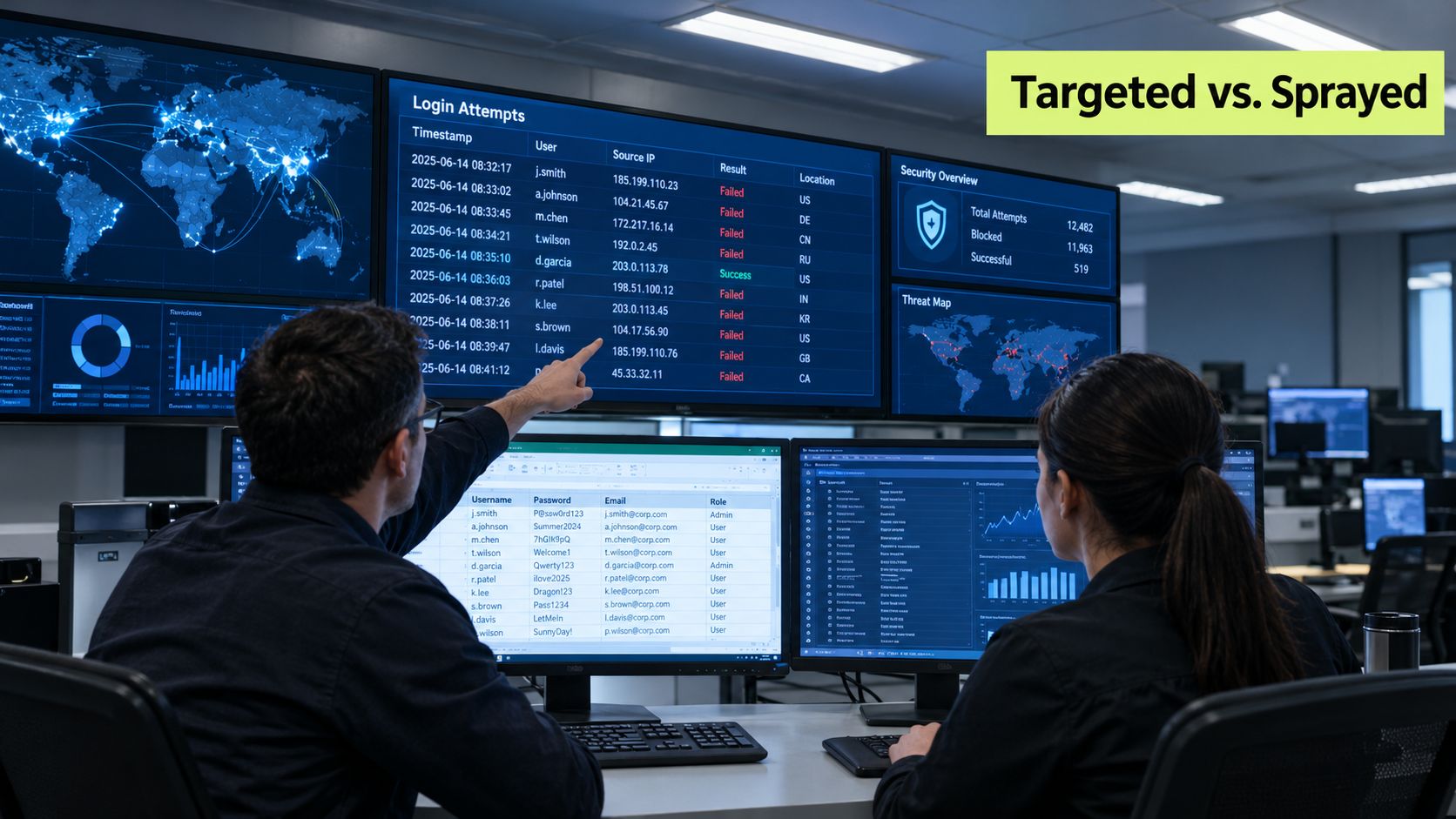
A targeted account can still attract an obvious burst. An attacker picks a known executive or administrator, then cycles through likely passwords until the account locks or an alert fires. You'll see concentrated failures, a clear time window, and a user who can confirm they weren't trying to sign in.
The quieter version looks nothing like that. An attacker tries one or two common passwords against a long list of accounts, waits, then tries again. Each identity shows only a failure or two, so per-user thresholds never trip. Help desk tickets, if they appear at all, look unrelated.
A Simple Mental Model
Think of brute force as a family of credential-access behaviors, not a single flood. The technique an attacker chooses determines what you'll see and which control helps.
- Concentrated guessing: Many attempts against one account. Rate limiting and lockouts are useful here.
- Distributed spraying: Few attempts against many accounts. Per-account lockouts often miss it.
- Replay of stolen credentials: Correct passwords from another breach. Speed controls matter less than uniqueness and MFA.
- Offline cracking: Guessing happens away from your login page. Login throttling can't help at all.
Controls interact, sometimes badly. Aggressive lockouts stop concentrated guessing but let an attacker deliberately lock out legitimate staff. MFA blocks a correct password used alone, but it doesn't fix a weak recovery flow an attacker can use instead. Training that only tells people to pick a complex password misses reuse, which is often the exposure.
Practical rule: Your goal isn't to stop every failed login. It's to spot suspicious authentication patterns early without making legitimate access fragile.
That balance, detect the pattern and keep people working, shapes every decision that follows.
Understanding the Core Brute Force Concept
Picture a lock and a very patient person with a huge ring of keys. A brute force attack works the same way, except software tries the keys. The attacker submits candidate passwords, or tests them against stolen password data, until something opens.
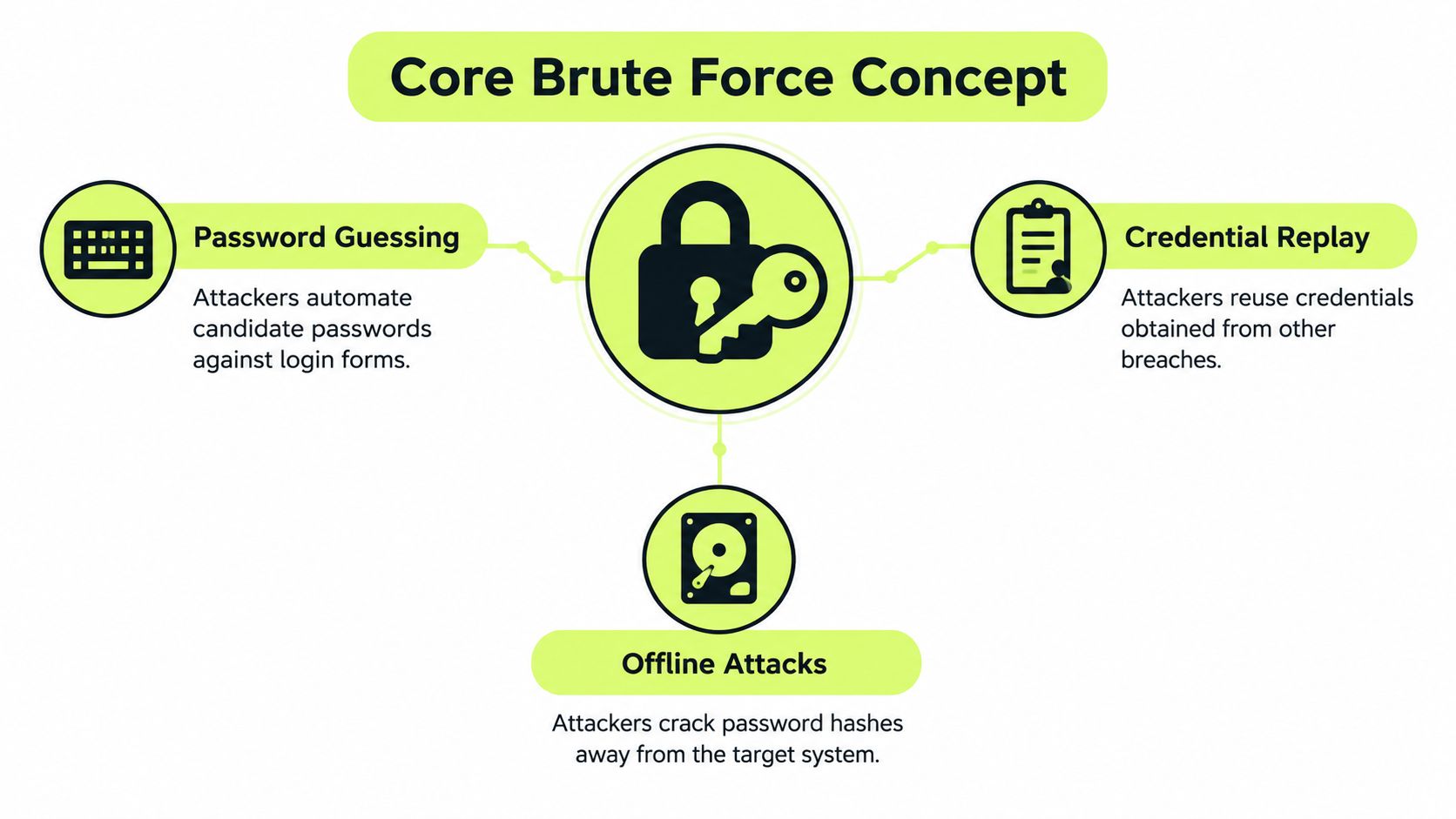
The label covers four distinct methods, and confusing them leads to the wrong defense.
The Four Members of the Family
Password guessing is the classic form. Attackers automate likely candidates against a login form, often starting with common choices, names, seasons, and simple patterns people use.
Password spraying flips the ratio. Instead of many passwords against one account, the attacker tries a small set of common passwords across many accounts, staying beneath lockout thresholds.
Credential stuffing doesn't guess at all. Attackers replay username and password pairs exposed in earlier breaches, betting that people reused them on your service.
Offline password cracking happens after attackers steal password verifiers, usually hashes. They test candidates on their own hardware, outside your rate limits, lockouts, and monitoring.
These methods are formally grouped under MITRE ATT&CK technique T1110, and Verizon's 2024 DBIR mapping to MITRE ATT&CK recorded 38,487 instances of brute-force-related activity, including 24,918 password-guessing events, 15,818 password-cracking events, 1,033 credential-stuffing events, and 267 password-spraying events. Those categories aren't academic. Each one showed up in observed activity.
Why Weak Passwords Shrink the Search
In theory, a long random password creates an enormous search space. In practice, attackers don't search the whole space. They start with passwords people predictably choose, passwords already exposed elsewhere, and simple mutations of both. A weak, reused, or previously breached password turns an impractical search into a short list.
Two conditions make the whole family more dangerous. Legacy authentication paths often skip modern protections and give attackers a quieter door. Missing multi-factor authentication means one correct guess, or one replayed password, is enough. When both are present, an attacker doesn't need speed or sophistication. They just need patience and a list.
Compare the Main Credential Attack Techniques
Security teams misread incidents when they treat every failed login as the same event. The four techniques differ in what they target, where the passwords come from, and what evidence they leave behind.
| Technique | Target Pattern | Credential Source | Key Signal | Primary Defense |
|---|---|---|---|---|
| Online password guessing | Many attempts, one account | Newly generated or common candidates | Concentrated failures on a single identity | Account-level rate limiting, progressive delays |
| Password spraying | Few attempts, many accounts | Small set of common passwords | Low-volume failures spread across unrelated users | Cross-account correlation, breached-password screening, MFA |
| Credential stuffing | One or few attempts per account, many accounts | Username and password pairs from prior breaches | High failure rate with occasional successes, automated traffic patterns | Unique passwords, breached-password screening, MFA |
| Offline password cracking | Stolen password verifiers, no live login | Candidate lists tested against hashes | No login failures at all until a cracked password is used | Adaptive hashing with unique salts, verifier protection |
Reading the Evidence Correctly
A per-account lockout is a reasonable answer to concentrated guessing. Against spraying, it's nearly blind, because no single account crosses the threshold. Teams that only alert on lockouts will watch a spray pass underneath them and conclude nothing happened.
Credential stuffing creates a different trap. Because attackers submit real passwords, some attempts succeed on the first try, so failure counts understate the risk. The useful signals are automation patterns, unfamiliar devices, and successes for accounts that rarely sign in that way.
Offline cracking breaks the mental model entirely. Once verifiers are stolen, your login page controls nothing. Throttling, CAPTCHAs, and lockouts are irrelevant because guessing happens on the attacker's hardware. Only strong storage design and password entropy slow that work down.
It's also worth checking the doors you don't think of as primary. Guest and workplace networks, for example, rely on their own sign-in choices, and this overview of authentication techniques for Wi-Fi is a useful reference when you're reviewing whether those access paths enforce anything stronger than a shared password.
When you triage, ask first whether attempts are concentrated, distributed, replayed, or offline. That answer tells you which logs matter and which control to reach for.
Identify Targets and Attack Paths
Attackers go where credentials are accepted and scrutiny is thin. Publicly reachable remote-access portals, email services, and single sign-on systems sit at the top of the list because one success can grant access to many downstream applications. Collaboration tools matter for the same reason. They hold conversations, files, and often the trust needed to impersonate someone internally.
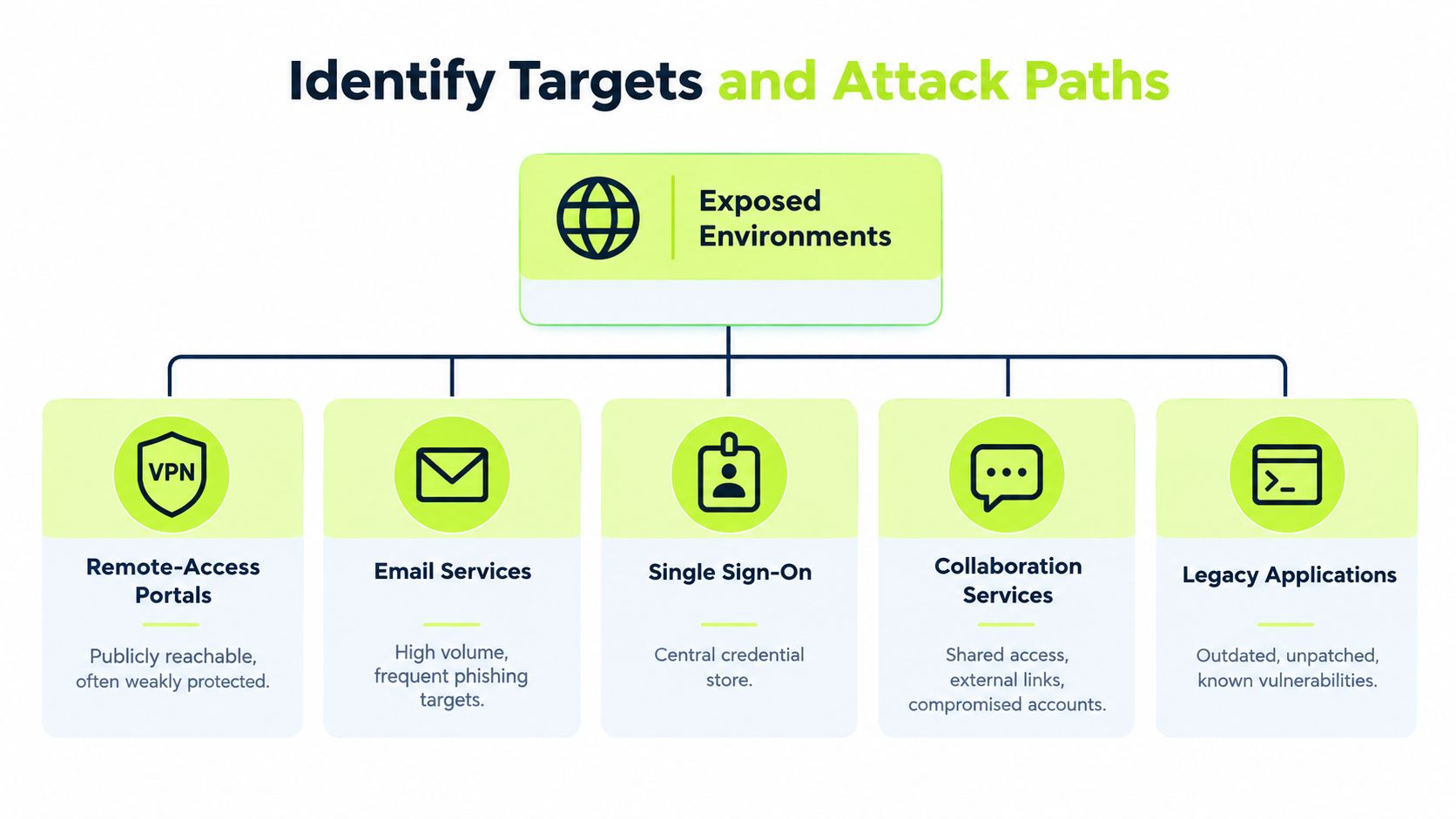
The most overlooked targets aren't applications. Administrator accounts carry disproportionate value, so they deserve stronger authentication than standard users, and a good primer on adding a third factor to high-risk sign-ins helps frame that tiering. Password databases are high-impact material because stealing verifiers moves the attack offline. Recovery flows are the third weak point. If a password reset or MFA reset is easier to abuse than the login itself, attackers will use the easier path.
Initial Access Is Only the Start
Credential access is usually a means, not the objective. Once inside, an attacker can read data, establish persistence with new tokens or forwarding rules, and move to other systems that trust the compromised identity. In Verizon's 2025 DBIR research on credential stuffing, compromised credentials were the initial access vector in 22% of reviewed breaches, and credential stuffing represented a median 19% of all authentication attempts in single-sign-on logs, reaching 25% at enterprise-sized companies, 12% at small businesses, and a highest single-day share of 44%.
Password reuse widens every incident. A password cracked or replayed in one service becomes a candidate everywhere else that person works. That's also why users in a spray may see almost nothing on their own account. The campaign touches them lightly by design.
Prioritize accordingly. Inventory externally reachable authentication, legacy protocols, privileged identities, verifier storage, and every recovery channel. Those five areas decide most of your exposure.
See How Each Attack Pattern Unfolds
The diagram below maps the four patterns side by side so you can compare their visible symptoms at a glance.
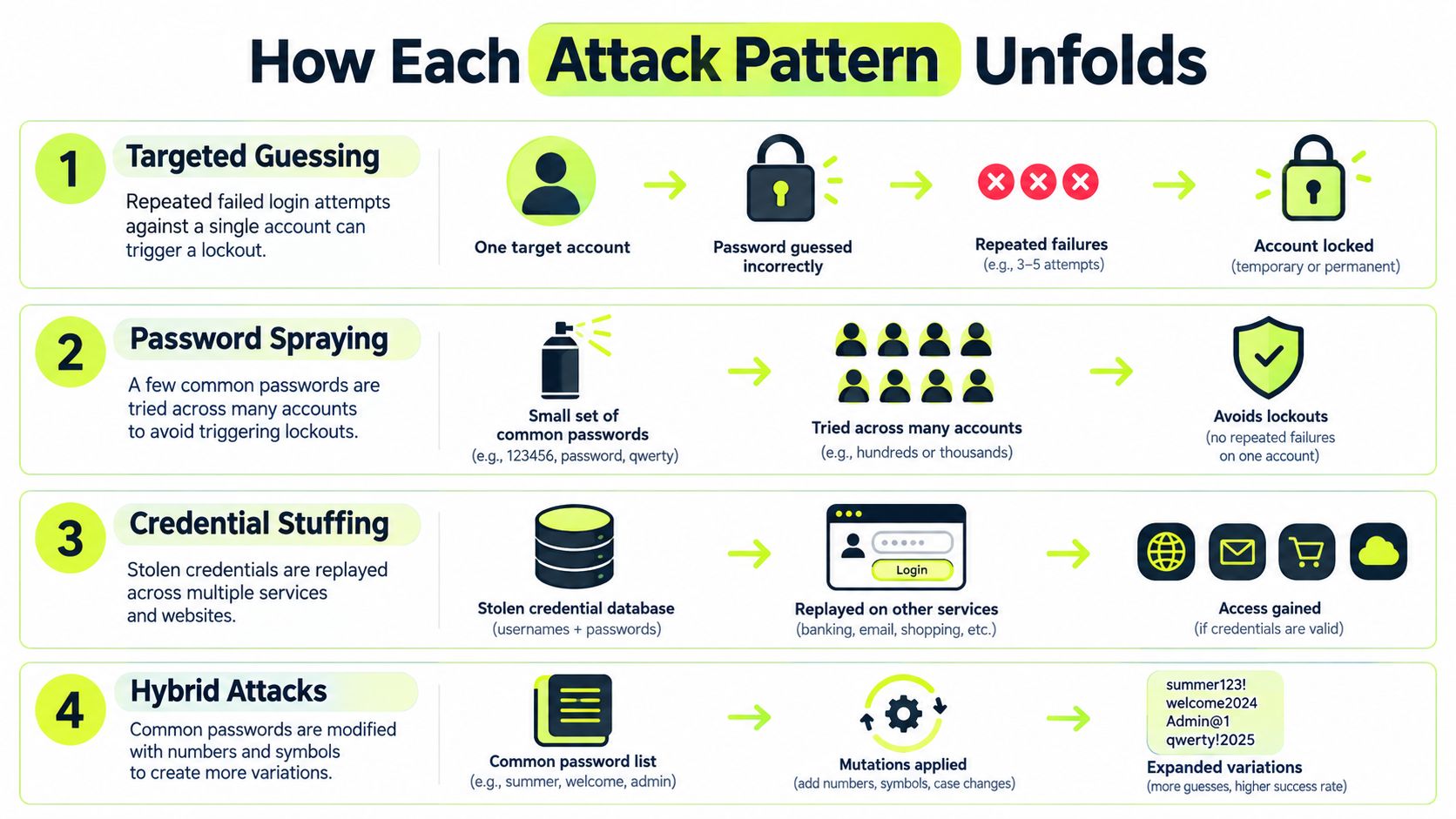
Targeted guessing is the easiest to recognize. One finance manager's account collects repeated failures in a short window, then locks. The clue is concentration. Your first moves are to confirm the user wasn't responsible, check for any successful sign-in nearby, and review active sessions before resetting anything.
Password spraying unfolds. Dozens of accounts each record one or two failures with the same timing pattern, and nobody locks out. The clue is distribution across unrelated users. Respond by correlating across accounts rather than interviewing individuals, then force stronger challenges for affected identities.
Credential stuffing starts elsewhere. A person's credentials leak from an unrelated service, then automated tooling replays them against your single sign-on. Most fail because passwords differ, but reused ones succeed without any preceding failures on that account. The clue is an unfamiliar device or network paired with a clean first-try success. Contain the session and require a password change that isn't a variation of the old one.
The short walkthrough below shows how these attempt sequences appear in practice.
Offline cracking leaves no login trail while it's happening. After verifiers are stolen, guessing proceeds until a cracked password appears in a normal-looking sign-in. The clue often arrives late, as an impossible-travel event or a new token. Response means treating the verifier theft as the incident, not just the eventual login, and forcing resets everywhere that secret was reused.
Detect Credential Abuse Across the Identity Stack
A single failed-login threshold won't catch a modern brute force attack. You need correlation across signals, because each technique hides in a different blind spot.
Telemetry Worth Collecting
Record the account, device, network, authentication method, geolocation, and time window for every attempt, success and failure alike. Successes matter as much as failures. A successful sign-in shortly after suspicious failures, or from a device the account has never used, is often the event that confirms an incident.
Build detections for both shapes of abuse:
- Concentrated failures: Repeated attempts against one identity, including from rotating source addresses.
- Distributed failures: Low-volume attempts across many accounts sharing timing, network, or client characteristics.
- Replay indicators: Automated client behavior, high attempt volumes, and first-try successes from unfamiliar contexts.
- Post-compromise signals: New devices, new tokens, and impossible-travel events that don't fit the user's pattern.
Directory logs are central here, and this background on how Windows Active Directory handles authentication events is helpful when you're deciding which domain events to forward into your detection tooling. Treat impossible travel as an investigation trigger, not proof. Travel, VPN egress changes, and mobile networks produce false positives, so corroborate with device and session history before escalating.
Automation complicates triage because stuffing tools rotate infrastructure and mimic browsers. If you run customer-facing properties, this Shopify bot traffic guide offers useful context on distinguishing proxy-driven automated traffic from ordinary visitors, which helps you avoid blocking real customers during an incident.
Triage Without Alert Fatigue
Distinguish attack patterns from ordinary user error by looking for structure. A person mistyping a password produces a few failures, then a success from a familiar device. An attack produces regularity, scale across accounts, or contexts the user can't explain.
Preserve the raw authentication records, session identifiers, and MFA events before you reset credentials. Resets feel decisive, but they can destroy the evidence you need to find related accounts. Tune alerts so distributed patterns page someone, while isolated failures only enrich a dashboard. Otherwise analysts learn to ignore the queue, and the quiet campaigns win.
Prevent and Mitigate Brute Force Exposure
No single blocking rule covers all four techniques. Layer controls in the order that removes the most risk first.
Start With Authentication Strength
Deploy phishing-resistant or app-based MFA wherever it's available, prioritizing administrators, remote access, and single sign-on. For regional context on rollout considerations, this piece on MFA protection for London and Essex firms covers the practical adoption questions smaller organizations usually face. Require unique passwords per service and screen new passwords against breached-password lists, since reuse is what makes stuffing work.
Good password guidance matters here. These examples of strong alphanumeric password construction can support user education, but lean on password managers and machine-generated passwords where you can. People reliably reuse whatever they have to memorize.
Remove legacy authentication paths that can't enforce MFA. Attackers specifically look for the older protocol you left enabled for one forgotten application.
Throttle at the Account Level
NIST SP 800-63B-4 identifies rate limiting as the primary defense against online guessing and sets a cap of 100 consecutive failed attempts for a single account absent a stricter authenticator-specific rule, and organizations may impose lower thresholds. NIST models that limit against roughly 20 bits of entropy, about a 1-in-1,000,000 per-guess success probability, so 100 guesses yield roughly a 1-in-10,000 success probability.
Enforce counters against the account or authenticator, not just the source IP, because distributed attackers rotate addresses freely. Prefer progressive delays, step-up MFA, and risk-based challenges over hard indefinite lockouts. Hard lockouts hand attackers a denial-of-service lever against your own staff, which NIST's password guidance also flags when it cautions that overly aggressive lockouts can enable denial-of-service attacks while recommending blocklists, secure hashing, and machine-generated passwords.
Protect Verifiers and Recovery
For offline resistance, use an adaptive password-hashing scheme with a unique salt per credential, calibrated to consume substantial CPU and memory, and guard the verifier database as high-impact material. NIST conformance criteria for SP 800-63B state that passwords with less than 64 bits of entropy require effective rate limiting for online authentication, which underlines why weak secrets can't carry the defense alone.
Finally, harden recovery. Password resets and MFA re-enrollment should demand verification at least as strong as the login they're replacing. Pair that with recurring, role-aware training so administrators and help desk staff recognize social pressure around resets, and so users understand that a reused password must change everywhere, not just on the service that noticed the problem.
Build a Practical Response and Verification Plan
When credential abuse is suspected, sequence matters more than speed alone. Work through a consistent path so you contain the risk without destroying evidence or locking out the business.
Response Sequence
- Contain sessions first: Revoke suspicious tokens and sessions for affected identities before forcing broad resets.
- Protect recovery channels: Watch password and MFA reset activity closely, since attackers pivot there when logins get harder.
- Review related identities: Check accounts sharing the same timing, network, or device signals, not only the account that alerted.
- Preserve evidence: Retain authentication logs, MFA events, and session records before making changes.
- Communicate carefully: Tell affected users what to do without assuming every failure belongs to one campaign.
Verification Questions
Test your defenses with direct questions, not policy reviews. Are failed-attempt counters enforced at the identity level, or only by source IP? Can your tooling surface a slow spray across many accounts, and a stuffing run that mostly fails? Does recovery require proof as strong as the authentication it replaces, or can it bypass MFA? Are verifiers hashed adaptively with unique salts, and is that database treated as sensitive material?
If any answer is uncertain, that's your priority list. Fix the gap, retest it with a controlled simulation, and confirm users can still sign in and recover access without help desk heroics. A defense that only works on paper, or only works by locking people out, won't survive contact with a real brute force attack.
If your team needs employees to retain lessons on unique passwords, MFA, and safe recovery habits, Vigil Security delivers short, interactive security awareness training natively inside Slack, with recurring refreshers and audit-ready evidence for your compliance tools. Visit Vigil Security to see how a few minutes in Slack can replace the annual training slog and keep credential hygiene top of mind year round.