Ransomware is malicious software that blocks access to a computer system, usually by encrypting files, until the victim pays, and it is increasingly paired with data theft. In 2024, U.S. complaint figures put ransomware complaints at 3,156, roughly 12% higher than the 2,825 logged in 2023.
If every shared file still opens, did the organization escape? A lot of training still treats a ransom note and a scrambled desktop as the whole event. Staff then miss copied records, a threat to publish, or calls to customers that arrive while systems look normal. For the person living through it, the ransomware attacks meaning is whatever the attacker takes: access, confidentiality, or the freedom to ignore a demand.
What Ransomware Means and Why No Encryption Still Counts
A locked filing cabinet is one way ransomware affects its victim: the files are still there, but a person cannot open them without the key. The FBI's Internet Crime Complaint Center (IC3) report describes ransomware in terms of software that blocks access to a victim's data or system until a ransom is paid.
The victim's experience can extend beyond blocked access. Attackers may copy information and threaten to publish it, even if the organization restores its systems from backups. IC3 uses a narrower reporting definition centered on blocked access, so data theft without encryption may be categorized separately. The 2024 IC3 figures summarized by Safeguard recorded 3,156 ransomware complaints, compared with 2,825 in 2023.
Four models, one extortion goal
| Attack model | What attackers do | What victims notice first | What recovery requires |
|---|---|---|---|
| Encryption only | Lock files and demand a decryption key | Files will not open, ransom note on screen | Restore from tested offline backups |
| Encryption plus data theft (double extortion) | Lock files and copy sensitive data out | Ransom note plus threat to publish stolen data | Restore systems plus breach assessment and notification |
| Data theft only | Copy sensitive data without encrypting | Extortion email, no outage | Reset credentials and assess disclosure obligations |
| Extortion and harassment | Pressure staff, customers or suppliers directly | Calls, messages or public posts about the incident | Escalate to incident response and legal review |
Can a ransomware attack happen with no files encrypted? Yes. Data theft paired with a demand or threat can still expose an organization to extortion, even when systems remain usable. In Q2 2025, Check Point Research reported 1,607 new victims listed on data-leak sites across more than 75 platforms. Restoring from backups may return access, but it does not undo the theft or settle the threat to disclose data.
A practical definition focuses on what the victim faces: a financially motivated intrusion involving blocked access, stolen sensitive information, or threats of harmful disclosure or disruption.
Ask three questions: Is access blocked? Is data missing? Is someone demanding payment or threatening exposure? A yes to any one is reason to escalate a possible ransomware attack, even if the desktop looks ordinary.
How a Ransomware Attack Unfolds Stage by Stage
Ransomware is an intrusion-and-extortion operation, not a single encryption moment. The stages before a ransom note can run for days. The earlier someone notices, the more options you still have: isolate one account, or rebuild half the company.
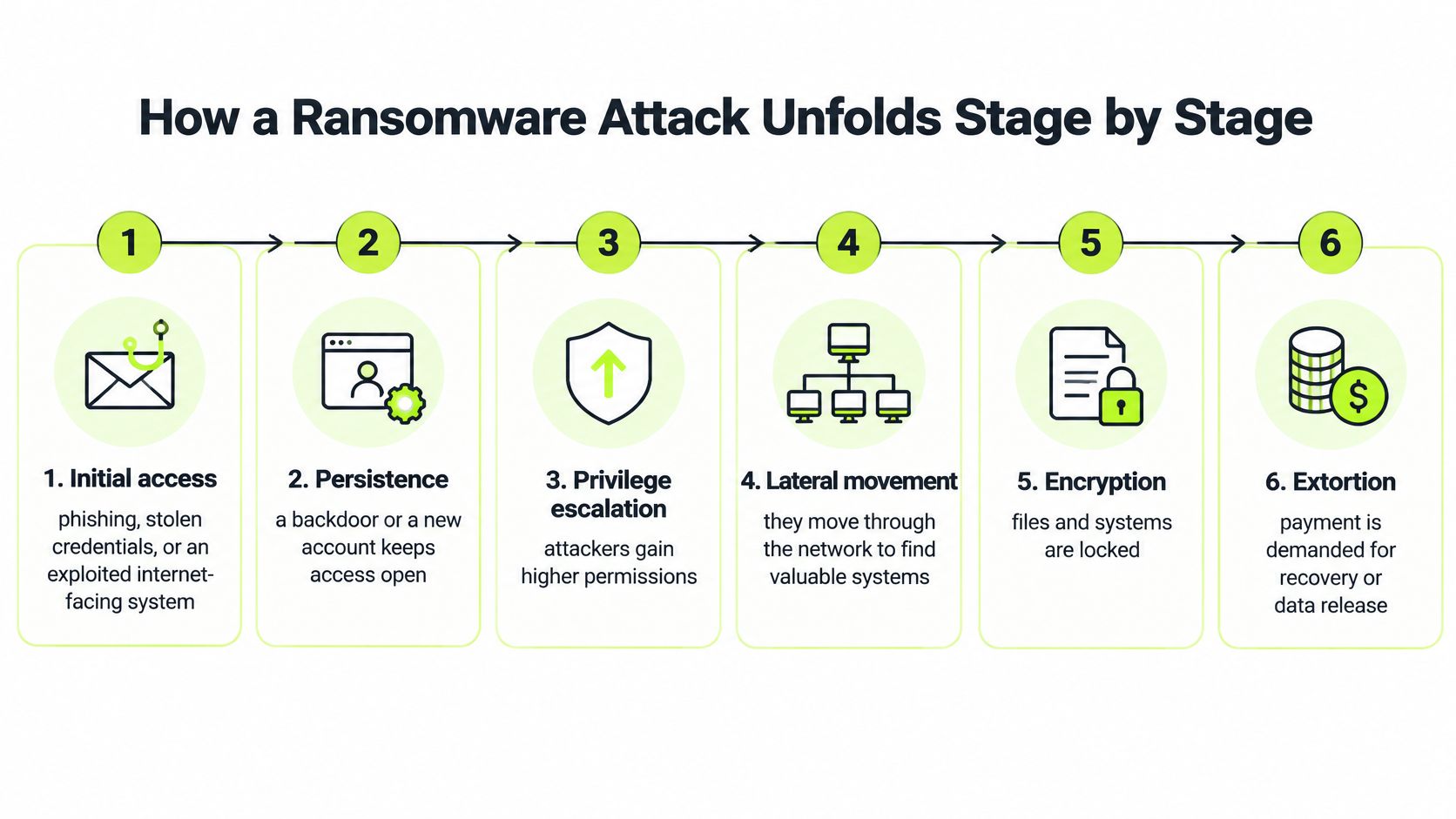
ENISA's 2025 threat landscape identified phishing as the leading initial-access route at approximately 60% of observed cases, with vulnerability exploitation at 21.3%, and called ransomware the most impactful cybercrime threat. Those doors explain why the first stages look like ordinary IT noise.
What each stage looks like
| Stage | What attackers do | Signal to watch |
|---|---|---|
| Initial access | Phishing, stolen credentials or exploit of an internet-facing system | Unexpected MFA prompt or login from an unfamiliar location |
| Persistence | Install a backdoor or create an account to return later | New accounts or unknown scheduled tasks |
| Privilege escalation | Gain administrator rights | Unusual changes to group membership |
| Lateral movement | Reach file servers, backups and hypervisors | Admin tools used across many hosts |
| Exfiltration | Copy sensitive data out of the network | Large outbound transfers to unfamiliar destinations |
| Encryption or disruption | Lock files or shut down systems | Mass file renames or a ransom note |
Order matters because each stage buys the next one. A phish or a stolen password gets them in. A backdoor or a quiet new account lets them return after you reset one password. Administrator rights turn a foothold into control of file servers, backup consoles, and hypervisors. Lateral movement is how they find those systems. Copying data out creates a disclosure problem that survives any later restore. Only then do many crews lock files or shut systems down and demand payment.
An employee who reports an odd login within hours can stop the chain before a note appears. Teams that practice that handoff can reduce MTTR with better incident response instead of starting the clock at the ransom note. The same progression creates two separate pressures: downtime from unavailable systems, and disclosure risk from stolen data. A restore fixes only the first.
How Attackers Get In and Where to Block Them
An attacker needs an opening, then a way to reach valuable systems. The entry route helps determine which defenses to prioritize.
| Entry route | Evidence from research | Control to apply |
|---|---|---|
| Phishing | A leading initial-access route in ENISA's 2025 landscape | Phishing-resistant MFA and an easy report button |
| Edge devices and VPNs | 22% of vulnerability-exploitation cases, up from 3% | Asset inventory and patching against set targets |
| Other vulnerability exploitation | 21.3% of initial-access cases in ENISA's 2025 landscape | Rapid remediation of exploited flaws |
| Stolen credentials | No fixed share is stated in the cited 2025 breach studies | Least privilege and separate backup credentials |
Verizon's 2025 Data Breach Investigations Report analyzed more than 22,000 security incidents and 12,195 confirmed breaches. Ransomware appeared in 44% of breaches, up from 32%, a 37% year-over-year increase. Vulnerability exploitation appeared in 20% of breaches. Edge devices and VPNs accounted for 22% of vulnerability-exploitation cases, compared with 3% the prior year.
An unpatched VPN, firewall, or other perimeter appliance can provide an initial foothold. A stolen credential may then help an attacker gain higher privileges. If network boundaries are weak, the attacker can move from one system to file servers, hypervisors, cloud administration, or backup infrastructure. A single exposed appliance can put many connected systems at risk.
Controls in the order to apply them
- Inventory internet-facing devices. List VPNs, firewalls, and other perimeter appliances, and set a patch target for each.
- Patch known exploited perimeter flaws first. A serious flaw in a VPN can take priority over routine internal updates.
- Use phishing-resistant MFA for administrators and remote access. A second text message does not provide the same protection.
- Reduce standing administrator rights. Limit permissions so a stolen login cannot automatically change the wider environment.
- Segment critical networks and separate backup credentials from everyday admin accounts. Set alerts for mass file changes.
Start with the first three controls, then expand the program. Technical defenses such as endpoint protection work alongside staff training. Security controls in layers shows how separate safeguards reinforce one another. Written expectations can also help strengthen data protection policies for staff and vendors.
Vigil is an employee training and compliance platform. It does not provide antivirus, endpoint protection, remote access, IT helpdesk, or consumer technical-support services.
What an Attack Costs and Why Backups Are Not Enough
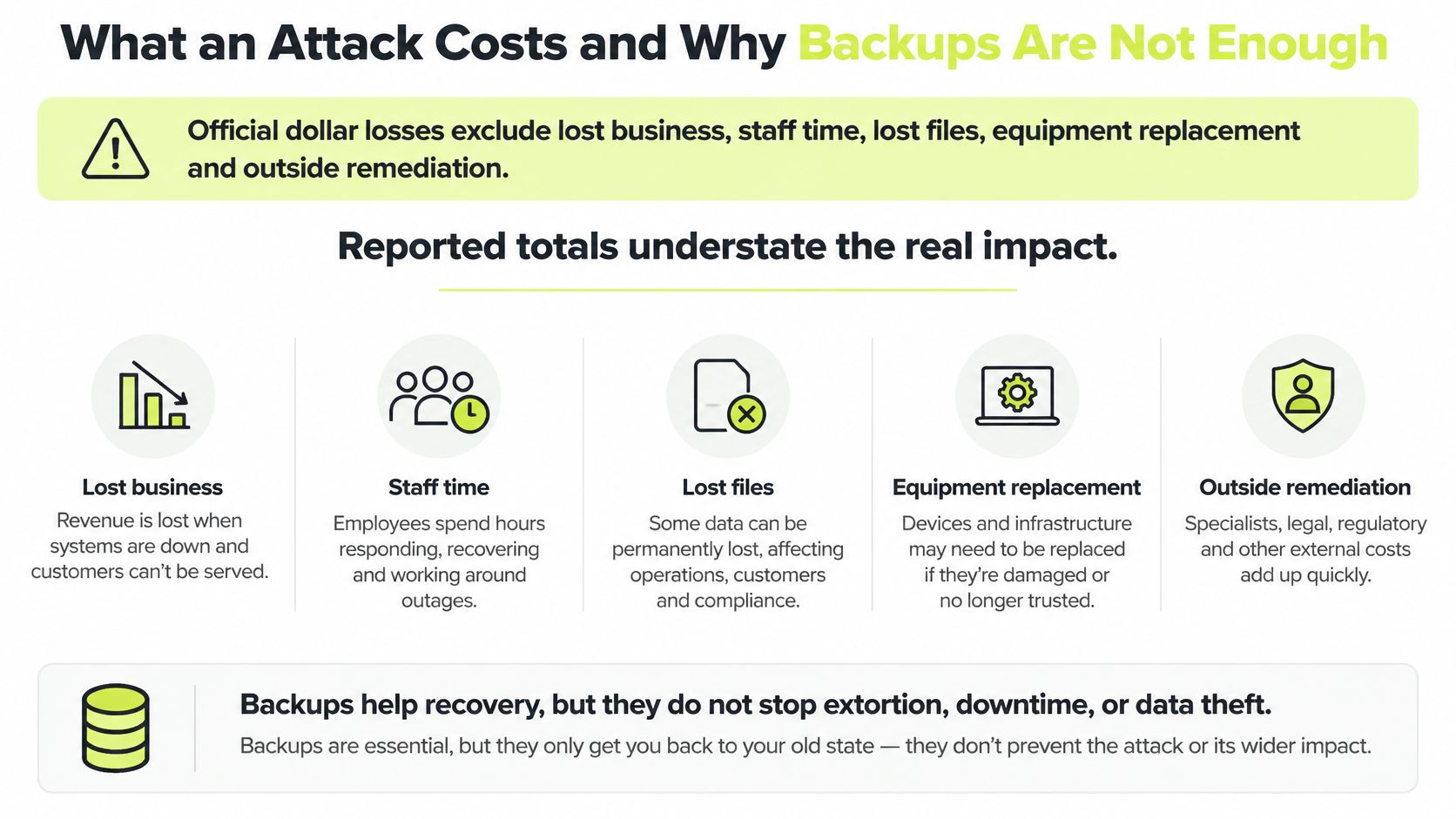
Restoring the servers isn't the same as getting back to normal. Official dollar totals leave out lost business, staff time, missing files, equipment replacement, and outside remediation, so the published loss figure is the small number. On top of that gap, Sophos's State of Ransomware report put the average ransom payment in 2025 at $1 million. That payment, if it happens at all, doesn't buy back the week of stopped orders.
What the recovery data actually shows
Palo Alto Networks Unit 42 found that nearly half of impacted victims in a 2024 incident-response dataset restored from backups, yet 86% of incidents still involved business disruption, operational downtime, reputational harm, or both. Recovery time matches that gap. Nearly half of surveyed victims took one to six days, and three-quarters took up to two weeks.
Backups can put files back. They don't unsend copied customer records, un-compromise accounts, cancel a regulator's questions, restart a supplier that paused your orders, or repair trust. Say a clinic restores imaging from an offline copy on day three. The note still claims patient files were taken. The backup never answers that claim.
A recovery checklist that covers more than files
- Keep immutable or offline backups the attacker can't encrypt with the same admin password.
- Test a real restore. A "backup completed" ticket isn't proof you can boot the system.
- Use separate backup credentials that aren't stored in the same vault as domain admin.
- Name one decision owner for isolate, notify, and whether anyone even talks to the extortionist.
- Write the notification steps for regulators and customers before you need the wording at midnight.
If we have backups, are we safe? No. Backups make recovery possible. They don't make the organization safe from extortion, downtime, or data theft.
Training Staff to Spot Ransomware Signals

When a patch lags or a filter misses a message, a person is often the last control that still works. Knowledge stored in an annual slide deck doesn't help at 4 p.m. on a Friday. Reporting speed matters more than how much someone can recite. A confused employee who pings security in minutes beats an expert who waits until Monday.
Three levers fit that pace. Short recurring microlearning reinforces one behavior at a time, so people aren't asked to remember a 40-minute module. Phishing simulations with immediate corrective feedback show the miss while the email is still on screen. Coaching inside the chat tool people already use means the lesson doesn't wait for a portal login. Security awareness training for employees works when it changes the next click, not when it raises a completion rate. Slack-native lessons and phishing campaigns, including those from Vigil Security, are one way to do that among several. They aren't a substitute for the technical controls above.
Signals and the one action that counts
- Unexpected MFA prompt: Report it within minutes. Don't approve it to make the notification stop.
- Urgent invoice with no second check: Stop. Confirm the request on a different channel. Don't pay from the message itself.
- Unapproved download or a file that won't open: Disconnect from habit-clicking and report. Don't try to "fix" it alone.
- Suspicious access alert, or a claim that data was taken: Escalate even if systems still look up. Don't reply to the sender, and don't pay.
Measure the program by how fast reports arrive and what share of phishing messages get reported. Completion percentages alone won't tell you whether Friday's lure would have been caught. A finance manager who forwards a fake wire request in ten minutes has done more than someone who scored 100% in March and stayed quiet.
Confirm Your Reporting Path Before an Attack
Make one decision this week: confirm where a ransomware report goes before anyone needs it.
- Name one owner and a backup owner. A report that lands with nobody is no report at all, so write both names where staff can see them.
- Set a reporting window, such as within one hour of any suspected signal, so "soon" isn't left to personal judgment.
- Publish one channel that works when email is down, a phone line or a chat channel, because attackers often hit the system people would normally use to ask for help.
- Give staff a three-line instruction. Disconnect the device from the network, report it, and don't pay or reply to the sender.
- Test the path with a short tabletop each quarter and record how long the report took, so the number can get shorter instead of living in a binder.
Each step cuts the gap between the first odd prompt and a human decision. After a failed phishing attempt, phishing and social engineering practice should reinforce that same reporting behavior, and follow-up training works as remediation once someone misses.
Vigil Security helps distributed teams practice the reporting habits this kind of extortion depends on, with short Slack-native lessons, phishing simulations, and audit-ready training records. If you want staff to recognize a fake login, an urgent payment request, or a data-theft threat before a ransom note shows up, start with the workflows your people already use. Visit Vigil Security to see how the training fits a Slack-first security program.