A non-malicious human element, such as an employee making an error or falling for social engineering, was involved in 68% of breaches, according to Verizon's 2024 Data Breach Investigations Report. Verizon separates that category from malicious privilege misuse, and the finding was broadly consistent with the prior reporting period. This is a standing control problem, not a one-time attack wave.
Partner exercise data from 2023 in that report shows the training gap in two numbers. 20% of users reported phishing simulations, while 11% of users who clicked the simulated message subsequently reported it. People need practice at spotting the request and at escalating it.
Cloud-first teams meet that risk inside the tools they already have open. A shared drive, a chat thread, and a SaaS admin panel are the control surface. A compliance training program is how you make those everyday choices teachable, assigned, and traceable.
What a Compliance Training Program Is
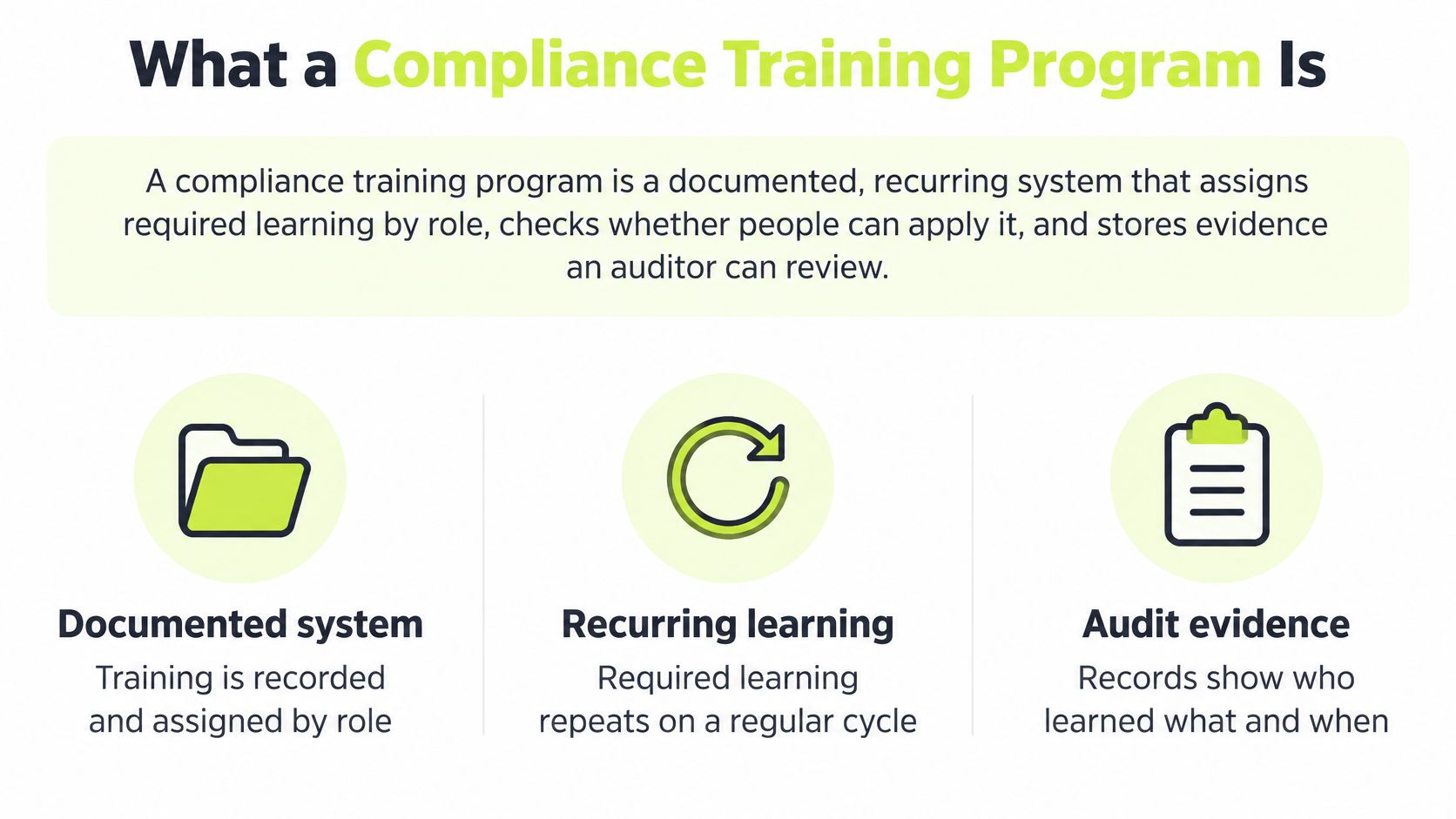
A compliance training program is a documented, recurring system. It assigns required learning by role, checks whether people can apply it, and stores evidence an auditor can trace to a person, an assignment, a timestamp, a score, a remediation, and a content version.
That is a different object from the yearly slide deck. Opening a file proves attendance. It does not prove that a finance manager will challenge a vendor bank-detail change, or that an engineer will report a suspicious consent screen the same day.
Who owns the system
Four groups share the work, and none of them can close it alone.
- CISO or security manager: Names the few behaviors that matter this year, usually reporting a suspicious request and handling personal data inside the tools the company already uses.
- GRC: Turns those behaviors into assignments, a pass rule, and a record an auditor can follow without a scavenger hunt.
- IT or the workspace admin: Delivers the lesson where work already happens, and keeps new hires and contractors on the same record even when they join months after the old all-hands week.
- People Operations: Ties onboarding, promotions, and manager follow-up to the assignment, so a role change does not leave someone on last year's track.
Workforce behavior is a control area, not a side topic.
Freshness matters as much as the topic list. A privacy module from last March does not teach this Wednesday's retention rule. Short, recorded reinforcement beats a single annual course for a team that never shares an office. The fields worth keeping are reporting rate, click rate, completion, assessment performance, and repeat behavior. Completion is only the first evidence field.
From here the operating model is concrete. You need a component list that names the record each part must leave, a lifecycle for design and update, a metric ladder that separates attendance from behavior, and a week that still works when nobody is in the same city.
Core Components and the Evidence They Create
Read the rows before you add another mandatory course. If a topic cannot name its evidence, it is not ready for the required list.
| Component | What it covers | Evidence it produces |
|---|---|---|
| Audience and risk scope | Who is in scope and which security, privacy, ethics, or sector duties apply | Role matrix and in-scope population |
| Baseline awareness | Shared security, privacy, ethics, and acceptable-use expectations | Completion plus a knowledge check |
| Role-based modules | Extra duties for engineering, finance, people managers, and admins | Team or role assignment and score |
| Policy acknowledgment | The current policy the person actually accepted | Timestamped acceptance of a named version |
| Behavioral testing | Phishing simulations and scenario questions | Click rate, report rate, and remediation |
| Reinforcement | Short refreshers and nudges after threats or rule changes | Who received which update and when |
| Evidence pack | The audit record across every other row | Identity, scope, time, score, remediation, content version |
Walk the rows once
Audience and risk scope comes first. List who is in scope, including contractors and anyone who joins after the old annual window. Then list the frameworks the business answers to, such as SOC 2, ISO 27001, GDPR, or HIPAA, and read them against your security compliance standards. Confirm the specific training duties with counsel before you freeze the population. Requirements differ by sector and region, and a wrong population makes every later record misleading.
Baseline awareness is the shared floor. Every employee gets the same short expectations on security, privacy, ethics, and acceptable use, plus a knowledge check. It is not the whole program.
Role-based modules add depth only where the job creates extra duty. Engineers see access and change-management scenarios. Finance sees payment-fraud cues. Managers see how to take a report without punishing the reporter. Admins see the settings that enforce the policy. Everyone else should not sit through that longer course.
Policy acknowledgment ties a named person to a named version at a time. “I agree” on an untitled PDF is not that record.
Behavioral testing is where recognition and reporting get practiced. A realistic phish and a short scenario question produce a click rate, a report rate, and a remediation flag. Reading a slide does not.
Reinforcement is the short refresher or policy nudge after a new threat or a rule change. The record is who received which update and when, not a hope that people still remember March.
Evidence pack is the set of fields that makes any row auditable. Learner identity, assignment scope, completion timestamp, score, remediation status, and versioned content. Miss one field and you can prove that something happened, not what a specific person saw.
The same discipline shows up in an execution playbook from The OKR Hub. You name the skill, the owner, and the proof, or the goal stays a slogan. Keep any topic that cannot point to its row off the mandatory list until it can.
How to Design and Update the Program
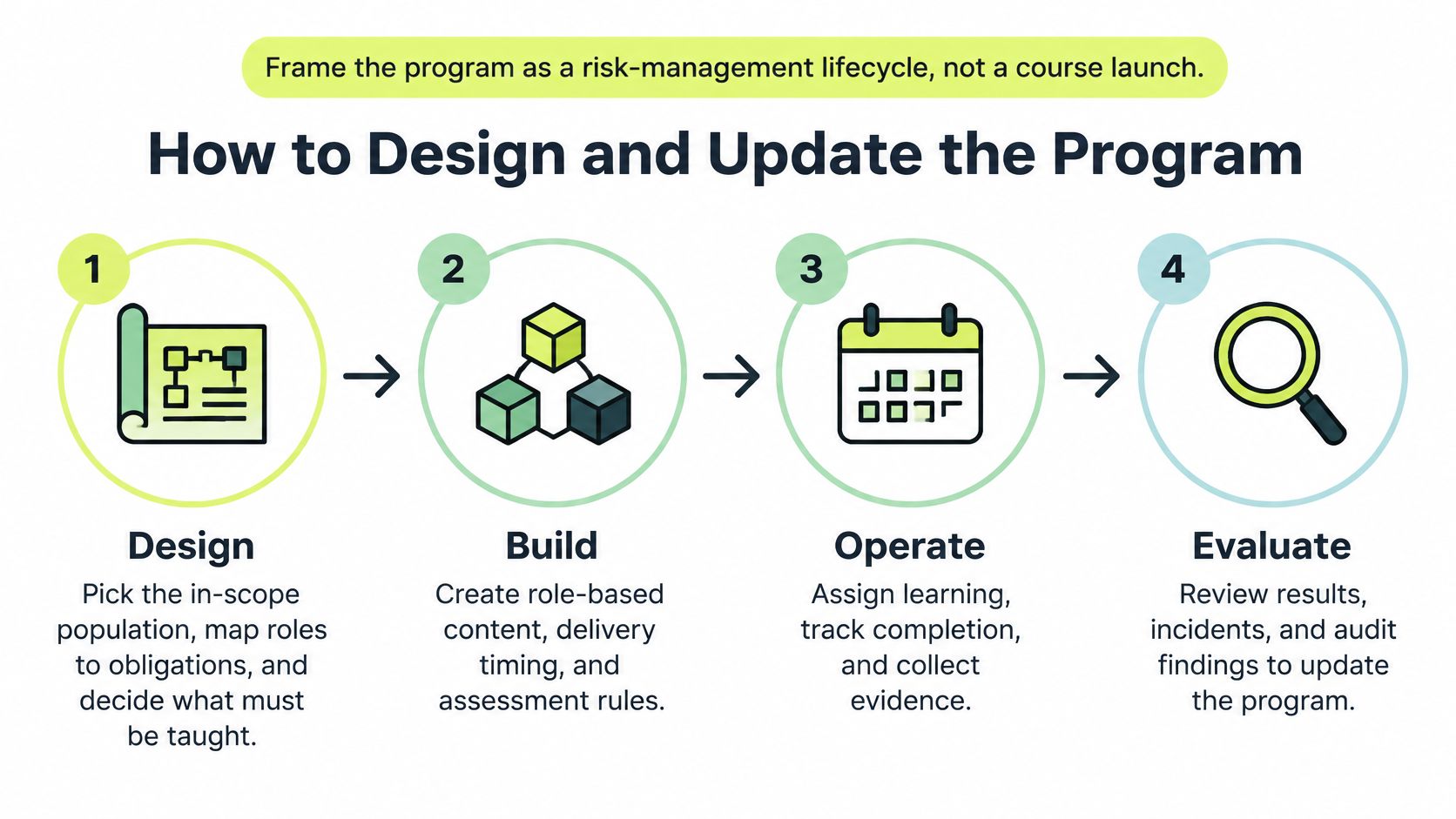
Treat the program as a risk-management lifecycle, not a course launch. NIST SP 800-50 names four activities: program design, material development, implementation, and evaluation and update. Measurement is supposed to cover both implementation and outcomes, including completion coverage, specialized-training coverage for people with significant security responsibilities, assessment performance, and evidence of improvement.
Four activities, in order
Design. Pick the in-scope population, map roles to obligations, and decide which behaviors matter this year. A useful one is “report a suspicious request the same day.” Before you write a single slide, identify gaps in your psychology training the way a coach would. Find the skill that is missing, not the topic that is easiest to license.
Develop materials. Write short modules and an authored question bank, and version the content so a later audit knows what someone saw. Role-based security awareness training belongs here, not as a longer copy of the baseline. Publish the pass rule before anyone is assigned, and keep the question bank stable for that version.
Implement. Assign by team or person, schedule around distributed time zones, automate reminders, and route a failure to a short remediation rather than another full course. At this step the record has to preserve learner identity, assignment scope, completion timestamp, score, remediation status, and content version. Those fields are what let you tell attendance from comprehension.
Evaluate and update. Review coverage, gaps for people with significant security duties, scores, and whether the behavior moved. Revise when threats, policies, or jobs change. A green completion bar is not the end of this step.
Measurement is the smoke alarm. Remediation is the response. The next evaluation checks whether the alarm still works after the building changed. Newer NIST guidance frames the objective as behavior change and a security-and-privacy culture, not course completion. Dashboards should sit next to quiz results, phishing outcomes, repeat failures, and trend data. If a role's risk changed and the module did not, step 4 failed even when every bar is green.
Metrics That Separate Attendance from Behavior
A 2025 OCEG survey of 347 compliance and ethics professionals found that organizations overwhelmingly measure training activity rather than training impact, with time constraints, generic content, and coordination across diverse professional backgrounds still blocking better results. That pattern fits cloud-first teams: work changes weekly, while the evidence often says only who showed up.
Completion is the attendance sheet. It tells you the learner entered the room; the behavior question starts after they leave. A useful program treats completion as the first evidence field, then asks whether the person can recognize, report, and repeat the right action while the lesson is still fresh.
Four levels, then the lookup
Proof works like a ladder: each rung needs the one below it, and the top rung is still evidence, not a verdict.
| Metric | What it proves | What it does not prove | Practical target |
|---|---|---|---|
| Completion coverage | Who was exposed, by role, including overdue people | That anyone can apply the rule | Near-full coverage of the in-scope population |
| Assessment performance | Comprehension against an authored question bank | On-the-job habits | 80% pass, with fails sent to remediation |
| Reporting behavior | Recognition and response on phishing or scenarios | Control of every risk type | Report rate up and repeat-click cohort down |
| Time since reinforcement | How fresh the last lesson, nudge, or simulation is | That the content was any good | Measured in weeks, not one annual event |
| Risk movement | Direction of incidents or repeat failures after the change | That training was the only cause | Compared with a pre-training baseline |
Read the table from bottom to top when leadership asks, “Did training work?” Start with risk movement, check whether the same people keep failing, then look back to coverage only to see who never had a fair chance.
Completion coverage should stay near full for the in-scope population, with overdue people visible by role. It is a delivery metric, so a green bar means logistics worked.
Assessment performance uses the authored bank and an 80% pass, with failures routed to remediation. A pass shows comprehension of that version, and a low score tells you which question or job aid needs attention.
Reporting behavior compares people who report a simulated phish with people who click, and it tracks the repeat-failure cohort. Phishing simulation best practices matter here because a sloppy simulation teaches the wrong lesson and dirties the metric.
Time since reinforcement belongs on every dashboard. Measure it in weeks since the last lesson, nudge, or simulation; an eleven-month-old completion is history, not currency.
Risk movement needs a baseline before the change and a comparison after it. Say “direction,” because a cleaner quarter can also come from a new filter, a quieter threat period, or a staffing change.
Practical rule: Never publish completion alone. Put it beside assessment, reporting, freshness, and risk movement so the same dashboard shows attendance and behavior.
Why a Once a Year Course Falls Short
Annual security-awareness training is a weak control against phishing. A large empirical study found no significant relationship between how recently users completed that annual training and whether they failed a simulated phishing test, and it reported no evidence that annual training correlated with reduced phishing failures, according to research presented at IEEE S&P. Earlier controlled research in that work found that adding instructor-led classroom training to a broader video, game, and text package produced no statistically significant additional reduction in phishing susceptibility.
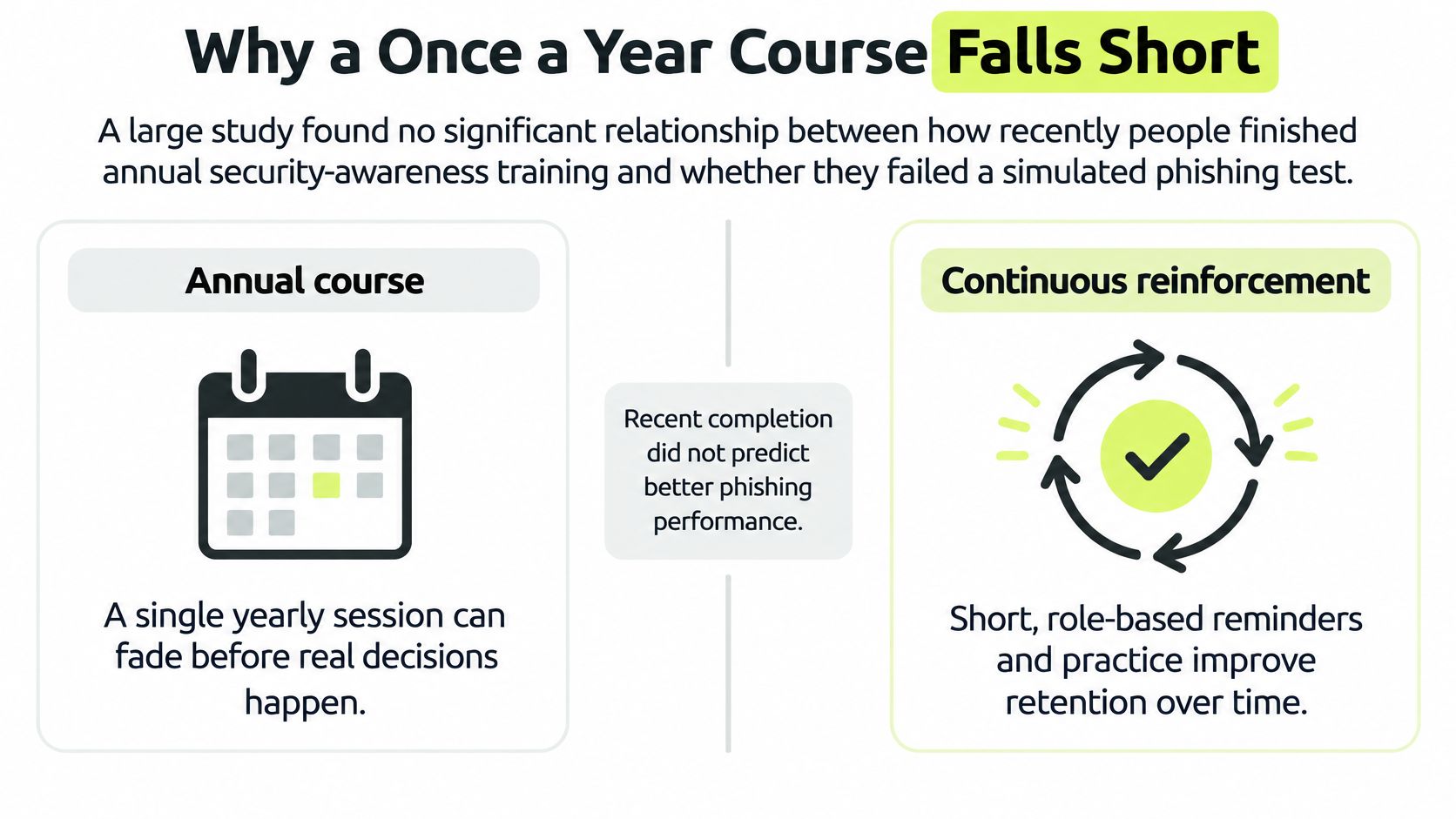
Recent completion did not predict better phishing performance. Frequency, feedback latency, and behavioral testing are design choices, not extras you bolt on if the calendar allows.
What to build instead
Do not answer this by making the annual course shorter and calling it done. Use a layered model.
- Concise baseline: One shared floor, short enough that a new hire finishes it in the first week, not in a catch-up month.
- Role and jurisdiction modules: Extra depth for the job and the region, assigned to that population only.
- Same-day policy nudge: When a rule changes on Tuesday, the note goes out Tuesday, with a record of who received it.
- Recurring reinforcement: A short repeat of one behavior, on a cadence you measure in weeks, plus a note of whether the person showed they understood it.
Feedback should arrive with the mistake, not at year end. Segment cohorts by role and by who already failed, so the next touch is a short follow-up for that group rather than the full library again.
A distributed team makes the timing obvious. A regulation or an incident on Tuesday cannot wait for a global live session that three time zones will miss. The failure mode you are avoiding is familiar to any auditor. You can prove someone viewed content, and you cannot prove that risky behavior changed.
If the only record is “completed on time,” you measured the calendar, not the control.
A Distributed Team Program in Practice
Say a 120-person software company has no shared office and already runs its work in Slack. The compliance training program has to live there too, or a forgotten portal password becomes the control that fails.

On Monday each person gets one interactive lesson of about four minutes inside Slack, with a question and immediate feedback. The library behind it holds 35 lessons across six paths: security foundations, threat defense, privacy and compliance, remote and physical security, role-based topics, and modern work. Engineers get a role example. Everyone else gets the baseline.
Through the week, a 30 to 60 second refresher repeats one behavior. A phishing simulation that draws a click returns coaching in Slack at once. The repeat-failure group gets a short follow-up, not the full library.
Wednesday does not wait for a vendor reshoot
Workload is the objection you will hear, and it is fair. A 2025 Compliance Week survey of 134 respondents found that 33% said employees needed five or more hours to complete their compliance program, while 46% reported pressure to shorten training. PwC found cybersecurity and data privacy were priority compliance risks for 51% of executives, and training was the most common technology use at 82%. When organizations requested course customization, 34% said vendors typically took a week and 32% said multiple weeks.
That delay is why a layered model beats “make every course shorter.” On Wednesday, legal ships a privacy change. A lightweight nudge goes out the same day, with a record of who received it and a quick check that they understood it. You did not wait two weeks for a reshot annual module, and you did not dump five more hours on the company.
The admin does not chase a portal password. Assignment, reminders, grading, and certificates run automatically. The dashboard shows completion, comprehension, and overdue status, with a CSV export. Records sync to Vanta or Drata so the audit file is not a private spreadsheet.
The week can answer a specific question. Who was taught, which content version, what score, and what each person did in the simulation.
See how a short in-chat lesson looks when the question and the feedback stay in the same thread.
Stand Up Your Program This Quarter
A CISO, a GRC lead, or a People Operations partner can assign this 90-day start without buying a catalog first.
Name the population and two or three behaviors. Usually that is reporting a suspicious request, handling personal data correctly, and following the current policy. If you cannot name the behavior, you are not ready to assign a course.
Write the evidence fields before the content. Identity, scope, timestamp, score, remediation status, and content version. If a tool cannot store them, it is not ready to be the system of record.
Retire the single annual module. Replace it with a short baseline, role tracks, and a reinforcement cadence measured in weeks. New hires and contractors enter the same cadence on day one, not next March.
Pick one behavioral signal and baseline it. Phishing report rate against click rate is the usual pair. Record the baseline before the first campaign, or you will have no before to compare.
Put delivery where the team already works. A forgotten portal password should not be the control. For Slack-first companies, Vigil Security is one option to evaluate against these evidence fields, alongside the workspace tools you already administer.
Review at day 90. Look at overdue roles, repeat failures, and whether the report rate moved. Drop or rewrite any module that only produced attendance.
Keep the program only if it can show who changed a behavior, not only who finished a course. That decision rule is the whole quarter.
Vigil Security delivers security awareness and compliance training as short interactive lessons inside Slack, with role-aware assignments, phishing coaching, and records you can sync for an audit. If your team already works in Slack, compare that workflow with the evidence fields you wrote in week one. Visit Vigil Security and see whether the program can show a behavior change, not only a completion.