Phishing is the broad category of deceptive impersonation aimed at many people, and spear phishing is its targeted subtype, built on research about one specific person, team or organization. That distinction sounds simple, and that's the problem.
Popular advice tells you to call a message spear phishing if it uses your name and phishing if it doesn't. That rule misleads. An attacker can personalize a mass lure with a name pulled from a breached list and learn nothing about you. Another can send a plain looking message after weeks of research into your payment workflow. The difference between spear phishing and phishing isn't polish or personalization alone. It's targeting, preparation and objective, and classifying it that way changes which control you fix first.
Spear Phishing and Phishing Side by Side
Phishing is the umbrella term. An attacker impersonates a trusted person, company or service to deceive many potential victims through email, text messages, websites or other channels. Spear phishing is the targeted subtype that uses information about a particular individual, department or organization to make the lure credible.
| Criterion | Phishing | Spear phishing |
|---|---|---|
| Targeting | Broad lists, often thousands of recipients | One person, role, team or supplier |
| Research before sending | Little or none | Role, reporting lines, projects and vendor relationships |
| Typical lure | Generic password reset, parcel fee or account alert | Changed bank details, urgent request from a manager, live project deadline |
| Greeting | Generic, such as Dear Customer | Uses the recipient's name and real context |
| Usual objective | Credentials, malware or card data | Payment redirection, privileged access or data theft |
| Effort per target | Low and automated | Higher and manual |
| Yield per message | Low, offset by volume | Higher, offset by fewer targets |
| Main defense | Email and web filtering, multi-factor authentication | Verification of workflows plus identity and access controls |
| Detection clue | Mismatched domains and unexpected links | Accurate details paired with an unusual request for money or access |
The table points to one conclusion. The distinction is primarily targeting and preparation, not delivery method. An email, text or chat message can be either. A generic lure may ask a large population to reset a password, while a targeted one references a recipient's role, current project, manager, supplier or business transaction.
Speed makes that relevant even for trained users. Verizon's 2024 Data Breach Investigations Report recorded that, in security awareness exercises conducted during 2023, 20% of users reported simulated phishing, while 11% of users who clicked the email subsequently reported it. It also found a median of 21 seconds from opening a malicious link to clicking it, followed by another 28 seconds to enter data. The median time to fall was under 60 seconds. Those figures describe phishing broadly, not spear phishing alone, but they show the window a message crafted for a specific target exploits.
Check two traits on any message. First, how specific is its context, and could anyone have received it? Second, what action does it request, a routine login or an unusual payment, access grant or data release? A message can be personalized yet generic in purpose. If it uses researched context to push a specific workflow action, label it spear phishing and say why.
How Mass Phishing Campaigns Operate
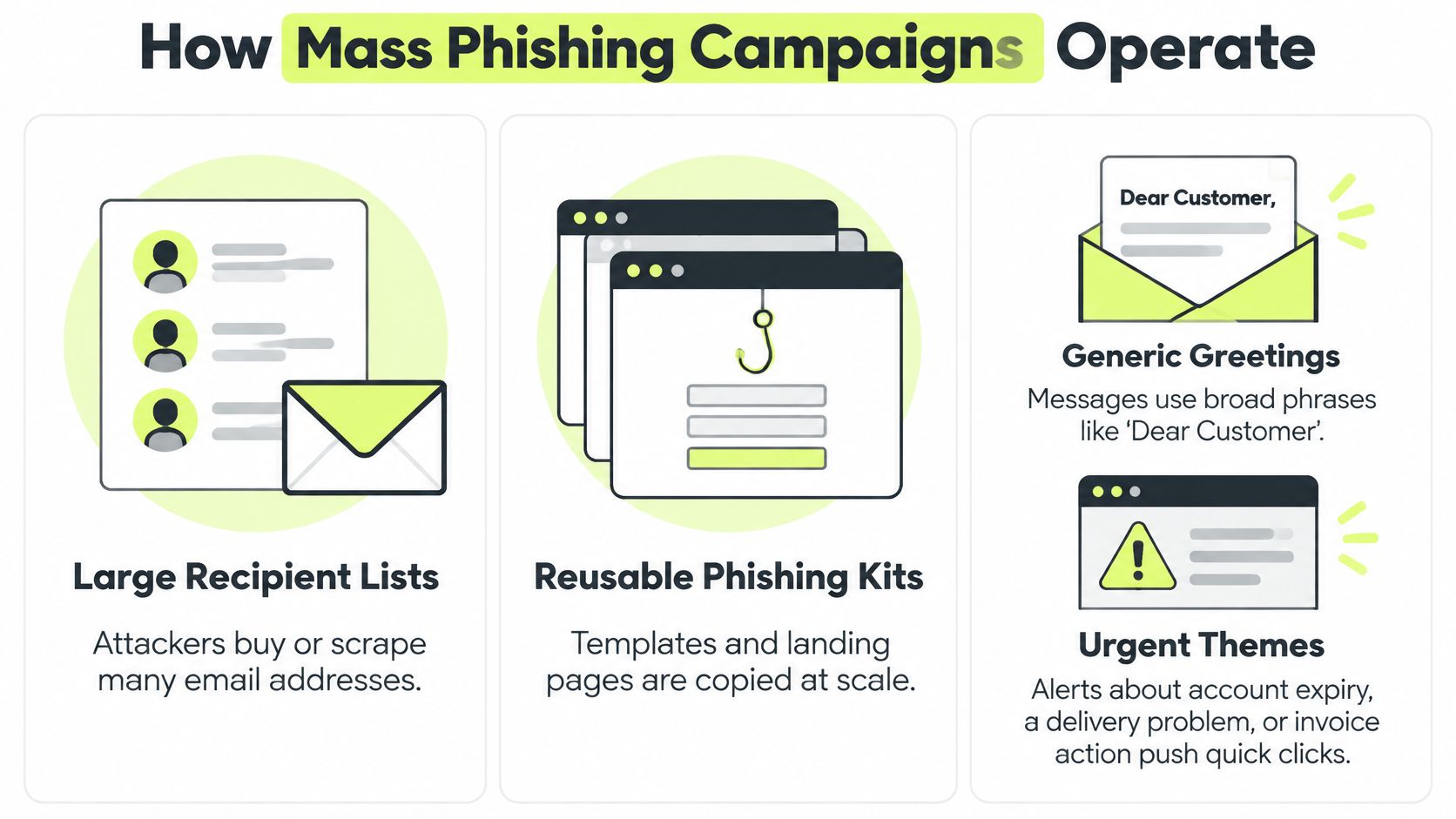
A phishing kit, a scraped address list and a few disposable domains are enough to start a campaign. Mass phishing runs as a volume business. Attackers buy or scrape large recipient lists, reuse kits that copy a login page, bank alert or delivery notice, and rotate domains as filters block each one. Effort per message stays near zero, so the campaign profits even when only a small share of recipients responds.
What the lure asks you to do
Themes stay familiar because they need to apply to almost anyone: account expiry, a parcel fee, a tax refund, a locked mailbox. The greeting is often "Dear Customer" because the sender doesn't know, or doesn't need to know, who you are. The payload is usually a credential harvesting page, a malicious link or an attachment that installs malware. The same lure runs across email, SMS and messaging apps, since the kit only needs a new wrapper for each channel.
That scale shows up in reporting, but the loss pattern is uneven. The FBI's Internet Crime Complaint Center 2024 report recorded 859,532 complaints and $16.6 billion in reported losses in 2024, a 33% increase in losses from 2023. Generic phishing wins on volume, yet targeted impersonation produces more loss per successful attack, because one finance employee can authorize a payment or expose access. Same objective, different economics. The mass campaign monetizes a response rate, while a single well-aimed impersonation monetizes the trust built into one job role.
Verizon's public sector snapshot adds a useful operational split: pretexting incidents outnumber phishing ones in that data, and the two together sit behind the large majority of breaches delivered through email. Filters are built for the mass side of that picture. They're less reliable when the pretext is built for one workflow.
A mass lure has to work on strangers. If the greeting is generic, the sender domain doesn't match and you're pressured to act within hours, you're looking at a campaign designed for volume, not for you.
Read those three signals together and report the message without engaging. Don't use the link inside it to check whether the warning is real. Open the service through its app or a saved address instead.
How Spear Phishing Builds a Convincing Lure
Spear phishing is a targeting method layered onto the same objective as any phishing campaign: stolen credentials, delivered malware or a fraudulent payment. What distinguishes it is how the lure is assembled. Before a single message exists, the attacker studies professional profiles, company sites, conference speaker lists and leaked data to collect names, titles, reporting lines, vendor relationships and project news. That material maps who trusts whom inside the organization, which is why the finished message reads as routine rather than generic.

Five stages from research to follow up
- Research: Gather the target's role, manager, current projects, suppliers and recent announcements, plus any credentials or contact details exposed elsewhere.
- Map the workflow: Identify who approves payments, who can reset access, who holds the supplier list and who can override a normal check.
- Choose the pretext: Pick an action that fits that workflow, such as changed vendor bank details, an urgent manager request, an HR form or a deadline on a live project.
- Choose the channel: Deliver through a hijacked email thread, a direct message, a phone call or a QR code placed where the target will scan it.
- Follow up elsewhere: If there's no reply, reinforce the story through a different channel, so each contact makes the other look legitimate.
Say an attacker targets accounts payable at a mid sized firm. Public material names the finance lead, a hardware supplier and a recent office expansion. The message arrives as a reply in a plausible invoice thread, references the expansion and asks the clerk to update the supplier's bank details before Friday's run. Nothing needs to look dramatic. It needs to look routine.
The video below walks through how those research steps become a credible request.
That effort pays because context suppresses skepticism. CISA's Risk and Vulnerability Assessment analysis reported that spear-phishing links were successful 33% of the time in the assessed environment. Treat that as a benchmark for prioritizing defenses, not as a universal click rate. CISA also notes success requires the message to evade network protections and either deliver malware or persuade the recipient to enter credentials on a malicious site.
The consequence can outgrow the inbox quickly. A single targeted message can compromise valid privileged credentials, enabling access to databases and later data theft, manipulation or deletion. The lure looks right because it's built from correct details, so personalization is only the visible symptom. The underlying problem is that the attacker holds pre-attack knowledge no generic campaign has. Your defense therefore can't be "check whether the details are right." It has to be "verify the requested action through a channel the sender doesn't control."
Real Cases That Show Each Attack in Action
Start with the baseline. A parcel fee text goes to thousands of phones. It claims a delivery will be returned unless the recipient pays a small fee on a linked page and enters card details. There's no research behind it. Urgency and volume do the work, and the attacker discards numbers that don't respond.
Targeted cases change the economics. The lure fits a real relationship, so the recipient completes a real business process for the attacker.
| Case | Attack type | Lure | Reported outcome |
|---|---|---|---|
| Mass parcel-fee text | Generic phishing | Fake delivery-fee page asking for card details | Card data entered by an unknown number of recipients |
| Forged supplier invoices at Google and Facebook | Spear phishing with business email impersonation | Invoices from a real hardware supplier sent to finance staff | Tens of millions of dollars paid out before the fraud surfaced |
| Deepfake video call at Arup in Hong Kong | Targeted impersonation of executives | Video meeting with synthetic senior staff requesting transfers | Tens of millions of dollars moved across multiple transfers |
| Generic account-expiry email | Generic phishing | Login link on a lookalike domain sent to a customer list | Captured credentials, volume not published |
What changed between the generic and targeted cases
The invoice fraud against Google and Facebook used forged invoices from a real hardware supplier. Finance staff paid because the documents fit an existing vendor relationship and verification didn't interrupt the payment process. The attacker didn't need malware. He needed accounts payable to treat a convincing invoice as a routine one.
The Arup case in Hong Kong pushed the same principle into video. A finance employee joined a meeting with synthetic versions of senior colleagues and approved a series of transfers. Familiar faces became the pretext. Many teams still treat a live call as verification, and this case shows why that assumption fails. If the call itself is staged, it verifies nothing.
Both cases share a structure worth naming. The targeting was narrow and researched, but the objective was ordinary payment fraud at larger stakes: get the victim to complete a standard workflow. The delivery channel changed. The underlying ask did not.
Channel and technology now blur older definitions. U.S. State Department phishing guidance describes attacks in which senders target specific individuals and rely on impersonation, the same pattern on display in both cases above. Generated messages, cloned voices and deepfake video give that pattern new delivery options, so polished language or a familiar face is no longer evidence of legitimacy.
Shared red flags: Look for a payment change, a request to bypass normal approval and pressure to act outside the usual channel. Those features matter more than grammar.
A generic account-expiry email sent to a customer list sits at the other end of the spectrum. It can still harvest credentials at scale, but it doesn't depend on knowing the recipient. Read together, the four cases show that the difference between spear phishing and phishing is operational: narrow targeting built on prior knowledge versus broad sends built on volume.
Where the Line Blurs and How to Classify Incidents
Personalization alone doesn't settle the label. A mass campaign can insert your name, employer and a service you use from breached data. A spear phishing message can be short and plain if it lands in the right thread at the right moment. Volume doesn't settle it either, because automation can send researched variants to a whole department.
Classifying the incident requires looking at evidence beyond the greeting.
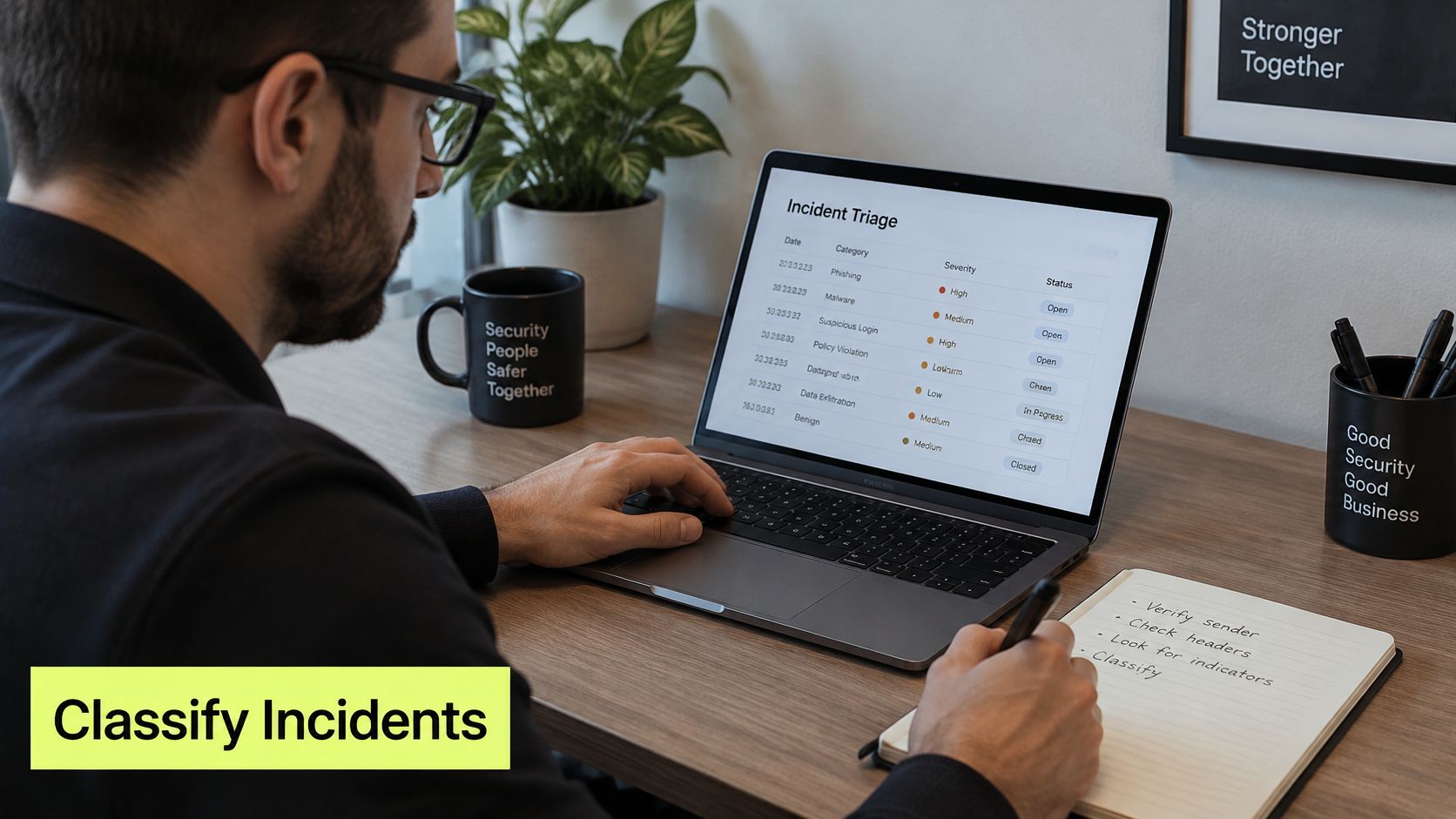
Use three dimensions instead. Score targeting breadth as mass or individual, pre-attack knowledge as little or researched, and attacker objective as credentials, malware, payment or access. CISA's joint guide on preventing phishing intrusions describes phishing as social engineering and highlights both credential and malware tactics, which supports separating the objective from the targeting method.
| Incident | Targeting breadth | Pre-attack knowledge | Attacker objective | Label |
|---|---|---|---|---|
| Mass credential campaign reaching a payroll administrator | Mass | Little | Credentials | Phishing with high impact |
| Generic account-expiry email to a customer list | Mass | Little | Credentials | Phishing |
| Mass parcel-fee text to thousands of phones | Mass | Little | Card data | Phishing |
| Forged supplier invoices paid by finance staff | Individual | Researched | Payment | Spear phishing with business email impersonation |
| Deepfake video call approving transfers at Arup | Individual | Researched | Payment | Spear phishing with targeted impersonation |
| Researched message to an executive blocked by hardware security keys | Individual | Researched | Access | Spear phishing, contained by controls |
That model prevents two mistakes. A mass credential campaign that reaches a payroll administrator can cause major damage, even though the attacker did no research. A researched message to an executive can fail completely if hardware security keys make stolen passwords unusable. Spear phishing is therefore a targeting method layered onto a phishing objective, not a separate threat with a fixed severity.
Apply the same logic across channels. A personalized chat message, QR code, phone call or cloned voice counts as spear phishing when it uses research about a specific person, role or workflow. "Phishing" names the deceptive acquisition attempt. "Spear" names the precision. Teams that only label email will miss adjacent attacks, which is why it's useful to compare this model with how smishing differs from phishing when the lure arrives by text.
Classification has practical consequences. Incident reports become comparable, simulations can target the right workflow and you can name which control failed. Don't call a message more dangerous solely because it's personalized. Ask who it reached, what the attacker knew and what the attacker wanted.
Controls That Stop Each Threat Differently
Mass and targeted lures need layered controls, but the layers that carry the most weight aren't the same. Gateway filtering stops known bad domains, repeated templates and malicious attachments at scale. A novel message built for one finance clerk may contain none of those signals, so identity and process controls have to hold after delivery.
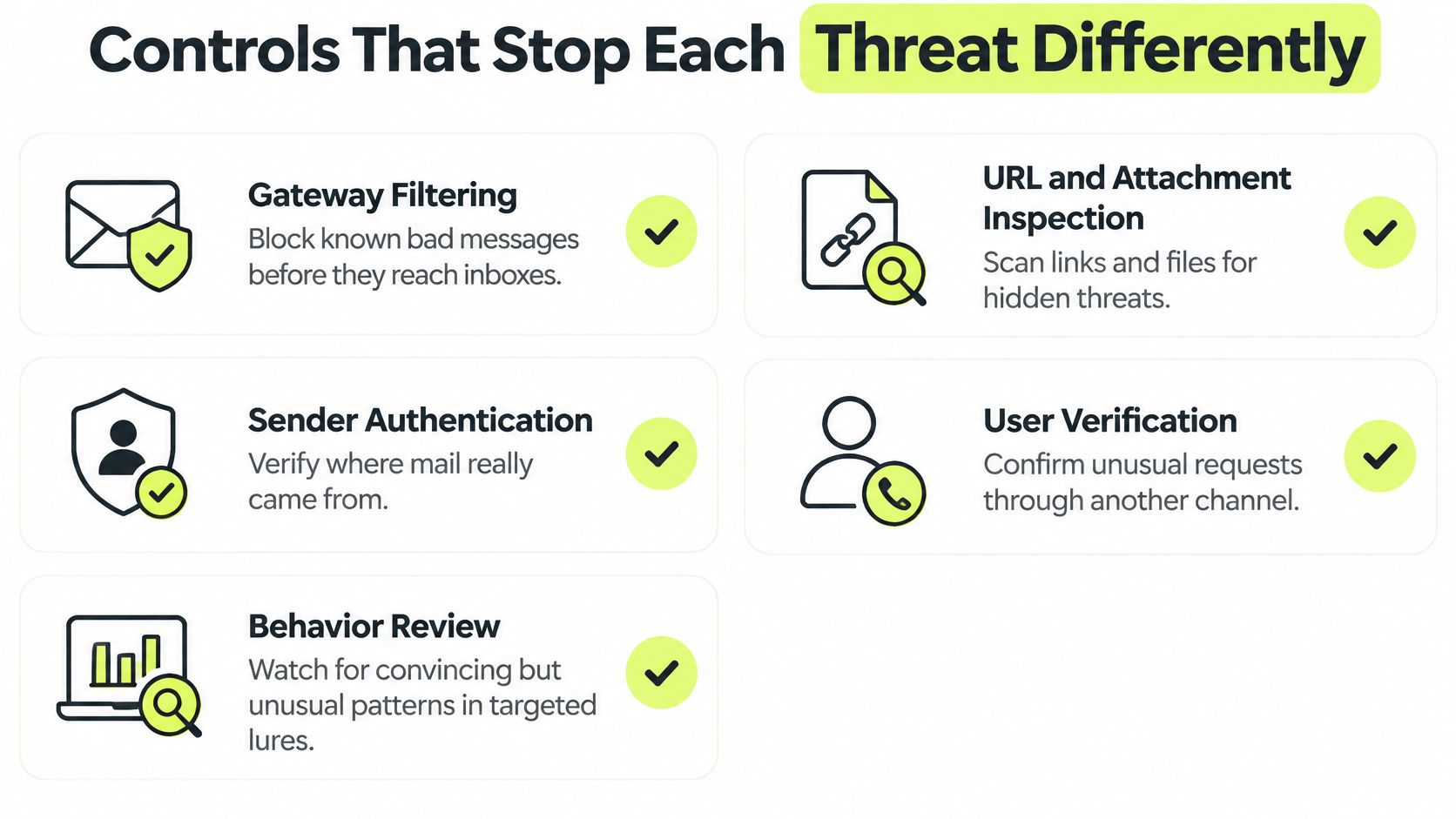
Definitions from official guidance keep the control discussion grounded. NIST's guidance on phishing resistance describes spear phishing as targeting a specific individual, while CISA defines it as phishing directed at an individual using key information about that person. The same NIST source frames phishing broadly as impersonation through email or malicious websites to obtain sensitive data, credentials or malware execution, with defenses emphasizing secure email gateways, domain and URL analysis, attachment inspection and phishing-resistant authentication.
| Control | Against mass phishing | Against spear phishing |
|---|---|---|
| Secure email gateway and URL filtering | Blocks known bad domains and attachments at scale | Catches less, because the content is novel and personal |
| Phishing-resistant multi-factor authentication | Prevents reused credentials from being useful | Prevents stolen credentials from being usable |
| DMARC enforcement with SPF and DKIM | Blocks spoofed sender domains | Often ineffective against lookalike domains |
| Out-of-band verification for payment changes | Rarely needed for generic lures | Core control, call a known number before any change |
| Least privilege and access reviews | Limits damage from a compromised mailbox | Limits what a targeted, privileged account can reach |
| Role-specific simulations | Basic awareness | Rehearse finance, HR and executive workflows |
Where a strong control still leaves a gap
DMARC at enforcement blocks direct spoofing of your domain, but it does little when the attacker registers a lookalike domain and configures it correctly. That's why sender authentication needs user facing checks and workflow verification around it. For a broader view of the impersonation side, practical strategies for preventing spoofing attacks from AI Image Detector is a useful companion, and teams dealing with repeated impersonation should also review how to stop spoof emails.
Check four gaps first:
- Payment changes: Does every bank detail change require a callback to a number already on file, not a number in the message?
- Authentication: Do finance approvers and administrators use phishing resistant multi-factor authentication, such as hardware security keys?
- Sender authentication: Is DMARC at enforcement, with SPF and DKIM aligned for legitimate senders?
- Privilege: Do privileged accounts have least privilege limits and regular access reviews, so one compromise can't reach every system?
If you can't answer yes to all four, your program is probably stronger against the attacks filters already catch than against the ones built for your workflows.
Pick the Training and Controls Your Team Needs
Don't buy one default program and assume it covers both threats. Match training depth to the workflows an attacker can monetize. The right question isn't whether employees can define the difference between spear phishing and phishing. It's whether the people who move money, reset access or release data will pause and verify when a request looks correct.
Match the program to the workflow
A company with few finance or HR payment workflows can start with a monthly awareness track and a one click report button. Generic lures likely dominate its inbox, so the priority is fast reporting, gateway tuning and multi-factor authentication everywhere. Keep lessons short and frequent. You're building a reporting reflex, not rehearsing a payment fraud scenario nobody can execute.
A team where finance, HR, executive assistants or engineering admins approve money or access needs more. Run role specific simulations built from real workflows, such as a fake vendor bank change, a payroll diversion request or an urgent access approval from a manager. Coach at the moment of failure, while the employee still remembers why the request felt legitimate. Review phishing simulation best practices before you design those scenarios, so you measure behavior rather than embarrassment.
Distributed, cloud first teams that work in Slack can receive lessons and simulations where they already communicate. Vigil Security delivers four minute lessons inside Slack, runs phishing campaigns with instant coaching, assigns training by role and syncs audit evidence with Vanta and Drata. That's one option for teams that want training in the flow of work rather than in a separate portal. The same verification habits apply outside the office too, as shown by community work helping Bayside families recognise parcel scams from Computer Daddy.
Train the decision, not the vocabulary. An employee who labels an attack correctly but still pays the invoice hasn't reduced your risk.
Four steps to take this quarter
- Classify recent incidents: Review the last twelve months of reported phishing and score each event on targeting breadth, pre-attack knowledge and attacker objective.
- Require callback verification: Make out of band confirmation mandatory for every payment, bank detail or privileged access change, with no exception for executive urgency.
- Simulate one real workflow: Run one role specific simulation for finance this quarter, built around a vendor change or invoice approval your team handles.
- Measure reporting, not only clicks: Track report rate and time to report alongside click rate, because a fast report lets security purge the message and reset exposed credentials.
Start with the classification. It will tell you whether your problem is mostly filterable volume, a small set of exposed workflows or both. Spend accordingly.
If your team needs role aware phishing simulations and short lessons employees can complete where they already work, Vigil Security delivers Slack native training with instant coaching and audit ready evidence sync to Vanta and Drata. Visit Vigil Security to set up a program that rehearses the payment, access and reporting decisions attackers target.