Your support lead opens a Jira ticket for a customer issue, pastes in a screenshot from the CRM, and adds an external vendor to the thread so engineering can move faster. The screenshot includes a date of birth and a partially visible Social Security number. Nobody meant to expose anything. The agent knew what personally identifiable information was. They'd completed the annual module, checked the box, and moved on.
That's the problem with most personally identifiable information training. It teaches recognition in the abstract and leaves people alone at the moment a real decision has to be made.
In cloud-first companies, the dangerous moment usually isn't a formal handoff. It's a Slack message, a pasted log, a screen recording, a CSV export, a test dataset, or a ticket that picks up one more watcher than expected. Good training has to live there. It has to shape what employees do in the first minutes after they suspect a disclosure, and it has to leave behind evidence that survives audit week without a screenshot scavenger hunt.
Why Most PII Training Fails the People It Is Supposed to Protect
Most PII programs fail because they optimize for completion, not judgment. Employees get a slide deck on definitions, maybe a policy acknowledgment, and a short quiz that asks whether a name, address, or account number counts as sensitive data. Then the company acts surprised when someone uploads a customer screenshot to a shared ticket or uses production data in a sandbox.
That gap has been obvious for years. NIST Special Publication 800-122, issued in 2010, defines PII as information that can distinguish or trace an individual's identity, or that is linked or linkable to an individual, and it explicitly recommends role-based training where applicable in the NIST 800-122 guidance on protecting PII. The important part isn't just the definition. It's the operational implication. Different jobs create different exposure paths, so the training can't be one-size-fits-all.
What annual awareness misses
A customer support agent, engineer, recruiter, and marketer all touch PII differently. Support handles screenshots and attachments. Engineering touches logs, test data, and tickets. Recruiting works with resumes and background materials. Marketing manages exports, segmentation, and enrichment tools. If they all receive the same annual module, the content is too generic for everyone.
That's where employees get stuck:
- They can identify PII but don't know whether to redact, mask, encrypt, or avoid sharing altogether.
- They've read the policy but can't remember who to contact when a disclosure is suspected.
- They know incidents matter but keep editing, forwarding, or deleting evidence instead of preserving it.
- They pass the quiz but still make the wrong choice inside Slack, Jira, Zendesk, Salesforce, or Google Drive.
Practical rule: If your training never asks, “What do you do in the next five minutes?” it isn't ready for real-world use.
What training has to change
The standard to aim for is simple. Personally identifiable information training should help employees do four things under pressure: classify information correctly, handle it securely in the tools they already use, respond properly when something goes wrong, and apply controls that fit their role.
Programs that do this stop feeling like compliance theater. They become part of how work gets done.
The Four Outcomes Effective PII Training Must Produce
A strong program produces observable behavior, not vague awareness. I look for four outcomes, each tied to evidence a security or GRC team can use.
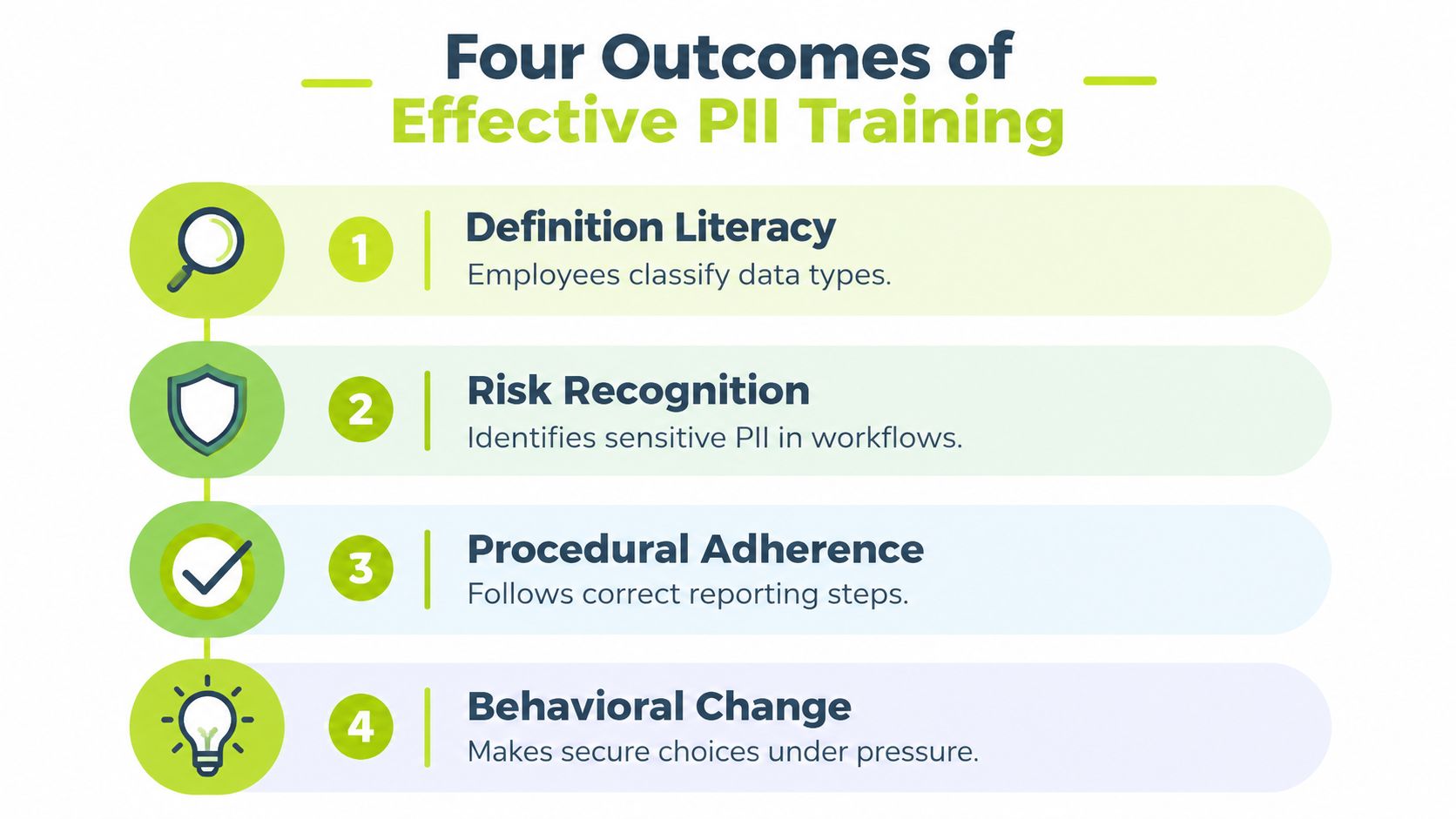
Definition literacy in context
Employees need to classify data in the form it appears at work, not just in glossary form. A date of birth inside a screenshot, a customer ID in a CRM export, a phone number in a support thread, or an employment record in a spreadsheet all require context-based judgment.
This still starts with basics, but not only basics. Training should test whether someone can spot direct identifiers, linked identifiers, and sensitive records in realistic examples.
Secure handling in real channels
The next outcome is control selection. Can the employee choose the right action for the channel in front of them?
That usually means decisions like these:
- For screenshots: redact before posting, or avoid posting entirely if the image isn't necessary.
- For tickets and docs: restrict access to only the people who need it.
- For datasets and logs: use masked, tokenized, anonymized, or synthetic data where possible.
- For exports and attachments: avoid casual sharing across email, chat, or vendor portals.
Breach response behavior
This is the outcome most programs ignore. A recent training roadmap on PII breach procedures for non-security staff points out that many programs teach privacy law and technical controls well, but almost none train practitioners on the discipline of not acting during a breach. That sounds counterintuitive until you've watched someone try to “clean up” a disclosure by deleting messages, editing tickets, or forwarding the problem to five extra people.
What works better is teaching a short sequence: stop, contain, report, preserve evidence.
The first bad decision after a suspected disclosure often causes more damage than the original mistake.
Role-specific risk
Generic content breaks down fastest with technical teams. Engineers, QA staff, analysts, and operations teams often work with non-production environments, demos, and internal research workflows. Their risk isn't only email mishandling. It's copying production records into places they don't belong.
NIST-aligned guidance summarized in UpGuard's review of PM-25 training requirements emphasizes limiting and authorizing every use of PII in testing, training, and research environments and using masking, tokenization, anonymization, or synthetic data whenever possible. The same review notes that 71% of organizations reported broad training across roles and 86% of respondents said privacy training positively affected employee awareness. That's useful, but the operational lesson matters more. The role-based part is where the training starts to change actual behavior.
A practical complement to this approach is role-based training design for modern teams, because phishing, privacy, and data handling failures often show up in the same day-to-day tools.
Writing Learning Objectives Tied to Real Behavior
Most weak training starts with weak objectives. If the objective says “understand PII handling requirements,” the lesson will drift toward policy recall and the assessment will become trivia.
Better objectives target apply and analyze. Those are the levels that matter when someone is about to send a message, attach a file, or escalate a suspected incident.
Rewrite vague objectives into observable actions
Here's the difference in practice.
| Weak objective | Strong objective |
|---|---|
| Understand PII handling | Identify PII in a sample support thread and redact it before forwarding |
| Know incident reporting steps | Recognize a suspected disclosure and trigger the reporting workflow within the required internal window |
| Learn secure data sharing | Choose the approved sharing method for a dataset based on tool, audience, and sensitivity |
| Be aware of privacy risks | Review a ticket or screenshot and remove unnecessary identifiers before posting |
The strong version gives you something visible. You can test it, coach it, and map it to a control.
Tie each objective to assessment and evidence
Every objective should connect to three things:
- An assessment item that forces a realistic choice.
- A microlearning scenario that mirrors the learner's actual tools.
- An audit artifact that proves assignment, completion, and comprehension.
For example, if the objective is “identify PII in a support thread and redact it before forwarding,” the assessment might show a Zendesk comment and ask the learner to select what must be removed. The microlearning piece might use an annotated screenshot from Slack or Jira. The evidence might be a completion record plus a score tied to that objective.
Review standard: If you can't observe the behavior, you can't prove the training worked.
A simple review checklist
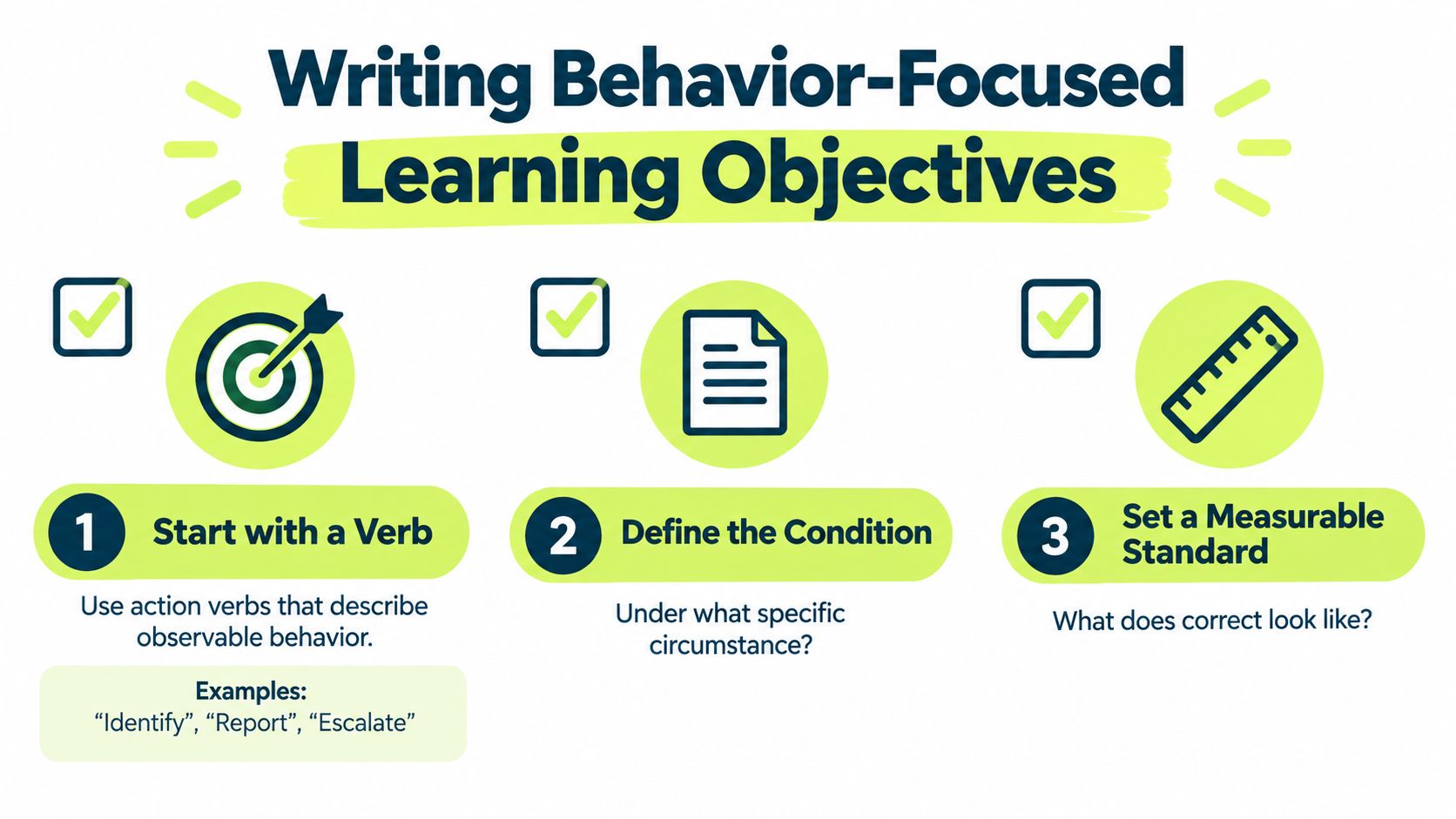
Before publishing an objective, check for these five elements:
- Action verb: identify, report, escalate, redact, restrict, preserve.
- Observable behavior: something a manager, auditor, or platform can verify.
- Realistic condition: in a ticket, in Slack, in email, in a CRM export, during a suspected incident.
- Channel specificity: the tool matters because the mistake pattern usually lives inside the tool.
- Success standard: define what correct looks like as an action, not just a quiz result.
This is the point where many programs become useful. The objectives stop describing what the company hopes people know and start describing what employees must do.
Designing Microlearning Lessons Employees Actually Finish
The format that sticks best for personally identifiable information training is short, scenario-based, and delivered where work already happens. In distributed companies, that usually means Slack or Teams, not a separate learning portal with another password.
A good lesson can fit inside four minutes if it stays narrow.

The three-beat lesson structure
The lesson structure I've had the best results with is simple:
- Beat one: a one-sentence scenario based on a real incident pattern.
- Beat two: one concept taught through an annotated image from the actual tool.
- Beat three: two judgment questions that require a decision, not a definition.
That's enough for retention without exhausting people. It also fits the way employees consume training on laptops and phones during the workday.
For teams exploring role-based training in Slack-first environments, this format is easier to maintain than quarterly webinar marathons because it lets you swap examples by function without rebuilding the whole program.
Two lesson examples that work
A support lesson might open with this scenario: “You're about to paste a screenshot of an order history into a vendor-facing Jira ticket.” The annotated image highlights the fields that should never travel as-is. The two questions ask whether the screenshot should be redacted first and whether the vendor needs access to the full record.
An engineering lesson might use a database export attached to a bug ticket. The concept isn't “PII exists.” The concept is, “Use masked or synthetic data in non-production workflows unless authorized otherwise.” The questions then ask whether the file can be shared in its current state and what the engineer should do if the export already reached a broader audience.
After learners have seen a few examples, the pattern starts to internalize. They slow down before attaching, pasting, or forwarding.
Here's a useful example of how short-form delivery works in practice:
Build a rotating lesson library
What doesn't work is publishing one privacy lesson in January and calling the job done. Incident patterns change. New tools appear. Teams start using AI features, browser extensions, shared drives, and external ticketing systems in ways the policy never anticipated.
I prefer a rotating library of short lessons built from real failure modes:
- Support patterns: screenshots, refunds, attachments, and escalations
- Engineering patterns: logs, test data, exports, and demos
- People operations patterns: resumes, benefits files, and employee records
- Marketing patterns: list uploads, segmentation, and agency sharing
A platform such as Vigil Security can deliver these as Slack-native recurring lessons with assessments and evidence sync, which is useful if you want one system for training delivery and audit records. The broader point isn't the vendor choice. It's the operating model. Keep lessons short, repeat themes over time, and update content from live incident and near-miss patterns.
Assessing Comprehension Without Burning Out Learners
The fastest way to ruin a decent training program is to assess it with low-effort multiple choice questions that test vocabulary and nothing else. Employees learn to game those quizzes in minutes. Auditors aren't impressed either once they see that the question bank doesn't resemble real work.
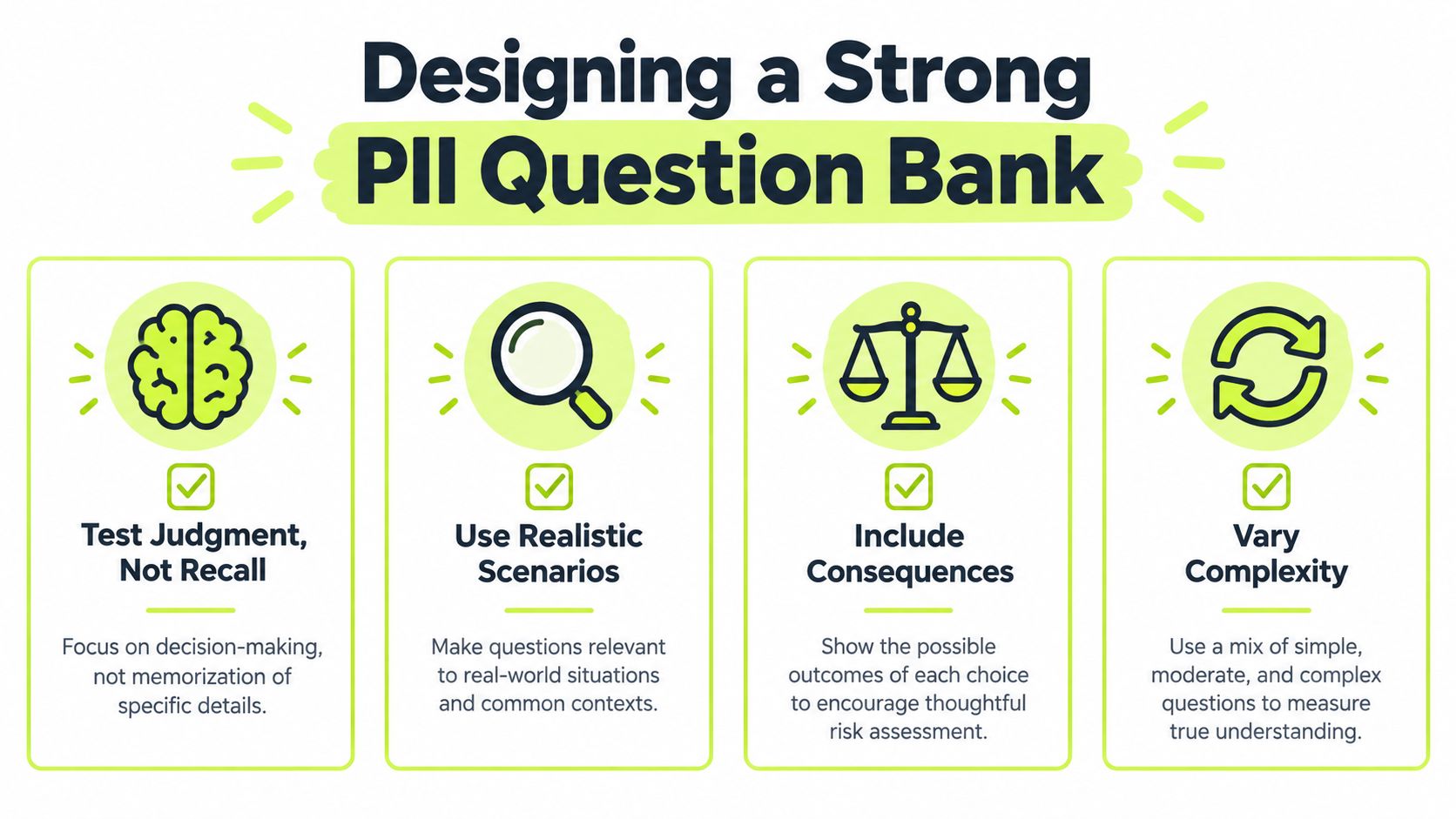
Strong assessment design starts with one rule. Every question should test judgment in a realistic setting.
What a good question bank looks like
The best question banks I've seen share a few characteristics:
- They use scenarios, not definitions. Show the learner a draft email, a ticket comment, a screenshot, or a file share prompt.
- Wrong answers reflect real mistakes. One option should mirror the “helpful but unsafe” behavior you see in incident reviews.
- Feedback teaches. Don't just mark an answer wrong. Explain why it increases exposure or breaks process.
- Complexity varies. Some items should test basic recognition. Others should test sequencing during a suspected incident.
A simple example is stronger than it looks. Instead of asking whether a phone number is PII, show a support reply that includes a phone number, account details, and a screen capture. Ask the learner which parts must be removed before sending the message externally.
Set thresholds that create effort without creating resentment
I like a passing threshold of 80% because it signals that accuracy matters without turning training into an exam culture. Unlimited retakes are fine if the platform gives feedback and draws from a question pool large enough to discourage memorizing one path through the lesson.
That only works if the underlying item bank is broad and tagged. In practice, I want questions mapped back to specific objectives so reporting can show whether a learner struggles with redaction, incident escalation, or non-production data handling. Completion alone doesn't tell you where the risk sits.
If you need inspiration for scenario design, internet safety quiz question patterns that test judgment translate well to privacy topics because they focus on decision quality, not rote recall.
Avoid assessment fatigue
There's a line between reinforcement and busywork. The easiest way to cross it is to ask too many nearly identical questions in one sitting.
Use shorter assessments more often, then rotate scenarios:
- Keep each check focused on one behavior cluster.
- Change the surface details while preserving the same core decision.
- Use realistic distractors based on what employees do when they're rushed.
- Reserve longer assessments for annual recertification or role changes.
The learner should feel tested, not trapped. That's the balance that keeps completion up without lowering standards.
Producing Audit-Ready Evidence Without the Screenshot Scramble
By the time auditors ask for training evidence, teams already know whether their program is organized or held together with exports, folders, and last-minute screenshots.
For personally identifiable information training, the evidence burden is predictable. The problem is that many teams still collect it manually, which creates version confusion, missing records, and arguments over whether a screenshot proves anything.
The five artifacts auditors usually want
For controls mapped to training and awareness obligations, I keep these artifacts current at all times:
- Assigned roster with timestamps: who was assigned what, and when.
- Completion records: the event trail showing completion status and date.
- Assessment results: not only that a learner finished, but whether they met the required standard.
- Role-based content versions: proof that engineers, support, sales, and contractors didn't all receive the exact same material.
- Live drill attendance and policy acknowledgments: especially after updates tied to incidents, process changes, or new tooling.
That aligns well with what auditors typically ask for under common security and privacy frameworks. What fails review is usually thin evidence, especially when a company can prove training exists but can't prove assignment logic, role differentiation, or follow-through after policy changes.
Manual collection versus synced evidence
The difference between manual and automated evidence handling is mostly operational discipline.
| Dimension | Manual Screenshots | Automated Sync |
|---|---|---|
| Collection effort | Staff pull records from several systems and assemble them by hand | Records flow from the training system into the compliance system |
| Freshness | Often stale by the time audit fieldwork starts | More current if sync is maintained |
| Error risk | High risk of missing learners, wrong versions, or duplicate files | Lower risk when mappings are set correctly |
| Role visibility | Hard to prove differential assignment without extra exports | Easier to show by group, workspace, or team mapping |
| Repeatability | Painful every audit cycle | Consistent once the pipeline is established |
If you use Vanta or Drata, direct ingestion from your LMS or awareness platform is usually the cleanest approach because it reduces handoffs between security, HR, and GRC. The value isn't convenience alone. It's integrity. A timestamped event stream beats a folder of screenshots every time.
Audits get easier when evidence is produced as a byproduct of the program, not as a separate project after the fact.
Keep the pipeline warm
The teams that avoid audit-week chaos do a few simple things consistently:
- Review assignment logic after every major hire wave or reorg.
- Confirm role mappings when people move into engineering, support, or admin-heavy positions.
- Reconcile failed or overdue learners before the quarter ends.
- Archive old content versions and keep policy acknowledgment history attached to the update event.
That cadence matters more than any specific tool. If the records are current all year, the audit isn't dramatic.
Your 90-Day Rollout Plan and Common Questions Answered
A workable rollout doesn't need to be elaborate. It needs sequencing.
Days 1 through 15
Start with stakeholder alignment and role mapping. Security, GRC, HR, IT, support leadership, and engineering managers should agree on which roles touch PII, what common mistake patterns exist, and what the incident reporting path is for non-security staff.
Write the first wave of learning objectives from those workflows, not from the policy table of contents.
Days 16 through 45
Pilot with two cohorts that handle PII differently. Support and engineering are usually the best pair because their mistakes look nothing alike. Deliver short lessons, collect question-level feedback, and watch where learners hesitate.
Weak wording shows up fast. If people miss a question because the scenario is artificial or the wrong answer choices are sloppy, fix the item before full launch.
Days 46 through 75
Roll out broadly with weekly microlearning, scenario rotation, and manager visibility into overdue learners and failed assessments. Keep the cadence steady enough that training becomes normal but not so frequent that employees tune it out.
A practical default is one core lesson plus a lighter refresher rhythm around the same theme.
Days 76 through 90
Validate the evidence flow. Pull the roster, completions, scores, content versions, and policy acknowledgment trail as if an auditor asked today. If anything requires manual reconstruction, treat that as a process defect and fix it before the next quarter.
Then lock in a quarterly review cycle driven by incidents, near misses, new tools, and role changes.
Common questions
How often should contractors take PII training?
Train contractors when their access or responsibilities create the same exposure path as employees. If they handle customer data, internal records, or shared systems, assign role-appropriate content and track completion the same way.
What should happen after someone fails an assessment?
Don't punish the first failure automatically. Reassign a targeted lesson, require a retake, and notify the manager only if the pattern repeats or the role is high risk.
How do you prove completion for remote workers?
Use system-generated records tied to the learner identity, assignment date, completion event, and score. Remote delivery isn't the problem. Missing records are.
How should content change after a near miss?
Turn the near miss into a lesson pattern quickly. Remove identifiers, isolate the decision point, and publish a short scenario while the workflow is still familiar to employees.
Vigil Security offers Slack-native security awareness and compliance training that fits this model well: short interactive lessons, recurring refreshers, role-aware assignments, assessments, and audit-ready evidence sync for tools like Vanta and Drata. If you're trying to make personally identifiable information training more operational and less performative, visit Vigil Security.