Across large-scale phishing simulation programs, baseline susceptibility is high, but it drops sharply only when training keeps going. One benchmark tracked 11.9 million users across 55,675 organizations, with the average phish-prone percentage falling from 34.3% before training to 18.9% after 90 days, then to 4.6% after one year of ongoing training (Security Today). That's the right lens for phishing simulation training, not whether people clicked once, but whether the program keeps changing what they do next.
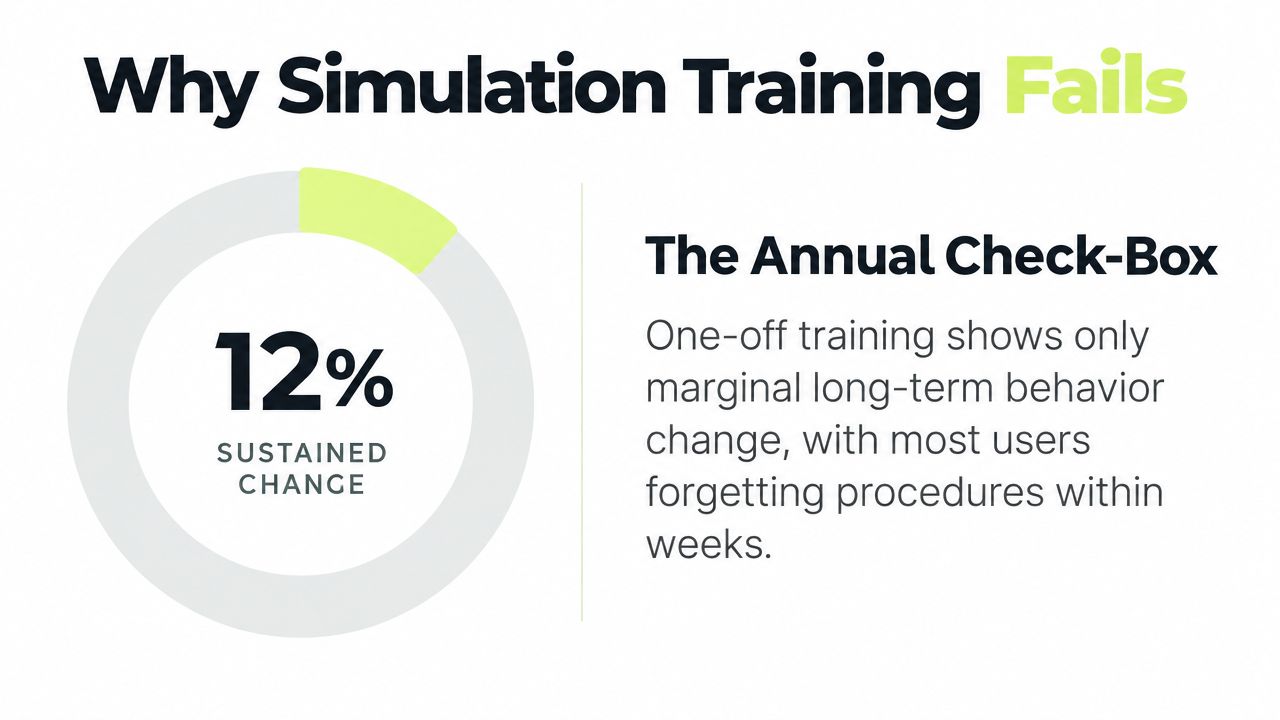
Teams that stop at the first report run a campaign, send a generic lesson, file the screenshots, and call it awareness. The problem is that annual modules and delayed follow-up barely move behavior, while repeat simulations and context-specific coaching are what turn a test into a habit.
Why Most Phishing Simulation Training Fails to Change Behavior
The failure mode is familiar. Security teams track the first click, then stop paying enough attention to what happens after a report, a miss, or a careless open. That leaves the program with activity, but not behavior change. Recent work found no significant relationship between recent awareness training and failing a phishing simulation, and only about a 2% reduction in failure rate from embedded training across multiple content types (Sutter et al., Computer.org). That is why the old “send a quiz after the click” model feels busy but ages poorly.
Compliance theater versus measurable change
A lot of programs are built to satisfy a checkbox, not to change a reflex. If the only proof is module completion, you still do not know whether someone will report a suspicious message tomorrow. Stronger programs use the simulation itself as the measurement tool, then treat the response as the trigger for the next coaching step.
Practical rule: if a phishing program can't tell you who improved, who regressed, and who still needs coaching, it's a reporting exercise, not a behavior program.
The reason simulations matter is simple, they measure actual behavior. NIST-published research in the training-debate literature found that simulated phishing lures embedded in training could get 10% to 30% of employees to click, while simple annual training alone produced only a small 2% reduction in phishing susceptibility compared with no training. That is a hard result, but a useful one, because it shows why the program has to be built around feedback loops, not just content delivery.
Why timing and context matter more than reminders
The better programs do not wait for people to “remember the lesson.” They catch users in the same workflow where the mistake happens, then coach them there. Research on large-scale phishing training also supports repetition and ongoing exposure, with one benchmark showing a drop from 33.2% PPP before training to 4.2% after one year of continuous awareness work (KnowBe4). That movement does not come from a yearly slideshow.
For Slack-first teams, delivery context matters as much as the lure. If training happens where employees already work, there is less friction, less tab switching, and fewer excuses. The program feels like part of the workflow, which is where behavior is easier to change.
The core gap is not between awareness and ignorance. It is between running a simulation and proving the behavior changed after the test.
Foundations to Set Before You Launch Your First Simulation
Start with the goal, not the template library. A phishing simulation can be used to reduce click risk, increase reporting, validate a compliance control, or segment high-risk groups, but those are different outcomes and they need different evidence. If leadership can't name the business reason for the program, the results will be impossible to defend later.
Baseline measurement comes next. Without it, every “improvement” is just a feeling, especially in distributed teams where role exposure varies widely. Define who gets tested, how they're grouped, and what success means for each group before the first campaign goes out.
Set the operating rules before the first send
The most common early mistakes are avoidable.
- Define the audience clearly: Assign by workspace, channel, team, or individual so the test reflects the communication path people use.
- Set expectations with leadership: Executives need to know the program is intended to measure and improve behavior, not embarrass staff.
- Keep reporting paths visible: Employees should know exactly where to report a suspicious message, especially if the simulation lands in Slack.
- Pick a baseline window: Use the same starting point for all initial measurements so your trend lines aren't polluted by inconsistent rollout timing.
That transparency matters because people notice when security teams try to surprise them without explanation. Teams are usually more willing to engage when they understand the purpose is improvement, not punishment. The more open the rollout, the less you create resentment that later shows up as quiet non-participation.
A transparent program also makes the evidence easier to explain. If a user clicks a lure, gets instant coaching, and later reports the next suspicious message, that is a better story for leadership than a raw failure count. For a quick refresher on user-facing awareness prompts, the internet safety quiz questions resource is a useful example of how to frame short, checkable learning without turning it into a lecture.
A good launch plan tells employees what the test is for, where the reports go, and how they'll be coached. Hidden rules create noise, not signal.
Don't over-test the same people
Cadence needs to be intentional from day one. If you test too aggressively before you have the coaching loop working, people stop treating the messages seriously. If you test too rarely, habits never form and the baseline drifts back toward old behavior.
The right pace depends on your audience, but the principle is consistent, regular exposure beats one-off events. Use the cadence to reinforce the lesson, not to punish the same users over and over. When the schedule is predictable enough to become a ritual and varied enough to stay credible, the data gets much cleaner.
Designing Realistic Simulations and Targeting the Right People
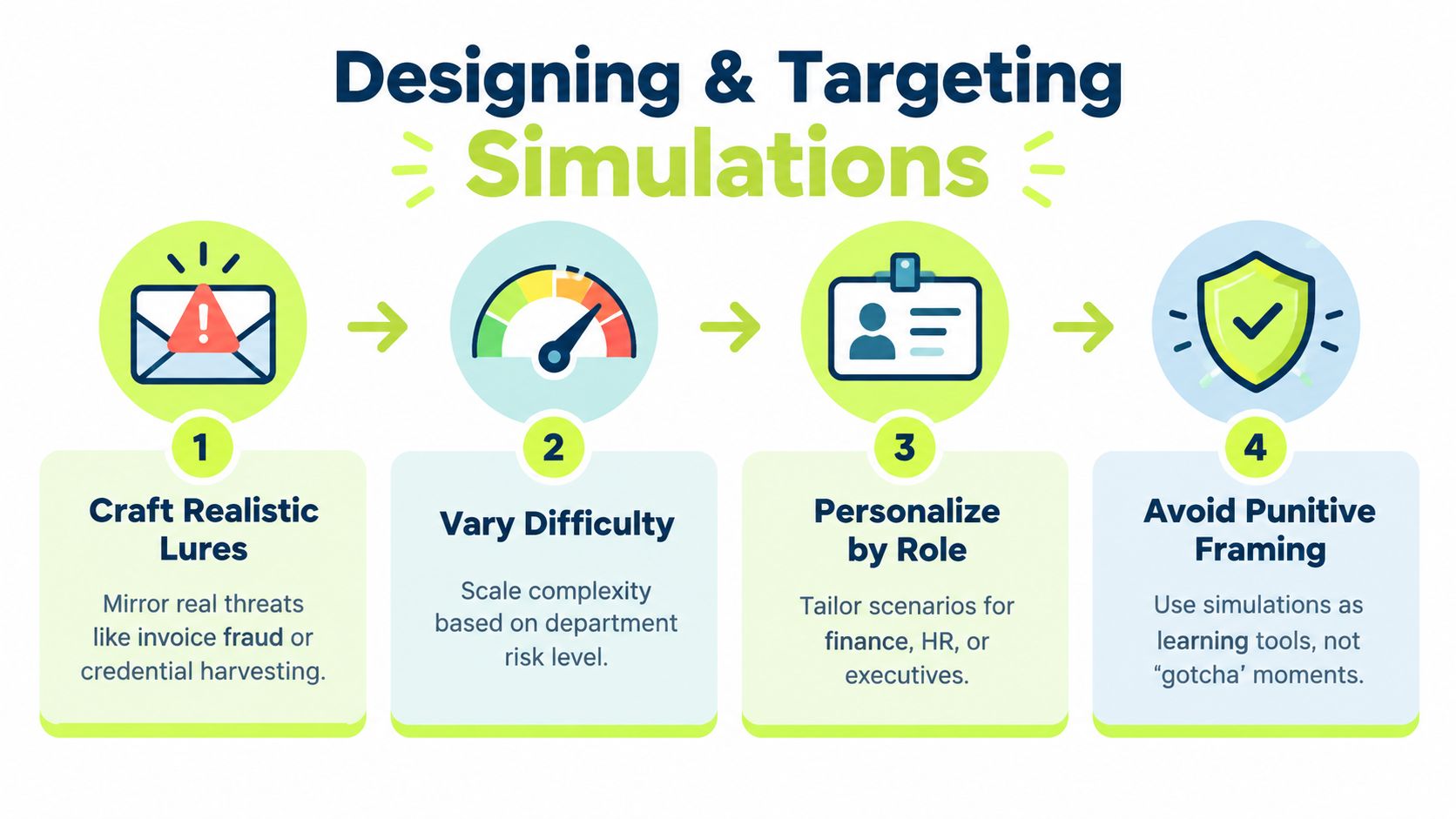
Good simulation design starts with the threat model your employees face. Finance doesn't need the same lure as engineering, and an executive assistant needs a different prompt than a junior developer. The more the scenario mirrors a real workflow, the more people respond.
The most useful simulations feel plausible without being theatrical. They should look like the types of messages your team already processes, invoice fraud, credential harvesting, approvals, shared files, password resets, or urgent requests from familiar names. If the lure is cartoonish, the test measures skepticism about your security team, not skill against attackers.
Match the lure to the role
Role-aware targeting is where most programs finally get serious. Finance should see invoice and payment-context lures. Engineering should see account access, build tools, repository access, and shared links. Executive support roles often need high-pressure messages that look like a last-minute calendar change or an urgent approval request.
The point isn't to shame people into perfect performance. It's to create enough realism that the user has to slow down and inspect the message instead of reacting by muscle memory. That's also why the same lure shouldn't hit every department on the same day, because cross-talk ruins the validity of the exercise.
Use cadence as a habit builder
Simulation frequency changes the shape of the habit. A benchmark on simulation cadence found average user PPP declined from 10.69% when phishing tests were run less than quarterly, to 8.92% with quarterly tests, 6.39% with bi-monthly tests, and 1.79% with weekly testing (KnowBe4 cadence benchmark). You don't need to copy that exact schedule, but the pattern is clear, shorter intervals are associated with stronger habit formation.
That said, more isn't always better if the content gets stale. The goal is not to flood users until they stop caring. The goal is to vary the scenarios enough that people keep learning the pattern of caution, reporting, and verification.
Examples that work in Slack-first teams
A finance user might get a shared document that looks like a vendor invoice in a busy channel thread. An engineering manager might see a request to review a build artifact or a permission change. An executive assistant might receive a message that appears to come from a senior leader asking for a quick follow-up on a calendar item.
Workflow automations can make this more responsive. When a user fails a simulation, the next assignment can be triggered automatically, and when a user reports correctly, that positive behavior can be reinforced immediately. That kind of branching keeps the program from feeling generic, and it lets you reuse the same framework across very different user groups.
Turning Clicks Into Coaching With Instant Feedback in Slack
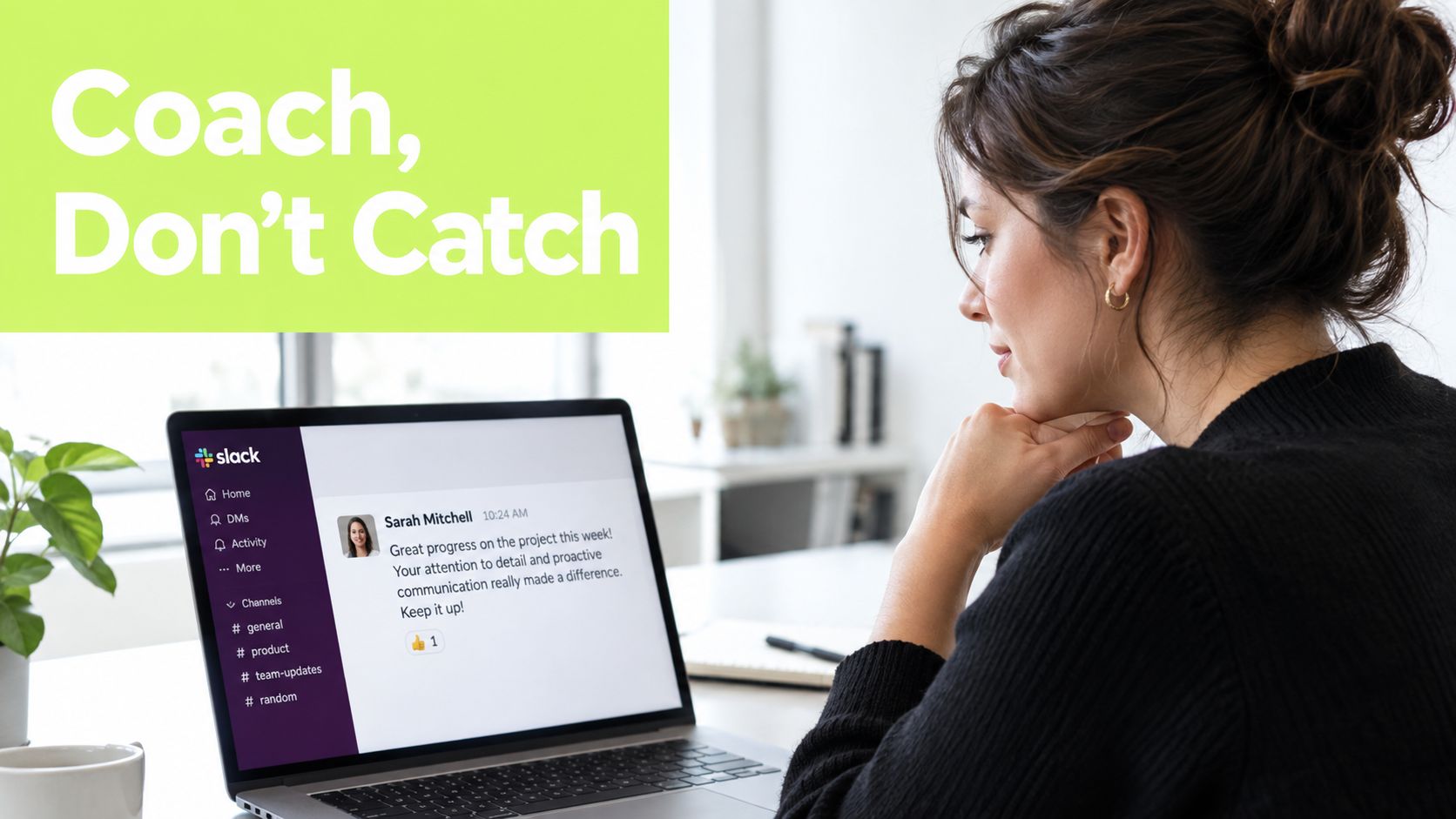
A click without follow-up is wasted signal. The lesson lands when the user is still looking at the lure, not after an email reminder or a separate training login. In Slack-first teams, instant coaching works because it stays in the same workflow where the mistake happened.
Coaching needs to be immediate and specific
The best correction is tied to the exact lure. If someone clicks a fake invoice, the feedback should call out the invoice cues they missed, not push them into a generic awareness course about safe browsing. If they report the message correctly, that response should get reinforcement too.
Slack-native delivery makes that practical. People already use Slack to answer work messages, so a short interactive follow-up feels like part of the same exchange. Vigil Security supports phishing campaigns with instant Slack coaching and corrective feedback, plus short lessons and automated assignments inside Slack.
Microlearning beats long detours
A useful correction does not need to be long. A short lesson can cover the exact cue that made the lure convincing, then finish with one or two checks to confirm understanding. A brief refresher works well when the goal is to keep one habit front of mind, such as verifying the sender before acting.
Long detours create a different problem. If every click triggers a drawn-out training path, users start treating security as punishment. Short, relevant feedback tied to the actual mistake is more likely to get finished and remembered.
Short, local, and immediate beats broad, delayed, and abstract almost every time.
Video can help when text is not enough to show why the message looked real.
Don't ignore the correct response
The strongest programs coach both failure and success. If someone reports the simulation quickly, that behavior deserves reinforcement because it is the action you want in a real incident. Positive feedback also keeps security from showing up only when people make mistakes.
That matters in teams where trust is fragile. People remember whether the security team made them feel stupid. When the program feels supportive, more users report suspicious activity instead of staying quiet after a near miss.
For teams that want the workflow to stay entirely inside Slack, the Vigil Security platform supports in-chat lessons, reminders, progress visibility, and corrective feedback without sending learners into a separate portal. That reduces friction, and friction is often the difference between a completed lesson and one that gets ignored.
Metrics That Prove Risk Reduction and Satisfy Auditors
Click rate helps, but it does not tell the full story. A team can lower clicks and still miss the core goal, which is better reporting, faster escalation, and fewer repeat failures across the workforce. Auditors and leaders need evidence that behavior changed over time, not just that the test got harder or easier.
Trend lines carry more weight than a single campaign result. As noted earlier, the benchmark study showed phish-prone percentage falling from 34.3% before training to 18.9% after 90 days, then to 4.6% after one year. A separate vendor benchmark reached a similar pattern, with global average PPP dropping from 33.2% before training to 20.1% after 90 days and 4.2% after one year of continuous training. Those figures do not prove your program will match them, but they do show the kind of sustained movement that matters.
What to track beyond clicks
A failure count alone is too narrow. Reporting rate shows whether employees escalate suspicious messages. Time-to-report shows whether they act quickly enough to matter in a real incident. Repeat susceptibility shows whether the same people keep failing after coaching, which usually means the intervention is not sticking.
Segment the results, too. Finance may improve faster than engineering, or the reverse, depending on exposure and workflow. If you do not break results down by role and participation quality, you miss the pockets of risk that matter most.
Which phishing metric to track for each goal
| Stakeholder Goal | Primary Metric | Supporting Metric | What Good Looks Like |
|---|---|---|---|
| CISO wants proof of risk reduction | Repeat susceptibility | Trend in baseline susceptibility | A clear downward trend across multiple cycles |
| GRC wants audit evidence | Completion and certificates | CSV export and comprehension records | Records are current, traceable, and easy to reconcile |
| Security manager wants behavior change | Reporting rate | Time-to-report | More users report suspicious messages, and they do it faster |
| Team lead wants targeted coaching | Role-level click rate | Follow-up completion | High-risk groups improve after specific feedback |
| Compliance owner wants control coverage | Training assignment completion | Evidence sync to Vanta or Drata | Records stay aligned with assigned users and timeframes |
Build evidence the auditor can actually use
Auditors usually do not need a narrative. They need clean records, consistency, and traceability. If your system can show who completed which lesson, who passed comprehension, who received a certificate, and when that evidence synced into a tool like Vanta or Drata, the control story is much easier to defend.
Automation helps most here. When the platform handles assignment, grading, reminders, and exports, your team spends less time assembling proof and more time improving the program. The compliance file becomes a byproduct of the training system, not a separate project.
If the report cannot separate first-time mistakes from repeat failure, it is not giving leadership enough signal to act.
Iterating Your Program for Lasting Results
A phishing simulation program only improves if each cycle changes what people do next. Run, coach, measure, retarget, then repeat with cleaner data. The goal is to close the gap between exposure and response, not to keep collecting click numbers.
Start with the groups that carry the highest business risk, then refresh scenarios before they feel familiar. If a finance team has already seen the same invoice lure twice, the next test should use a different workflow or a different pressure point. That keeps the signal honest and stops the program from turning into pattern recognition.
Use decay as a planning input
Behavior fades, especially in distributed teams where participation is uneven. Some employees engage fully, some skim, and some stop paying attention after the first reminder. Review frequency, coaching style, and assignment logic on a regular schedule instead of waiting for the annual review.
The same logic applies to insider-risk-adjacent behavior. Insider threat awareness often starts with routine workflow cues long before an incident. If your simulation program and awareness program use the same evidence model, you can spot those patterns sooner and keep the response consistent.
A simple operating rhythm
- In the first 30 days: confirm the baseline, verify reporting paths, and make sure instant coaching works in Slack.
- By 90 days: review role-level trends, identify repeat susceptibility, and adjust scenarios for the highest-risk groups.
- By 365 days: compare sustained behavior change, refresh evidence exports, and show leadership the full trend line, not just the latest campaign.
That rhythm keeps admin work under control. It also makes audits easier because the evidence stays current instead of being recreated under pressure. The best programs make compliance a byproduct of daily security work.
If you want phishing simulation training that fits Slack-first teams, proves behavior change instead of just clicks, and keeps audit evidence current without extra portal work, look at Vigil Security. It provides short interactive lessons, instant Slack coaching, and automated role-aware workflows for distributed organizations.