In IBM's 2024 research on 604 organizations that experienced breaches, IBM's 2024 Cost of a Data Breach report found that 46% of breaches involved customer personally identifiable information, including identification numbers, email addresses, phone numbers, and home addresses. That finding reframes data privacy training for employees. You're not teaching abstract law. You're teaching people how to handle the exact records attackers steal and employees misdirect every week.
A working program treats training as a measurable behavioral control. Employees classify data before sharing it, verify unusual requests, route rights requests without touching records, decide what can enter an AI tool, and report mistakes fast. Completion matters for evidence, but behavior is what reduces exposure.
Required Topics Every Employee Privacy Program Covers
Start with seven topics for everyone. Keep each one tied to a visible action, then add role-specific material on top.
| Topic | Employee action | Example scenario |
|---|---|---|
| Personal data handling | Classify records and share only needed fields | Exporting a full customer list for a one-off report |
| Secure sharing | Verify the recipient before sending | Emailing a payroll file to the wrong vendor contact |
| Phishing and pretexting | Pause and verify urgent requests through a known channel | A fake executive message asking to change bank details |
| Credential protection | Never share passwords or one-time codes | Approving an unexpected multi-factor prompt late at night |
| Data-subject requests | Recognize and escalate without acting on records | A customer asking for deletion in a support chat |
| AI and external tools | Confirm the tool is approved for the data class | Pasting candidate CVs into a personal chatbot |
| Incident reporting | Report misdirected personal data within minutes | A reply-all email containing another customer's address |
Handling, Sharing, and Verification
Personal data handling means employees share only the fields a task requires. If someone needs order totals by region, they don't need names, home addresses, or phone numbers in the export. A short guide to what data classification means in practice helps employees label records before they decide where those records can go.
Secure sharing is a recipient check, not just encryption. Employees confirm the name, domain, and business need before sending files outside the company, especially payroll, candidate, and customer data sent to vendors. Phishing and pretexting training teaches a pause. An urgent request to change bank details, reset access, or bypass approval gets verified through a known phone number or internal channel, not through contact details supplied in the suspicious message.
Credentials, Requests, Tools, and Reporting
Credential protection is simple and nonnegotiable. Employees never share passwords or one-time codes, and they reject multi-factor prompts they didn't trigger. If prompts keep arriving, that's a reportable incident, not an annoyance to silence by approving one.
Employees also need a clear boundary for data-subject requests. They recognize a request to access, correct, export, or delete personal data, then escalate it without searching systems or changing records themselves. For AI and external tools, the rule comes before the prompt. Employees check approval for the data class before pasting customer, candidate, or employee information into any service.
Practical rule: If personal data went to the wrong person, report it within minutes through one published channel. Speed gives your team options. Delay removes them.
Incident reporting closes the set. A misdirected email, an overshared file, or a suspicious approval prompt should reach security or privacy staff while containment is still possible. Technical testers face the same discipline when they handle production data during assessments, which is why GDPR compliance considerations for pentesting are useful context for teams that grant testers temporary access. Keep all seven topics as your baseline. Don't trade one away because a team says it rarely handles personal data. Inbox, calendar, CRM, and ticket data usually prove otherwise.
Why Employee Behavior Drives Breaches and Which Metrics Prove Change
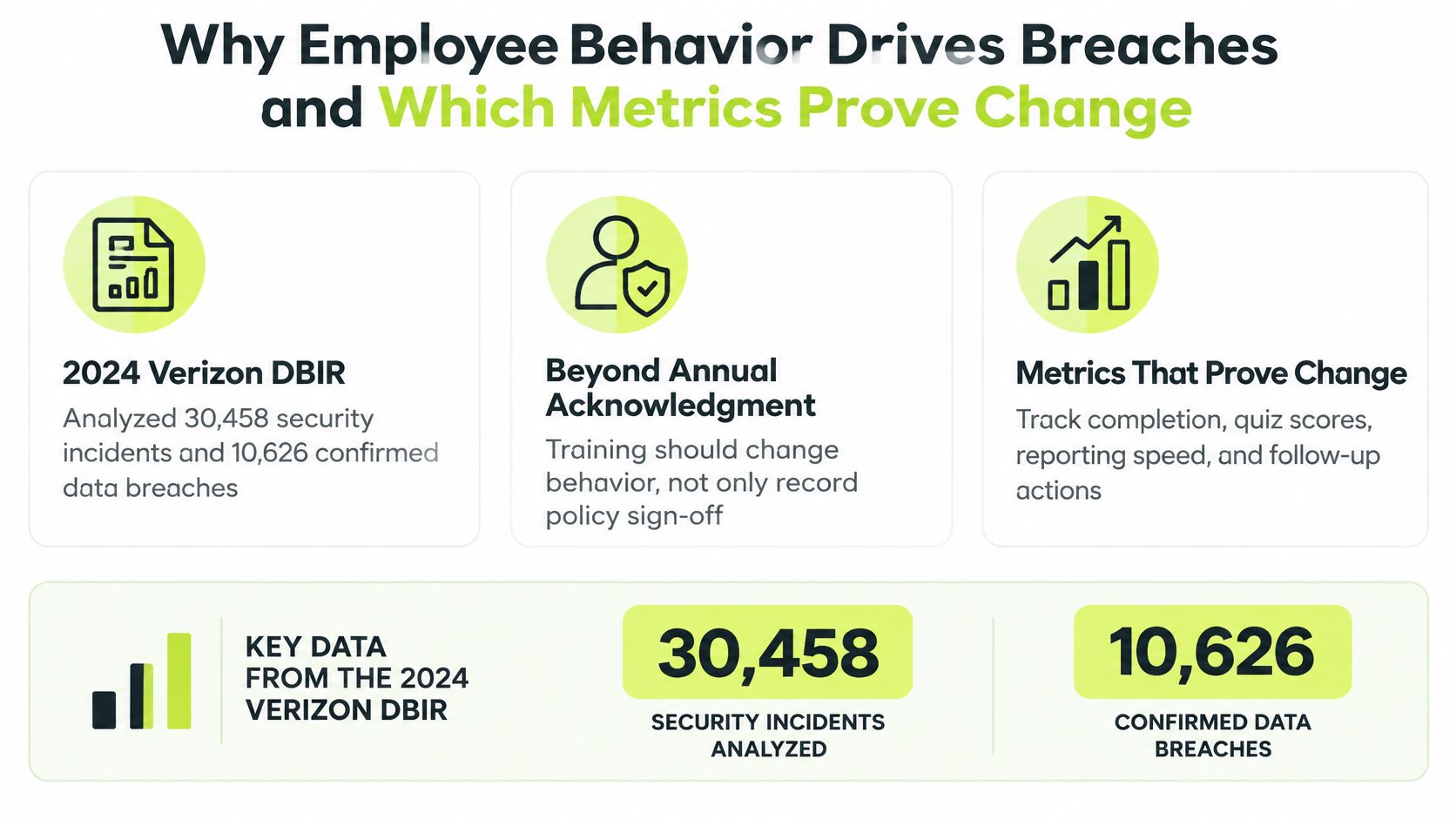
In Verizon's 2024 Data Breach Investigations Report, which analyzed 30,458 real-world security incidents, including 10,626 confirmed breaches across 94 countries, a non-malicious human element was involved in 68% of breaches. Verizon counted falling for social engineering, mishandling information, or making an operational error. It deliberately excluded malicious privilege misuse to focus on behaviors that security awareness and privacy training can influence.
That distinction matters. You're not trying to train away deliberate theft with a quiz. You're changing routine decisions about links, credentials, recipients, file sharing, and reporting. Those decisions happen daily, often under time pressure, and an annual policy acknowledgment doesn't rehearse them.
The Chain From Mistake to Exposure
The pattern held a year later. Verizon's 2025 Data Breach Investigations Report analyzed more than 22,000 security incidents, including 12,195 confirmed breaches, and found the human element remained involved in approximately 60% of breaches, with credential abuse accounting for 22% of breaches.
Follow the chain and the curriculum writes itself. An employee discloses credentials, approves an illegitimate request, or mishandles personal data. An attacker gains access or receives information directly. Protected information is exposed, copied, or used to reach the next system. Training has to interrupt the first link with data minimization, recipient validation, verification of unusual requests, phishing-resistant authentication, and immediate reporting.
A seatbelt works as a safeguard. Fastening it once a year for an inspection doesn't protect anyone on the next trip. The behavior has to be automatic at the moment of risk.
Reporting Is a Second Chance
Prevention won't be perfect, so measure recovery too. In 2023 security-awareness exercise data in the 2024 Verizon report, 20% of users reported simulated phishing messages, while 11% of users who clicked the simulated email also reported it. A click followed by a fast report is still a defensive win. Security can reset credentials, search for similar messages, and contain access before personal data leaves.
That's why psychologically safe reporting belongs in the design. If employees expect blame, they'll delete the message and hope nothing happened. If reporting takes one click and earns a thank you, you'll hear about mistakes while you can still act.
| Metric | What it shows | Better when |
|---|---|---|
| Reporting rate | Share of employees who report suspicious messages | Higher |
| Unsafe-click rate | Share who click a simulated phishing link | Lower |
| Credential-submission rate | Share who enter credentials on a simulated page | Lower |
| Time to report | Minutes from a suspicious message to a report | Lower |
| Escalation accuracy | Share who route a scenario request correctly | Higher |
Use short scenario checks to collect these signals without turning every lesson into an exam. Well-built interactive quizzes for presentations can also work in live sessions when you want immediate discussion around a wrong answer. I would track all five metrics from the first cohort. If completion rises but reporting, credential submission, and escalation accuracy don't move, you have documentation, not risk reduction.
Segmenting Roles and Setting a Baseline
Run a knowledge assessment and a controlled phishing simulation before the first lesson launches. Without that baseline, you can't tell whether later scores reflect learning, easier questions, or a different audience. Keep the first simulation fair and clearly educational. You're measuring starting behavior, not setting a trap.
Next, segment employees by the personal data they handle. A generic module wastes time on examples people don't recognize and misses the mistake each team is most likely to make.
| Role | Personal data flows | Priority scenario |
|---|---|---|
| HR | Employee records, candidate files, leave requests | Sending a candidate file to a hiring manager outside the company |
| Finance | Bank details, invoices, payroll exports | Changing a supplier's bank account after a phone request |
| Engineering | Logs, test data copies, production access | Copying production records into a staging database |
| Customer support | Identity checks, ticket attachments, account data | Sharing account details with a caller who cannot verify identity |
| Sales | CRM exports, contact lists, call notes | Sending a full prospect list to a personal email account |
Build the Role Matrix First
List each role, its data flows, its highest-risk scenario, and the action you expect. Then write lessons against that matrix. A practical overview of role-based security awareness training can help you structure assignments without creating a separate curriculum for every job title.
ENISA's technical implementation guidance recommends awareness programs using multiple formats, training personnel to recognize phishing, pretexting, and tailgating, and teaching the causes of unintentional data exposure. It also recommends segmenting employees into target groups, tailoring content to daily challenges, using realistic scenarios and quizzes, conducting regular phishing simulations, and delivering activities at regular intervals throughout the year.
Attach Each Lesson to a Control
Map every lesson to one control objective, such as preventing accidental oversharing, restricting access to personal data, validating recipients, or reporting suspected loss. Add a pass threshold, for example 80%, so completion means the employee could apply the rule in a scenario.
Retain evidence linking the employee, assigned control, completion timestamp, score, remediation status, and policy version. Employees who fail get immediate coaching and a targeted reassessment on the missed scenario. Consistently successful employees get periodic refreshers instead of repeating material they've already mastered. Build the matrix before you write content. It prevents the common failure where polished lessons teach the wrong workflow beautifully.
Recognizing and Routing Data-Subject Requests
Most programs teach passwords and phishing in detail, then leave employees guessing when a customer says, "Delete everything you hold about me." That gap is operational, not theoretical. In the 2025 Global Privacy Culture Survey, the ability to identify a data-subject request fell by 0.44 points, the largest decline among its measured questions, while 15% of employees were classified as "Privacy Beginners".
The image below captures the handoff your training should make routine, with the request moving to an accountable owner instead of being improvised by whoever receives it.

Route the Trigger, Do Not Work the Record
Teach these steps in order:
- Recognize the trigger. Any request to access, correct, export, or delete personal data counts, as does asking what data you keep. It can arrive by email, support ticket, phone, or Slack.
- Do not act on the record. Don't search, export, change, or delete anything to be helpful. Independent action can break identity checks, retention duties, and the audit trail.
- Acknowledge and escalate. Give a brief acknowledgement and route the request to the privacy or legal contact named in policy.
- Preserve context. Note the date, channel, requester details provided, and exact wording where practical.
- Leave identity verification to the privacy team. Never ask for a password, and don't collect extra documents unless your approved process tells you to.
- Confirm only what's approved. The requester hears timelines or outcomes from the accountable team, not guesses from the first recipient.
Practice with four situations employees will recognize. A candidate emails HR asking what interview notes exist. A customer opens a support ticket asking for an export. Someone posts a deletion request in a shared channel. A former employee asks what records remain after departure. Each has the same first move, recognize and route, but different pressure to improvise.
A concise refresher on privacy and data protection responsibilities can reinforce the boundary between frontline recognition and specialist handling.
The short video below is useful for a team discussion after employees have tried the scenarios, because you can pause on the moment where helpfulness starts creating legal risk.
Privacy awareness isn't knowing principles in the abstract. It's spotting a trigger event in a messy channel and preserving the legal response process.
Run a recurring scenario quiz that scores routing, not definitions. Show a short message and ask what the employee should do next. If people keep choosing "search the CRM and reply," your lesson hasn't worked yet, no matter how many employees completed it.
Deciding When Employees Can Use AI Tools
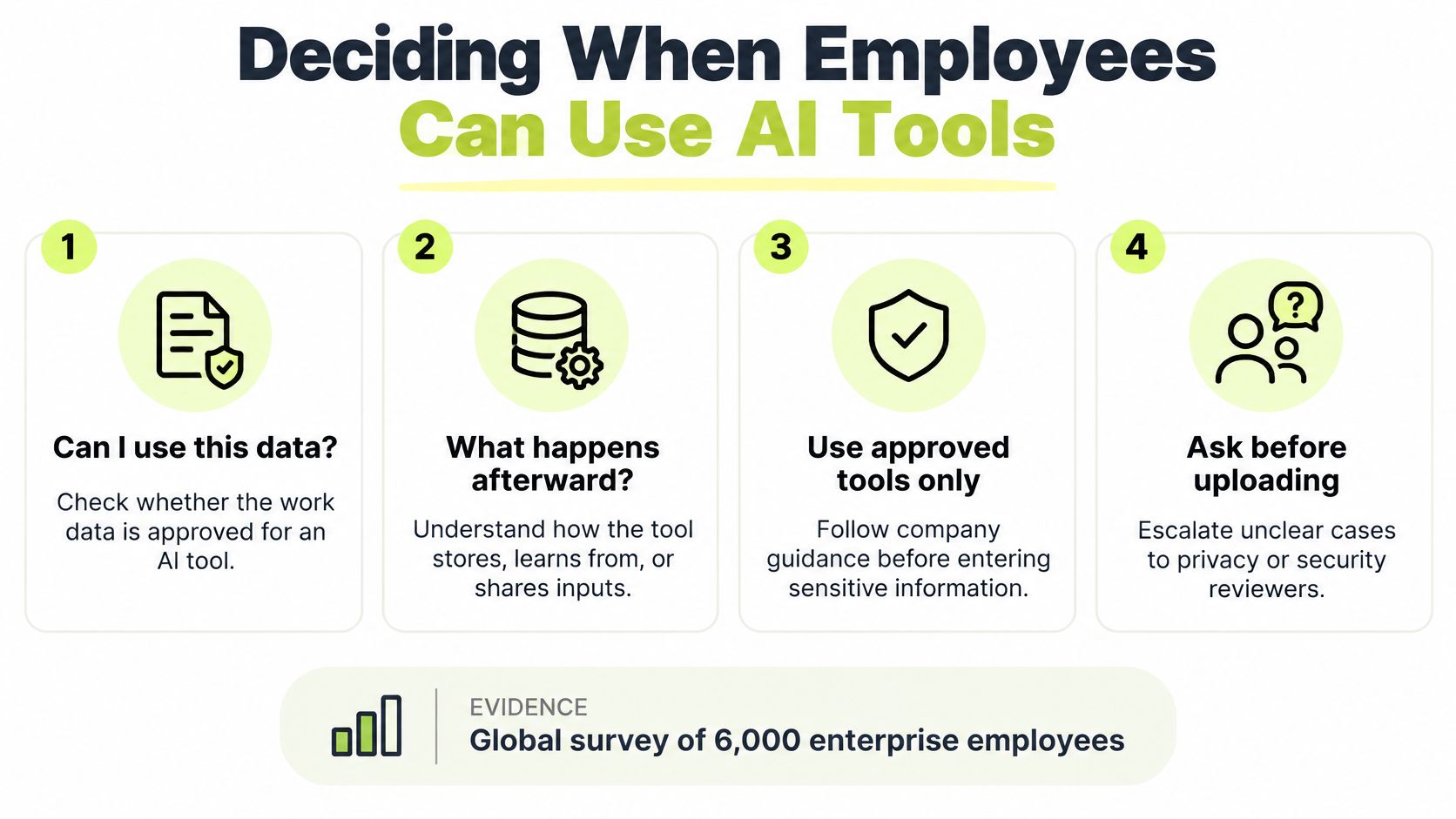
Employees need a clear answer to a practical question: can they put work data into an AI tool, and what happens to it afterward? General warnings about confidential information rarely help with the decision in front of them. Training should distinguish approved enterprise AI from consumer tools, plugins, and personal accounts, and explain how prompts, uploaded files, outputs, retention, and secondary use are handled.
Use This Decision Order
- Classify the data first. Decide whether it is public, internal, personal, or confidential before selecting a tool.
- Check approval for that data class. A tool permitted for public drafting may not be approved for customer records or source code.
- Minimize the prompt. Include only what the task needs. Remove names, email addresses, account numbers, and unrelated history.
- Redact identifiers. Use placeholders for people and accounts when the task allows.
- Review the output. Verify facts, remove invented details, and check that restricted information has not been exposed.
- Report mistakes promptly. If restricted data enters an unapproved tool, follow the escalation process rather than deleting the chat.
| Data class | Approved AI use | Example |
|---|---|---|
| Public marketing material | Approved tools with enterprise terms | Drafting an outline for a published blog post |
| Internal, non-sensitive | Approved enterprise AI only | Summarizing meeting notes that name no people |
| Personal data | Only in reviewed tools, with redaction | Rewriting a support reply with customer identifiers removed |
| Confidential financials or source code | Not allowed in consumer tools | Pasting unreleased pricing into a personal chatbot |
Use role-specific scenarios. HR staff need to decide whether candidate CVs and interview notes can go into a tool. Engineers face stack traces, logs, and code. Sales teams handle pipeline notes and call summaries; support teams see transcripts and attachments. A public list of third-party data processing providers illustrates the vendor transparency employees should look for. The organization's approved-tool register remains the authority.
“Never use public AI” is an incomplete control if employees lack a workable alternative. Pair restrictions with an approved route and a named contact for edge cases. Put the decision order where employees handle work, then test it with a realistic prompt for each role. Track whether employees choose the right tool, remove unnecessary identifiers, and report mistakes. Completion alone does not show that behavior has changed.
Delivering Microlearning in Slack and Other Formats
Format determines whether a good rule survives contact with a busy week. Compare the trade-offs before you commit the whole program to one channel.
| Format | Typical cadence | Best for | Main limitation |
|---|---|---|---|
| Annual e-learning module | Once a year | Documenting policy acknowledgment | Knowledge fades within months |
| Quarterly live workshop | Four times a year | Discussing realistic scenarios | Hard to scale across large teams |
| Slack microlearning lesson | Four-minute lessons, weekly 30-60 second refreshers | Changing behavior in daily work | Needs quizzes to prove retention |
| Phishing simulation | Monthly or quarterly | Practicing reporting | Only useful with coaching after each result |
What Each Format Does Well
An annual e-learning module is cheap, familiar to auditors, and useful for policy attestation. Its weakness is timing. Employees complete it in January and face the risky request in October, after the exact wording and escalation route have faded.
A quarterly live workshop gives people room to argue through ambiguous scenarios, which is valuable for managers, finance, HR, and support leads. It scales poorly across time zones and large teams, and attendance records alone don't show who can make the right decision. Use workshops for discussion and calibration, not as your only delivery method.
Slack microlearning puts short lessons where employees already read requests, share files, and ask for approvals. A lesson can take about four minutes, followed by weekly refreshers of 30 to 60 seconds that reinforce one behavior. Learners can start the next lesson, check progress, or flag a suspicious message without leaving Slack or remembering a separate password. A Slack-native platform such as Vigil Security is one way to run this model.
The Mix I Would Try First
Use an annual policy attestation for the formal record, monthly microlessons for behavior, quarterly simulations for practice, and a targeted scenario set for each role. Phishing simulations need coaching immediately after the result. A failed click with no explanation teaches embarrassment, not recognition.
Microlearning has a measurement obligation. Pair it with pulse quizzes or short surveys so you can show retention and decision quality, not just delivery. Assign one named owner for cadence, content, remediation, and evidence. Set frequency on the role matrix, with finance and customer support receiving more frequent microlessons than roles that rarely handle personal data. Shorter isn't automatically better. It's better when each short lesson changes one decision and you can prove it.
Confirm Your Program Is Audit-Ready Before Renewal
An auditor won't ask whether your lessons felt engaging. They'll ask for evidence. For each learner, be ready to show the assigned control, completion timestamp, score, remediation status, and policy version, linked to the person's work email.
The review below is the moment to test that chain while you can still fix gaps, not during the audit window.

Check the Evidence Like an Auditor
Pull a sample from each role. For every sampled learner, confirm the record links to its control objective, score, completion time, remediation status, and policy version. Check joiners, role changers, and overdue employees separately, because clean averages can hide broken assignment rules. If a manager approved an exception, the reason and expiry should sit with the record.
One lesson can serve several frameworks when the mapping is deliberate. Our lessons can be attached to editable framework controls, with mapping across SOC 2, ISO 27001, HIPAA, PCI DSS, GDPR, and more. That means one control objective, such as validating recipients before sharing personal data, can support multiple audits without forcing employees through duplicate lessons.
Decide where evidence belongs before renewal pressure arrives. Vanta and Drata are optional destinations for customer-directed training-completion evidence, and we don't ingest broader business data from them. Some teams will keep evidence in their own records instead. Either route works if ownership, export format, and retention are settled early. Teams selecting 250 or more learners must contact us, so factor that conversation into procurement timing.
Finish with three actions:
- Map each lesson to one control objective. Remove lessons that don't support a defined behavior or requirement.
- Schedule the first quarterly re-measurement. Compare reporting, clicks, credential submissions, time to report, and escalation accuracy against baseline.
- Choose the evidence destination. Send completion evidence to your compliance platform or retain it in your own records, with a named owner for exports.
Confirm the control mapping before the next audit window opens. That's the decision that turns nine months of lessons into evidence an auditor can trace in minutes.
Build data privacy training for employees around short Slack lessons, role-specific scenarios, phishing practice, and audit-ready records your team can export without chasing screenshots. Visit Vigil Security to see how you can assign the baseline, coach missed scenarios, and prove behavior change before your next renewal.